How to apply for a Flight Radio Telephone Operator Licence (Restricted), FRTOL-R, on eGCA
If you are training toward a pilot licence in India, one of the documents you will need is a Flight Radio Telephone Operator Licence (Restricted), usually written as FRTOL-R. It is the licence that authorises you to operate aircraft radio equipment and to communicate with air traffic control. The application is handled through eGCA, the Directorate General of Civil Aviation (DGCA) online platform, and this guide walks through what the licence is, who is eligible, and the exact steps to apply.
The steps below are written as a numbered how-to so you can follow them with the eGCA portal open in another tab. Before that, it helps to be clear on what FRTOL actually stands for, because that is the first thing most candidates search for.
FRTOL full form and what FRTOL-R means
FRTOL is short for Flight Radio Telephone Operator Licence. It is the licence a pilot holds to legally operate the radio telephony equipment on board an aircraft. Without it, you are not authorised to make the radio calls that flying with air traffic control requires.
The “-R” suffix stands for Restricted. A restricted licence covers radio telephony in the context most pilots need it for, which is communicating with air traffic services during normal flight operations. The restricted variant is the one issued to pilots through the DGCA exam and licensing process, and it is the version this guide covers.
In short:
- FRTOL means Flight Radio Telephone Operator Licence.
- FRTOL-R means the Restricted version of that licence.
- It is the licence that lets you legally use aircraft radio equipment to talk to air traffic control.
The licence is administered in India by DGCA, and applications are submitted on the eGCA portal rather than on paper.
Who is eligible for an FRTOL-R
Before you apply, there are a few requirements you need to have in place. These are designed to confirm you have the medical fitness, the education, and the examination pass that the licence assumes. The prerequisites carried in the DGCA process are as follows. [VERIFY]
- eGCA registration. You need to be registered on the eGCA portal and hold a unique eGCA ID. This is the account you log in with to submit the application.
- Medical assessment. A valid Class I or Class II medical assessment is required, in line with Rule 39C of the Aircraft Rules, 1937. [VERIFY]
- Educational qualification. You need to meet the educational standard set out in Para 1(b) of Section Z, Schedule II of the Aircraft Rules, 1937. [VERIFY]
- A pilot licence. You should hold a valid Student Pilot Licence (SPL), Private Pilot Licence, or higher Pilot Licence. [VERIFY]
- FRTOL examination. You need to have passed the Flight Radio Telephone Operator Licence examination conducted through an approved Flight Training Organisation (FTO). [VERIFY]
If you do not yet have an eGCA account, set that up first. Our guide on how to get your eGCA ID and the wider pilot registration process with eGCA explain how the account is created and what details you will be asked for. Having the account ready means the application steps below will go smoothly.
How to apply for FRTOL-R on the eGCA portal
Once your prerequisites are in place, the application itself is a sequence of steps inside eGCA. Follow them in order with your eGCA login ready. Portal labels can change, so a few specific menu names below are flagged for verification against the current portal. [VERIFY]
-
Log in to eGCA. Open the eGCA portal and sign in with your eGCA ID and password.
-
Open the FRTOL-R service. From the Services menu on the left side panel, select “Issuance/Renewal of FRTOL-R”. [VERIFY]
-
Read the instructions. Before filling anything, read the instructions and the user manual provided on the service page so you know which documents you will need.
-
Verify and complete the application form. Check your basic details, examination details, medical examination details, and licence details. Confirm your PMR number, computer number, personal details, contact details, and address details are accurate. If the form asks for it, upload your educational verification documents. [VERIFY]
-
Address any discrepancies. If the portal flags a mismatch in your records, correct it through the relevant channel before continuing, rather than submitting with the discrepancy in place. [VERIFY]
-
Validate and submit. Validate all the populated details, complete the remaining sections, and submit. The application is then directed to the Bharatkosh payment gateway for the licence fee. [VERIFY]
-
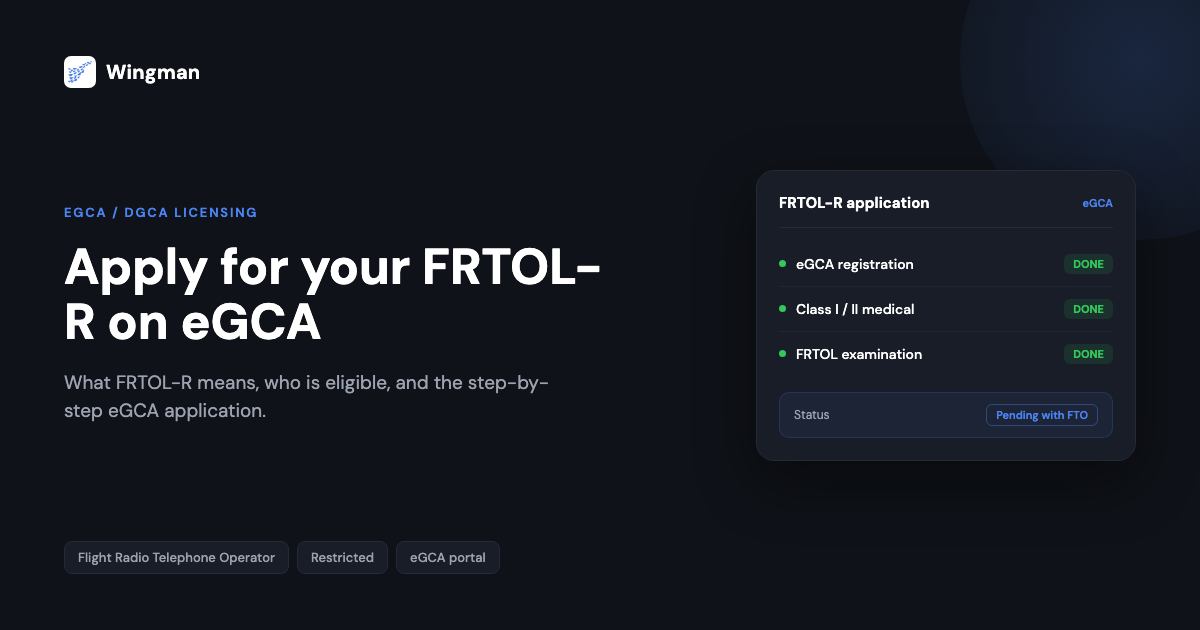
Select your FTO. For issuance of FRTOL-R, choose the relevant Flight Training Organisation (FTO) from the options shown. After submission, the application status will read “Pending with FTO”. [VERIFY]
-
Track the application. Monitor progress by opening “License Request Details” from the left side panel. The status updates as your application moves through processing. [VERIFY]
-
Complete payment and save the receipt. Once the payment is processed, a payment receipt is generated. Keep it for your records.
The FRTOL-R application flow at a glance

If a step does not match what you see on screen, it is usually because DGCA has updated a menu label or moved a field. In that case, look for the closest equivalent under the Services menu and check the user manual linked on the service page rather than abandoning the application.
After the licence: keeping your flying records straight
The FRTOL-R is one document in a set you build up as you train and then fly. Once you are operating, the larger ongoing task is recording your flight time accurately, because your hours, currency, and licence details all need to stay current and exportable when a regulator or employer asks for them.
This is where a digital logbook is useful. Wingman is a pilot logbook used by 30,000+ pilots across 400+ airlines, and it keeps your hours, currency, and licence details in one place across iOS, Android, and Web. For India specifically, there is a focused walkthrough on keeping a DGCA pilot logbook in India.
Wingman is a global product rather than an India-only tool. It supports DGCA among regulators including the FAA, EASA, UK CAA, GCAA, GACA, NZCAA, HKCAD, CASA, and CAAS, and it can import your roster automatically from systems such as AIMS eCrew, NavBlue RAIDO, CAE Crew Access, ARMS, CESAR, Sabre, FLICA, and PDC CrewConnex. There is a free tier up to 250 logged hours, so you can start recording while you are still building toward your licence, and you can move up to Pro at $4.99 per month billed annually ($59 per year, or ₹4,499 per year in India) when you need the full feature set. You can start in the browser at app.wingmanlog.com.
How FRTOL-R fits the wider eGCA journey
eGCA is the single platform DGCA uses for licence and related processes, so the FRTOL-R application sits alongside the other licence actions you carry out there. If you are early in the process, getting your account set up is the first thing to do, and the same login carries through to your other applications. Our guides on getting your eGCA ID and the eGCA registration process cover that groundwork. Knowing how the FRTOL-R application connects to the rest of eGCA helps you keep your records consistent as you move through training toward licensing.
Frequently asked questions
What is the full form of FRTOL?
FRTOL stands for Flight Radio Telephone Operator Licence. It is the licence that authorises a pilot to operate aircraft radio telephony equipment and communicate with air traffic control. The “-R” in FRTOL-R indicates the Restricted version, which is the one issued to pilots through the DGCA process.
Where do I apply for an FRTOL-R in India?
You apply through eGCA, the DGCA online platform. After logging in with your eGCA ID, you open the Services menu and select the Issuance/Renewal of FRTOL-R service, then complete and submit the application form. The licence fee is paid through the Bharatkosh payment gateway. [VERIFY]
What do I need before I can apply for FRTOL-R?
You generally need an eGCA account, a valid Class I or Class II medical assessment, the required educational qualification, a valid pilot licence such as an SPL or PPL, and a pass in the FRTOL examination conducted through an approved Flight Training Organisation. The exact requirements reference the Aircraft Rules, 1937. [VERIFY]
What does “Pending with FTO” mean on my application?
After you submit the FRTOL-R application and select your Flight Training Organisation, the status shows as “Pending with FTO” while the organisation processes its part of the request. You can monitor the status under License Request Details in eGCA until it updates. [VERIFY]
Is FRTOL-R the same as the RTR(A) licence?
No. They are separate. FRTOL-R is the restricted flight radio telephone operator licence handled through DGCA on eGCA. RTR(A) is the Radio Telephony Restricted (Aeronautical) certificate administered separately. They are different processes, so check which one a given requirement is referring to before you apply. [VERIFY]
← All articles