ATPL renewal in India: what DGCA requires and how to apply on eGCA (2026)
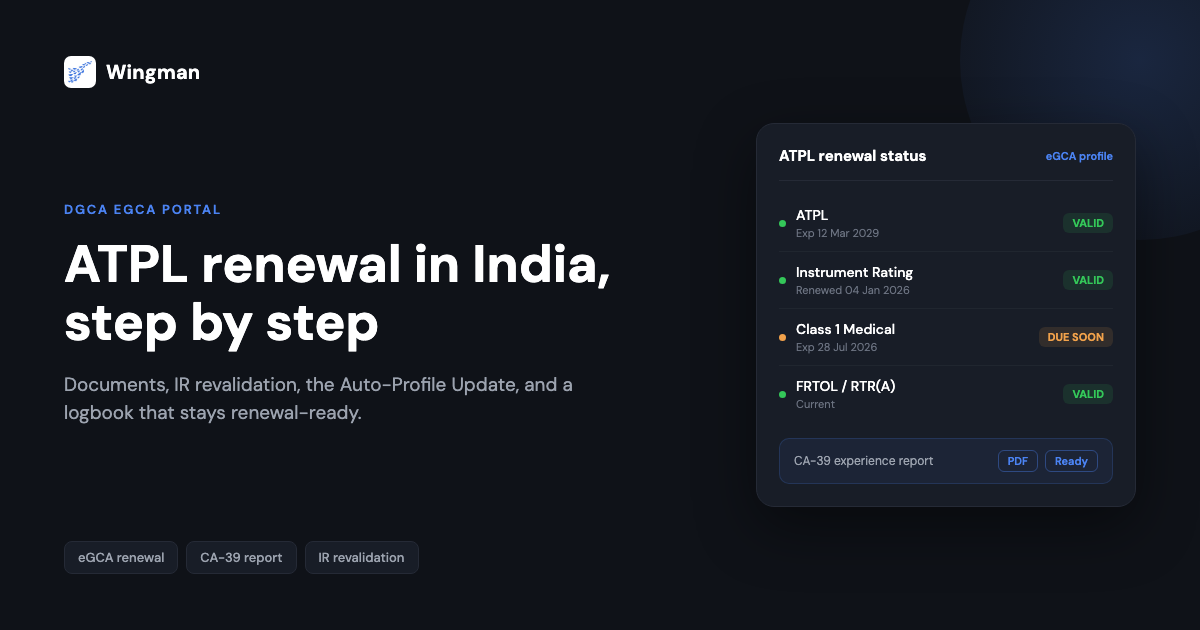
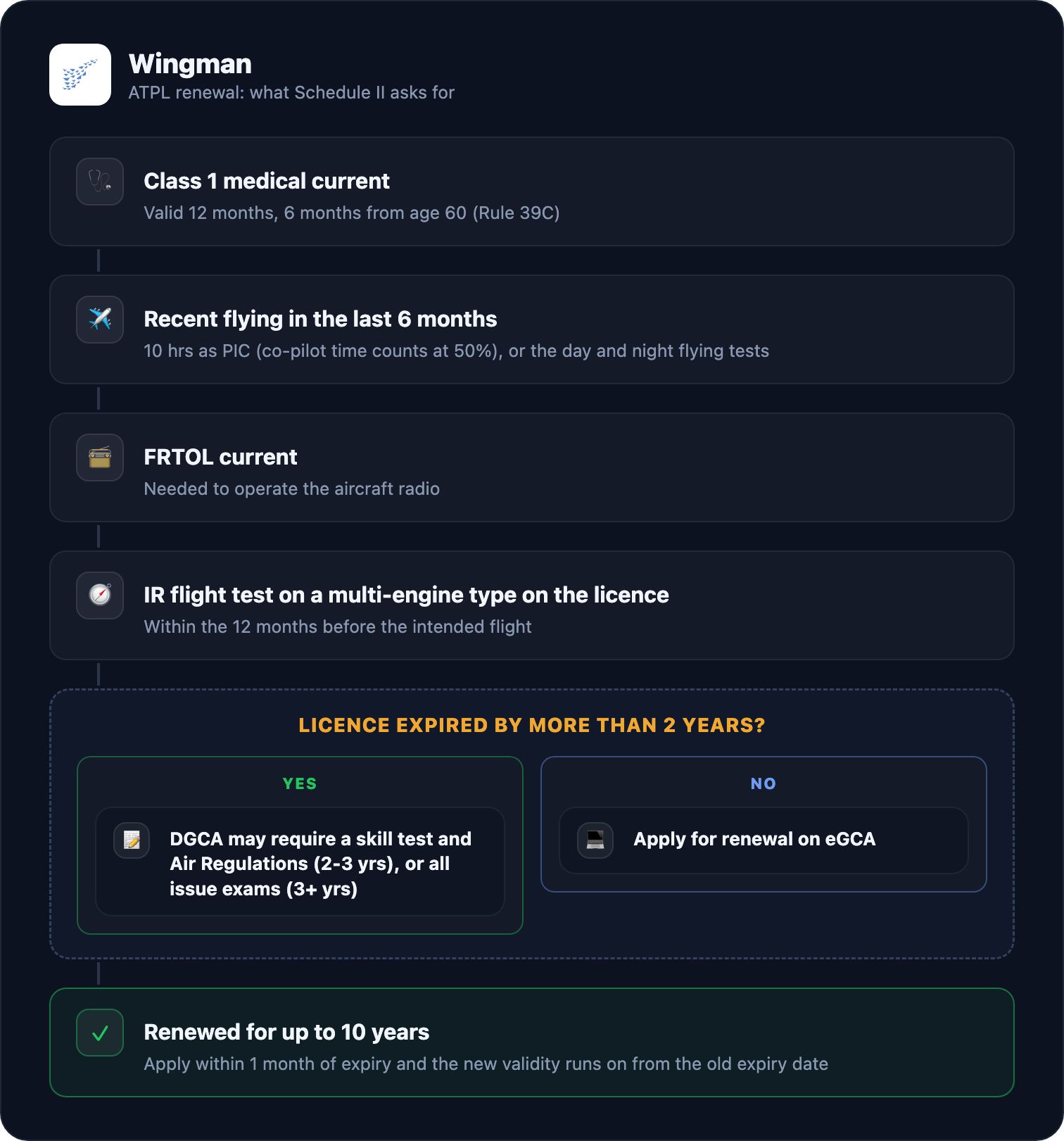
To renew a DGCA Airline Transport Pilot Licence (ATPL), Schedule II of the Aircraft Rules, 1937 asks for four things: a current Class 1 medical, 10 hours as pilot-in-command in the last six months (co-pilot time counts at 50%, or you can take the day and night flying tests instead), a current FRTOL, and an Instrument Rating flight test on a multi-engine aeroplane on your licence within the last 12 months. You apply on DGCA’s eGCA portal, and if you apply within the month before expiry, the renewed licence runs on from your old expiry date. Each renewal is good for ten years, the period set by the October 2023 amendment to Rule 39C.
Everything below is checked against the rule text, with the rule or paragraph cited so you can verify it yourself (checked 19 October 2026). For how long each part of an ATPL lasts and when the clocks reset, see our separate guide to ATPL validity in India. This page is about getting the renewal done.
Which rules apply in 2026
The Bharatiya Vayuyan Adhiniyam, 2024 replaced the Aircraft Act, 1934 from 1 January 2025, but its savings clause (section 43) keeps rules and licences made under the old Act in force where they are consistent with the new one. The replacement rules, the draft Bharatiya Vayuyan Niyam, were published for consultation in July 2025 and had not been notified as of 19 October 2026: the Ministry of Civil Aviation’s rules page does not list them, and DGCA’s rules page still lists the Aircraft Rules, 1937. So ATPL renewal is still governed by Rules 39C and 42 and Schedule II of the 1937 Rules. When the new rules are notified, check whether these provisions changed.
ATPL renewal requirements at a glance
| What | Requirement | Source |
|---|---|---|
| Licence validity | 10 years per renewal | Rule 39C(1), amended by G.S.R. 733(E), 10 Oct 2023 |
| Class 1 medical | Current; valid 12 months, halved to 6 months from age 60 | Schedule II, ATPL(A) para 3(a); Rule 39C(1) and (5) |
| Recent flying | 10 hours as PIC in the 6 months before you apply (50% of co-pilot time counts), or the day and night flying tests in the same period | Schedule II, ATPL(A) para 3(b) |
| Radio licence | Current FRTOL | Schedule II, ATPL(A) para 3(c) |
| Instrument Rating | IR flight test on a multi-engine aeroplane entered in the licence, within 12 months before the intended flight | Schedule II, ATPL(A) para 3(d) |
| Timing | Apply within 1 month before expiry and the new validity starts the day after the old one ends | Rule 39C(7) |
| Lapsed over 2 years | DGCA may require a skill test and Air Regulations (2 to 3 years), or all issue exams and tests (over 3 years) | Rule 42(1) |
The four renewal conditions in detail
Paragraph 3 of the ATPL (Aeroplanes) section of Schedule II says the licence may be renewed on satisfactory evidence of the following.
1. A medical examination. You need a Class 1 medical under the standard in paragraph 1(c). Rule 39C sets the medical’s validity at 12 months for an ATPL, halved to six months once you turn 60. Rule 39C(3) also lets you renew the medical up to one month early without losing time: the new validity runs from the day after the old one expires. Our guide to Class 1 medical renewal on eGCA covers the process.
2. Ten hours as pilot-in-command in the last six months. The window is the six months immediately before the date you apply. Half of your co-pilot time counts towards the PIC figure, so a first officer with 20 hours of co-pilot time in that window meets it. If you do not have the hours, you can instead complete the flying tests by day and by night laid down in paragraph 1(g) within the same six months.
3. A current FRTOL. The licence covers operating the aircraft’s radio telephone, and it is issued by DGCA. Our guide to RTR validity in India covers the related RTR(A) certificate.
4. A recent Instrument Rating flight test. The test has to be on a multi-engine aeroplane entered in your licence and within the 12 months before the date of intended flight.
These conditions are for aeroplane ATPLs. ATPL (Helicopters) has its own section in Schedule II.
Getting the timing right
Two parts of Rule 39C decide how much validity you keep.
- Rule 39C(7): if your renewal application is submitted no more than one month before the old validity ends, the renewed licence runs from the day after the old expiry. Ten years from the old expiry, not from the day DGCA processes it.
- Rule 39C(8): in any other case, the renewed validity runs from the date of renewal.
Your medical and Instrument Rating run on their own, shorter clocks, so they usually come due long before the licence does. In practice the licence renewal is the rare event and the IR and medical are the routine ones. Keeping those current is what keeps you flying.
Instrument Rating and proficiency checks
There is no separate Instrument Rating on an ATPL (Aeroplanes): paragraph 4(c) of the ATPL section folds the instrument privileges into the licence, provided your IR flying tests have been carried out as DGCA lays down. Section O of Schedule II sets the IR’s validity:
- The rating is valid for 12 months from the date of the IR flying test.
- If the renewal test is done within two months before expiry, the new 12 months run from the old expiry date. Otherwise, they run from the test date.
- IR renewal also needs a valid FRTOL (Section O, para 3(b)).
- On aeroplanes over 5,700 kg all-up weight, the IR privileges apply only to the type on which you passed the IR flight test.
Separately, paragraph 5A requires a proficiency check to act as PIC or co-pilot of a transport aeroplane over 5,700 kg. The check is valid for six months and renews for six months at a time; if it is done within two months before expiry, the new period runs from the old expiry. For more on the rating, see our guide to Instrument Rating validity in India.
If your ATPL has lapsed
Rule 42(1) sets out what DGCA may ask for when you apply after the licence has expired:
| Time since expiry | What DGCA may require |
|---|---|
| Up to 2 years | Rule 42(1) lists no extra exams; the Schedule II renewal conditions apply |
| More than 2 years, up to 3 | Test of skill and the Air Regulations examination |
| More than 3 years | All the examinations and tests required to issue the licence |
DGCA can also ask for any further examinations and tests it considers necessary, and may require you to meet all or part of the issue requirements if it judges your competency below standard. When renewing, it can delete an aircraft type from your rating if you lack reasonable flying experience on it. A proviso added in October 2023 says the competency and recent-experience requirements DGCA specifies must be completed before the licence or rating is renewed.
A related rule is easy to miss. Under Rule 42(2), if you have been sick or injured and unable to do the work you are licensed for for 15 days or more, you cannot exercise your licence privileges until you have been declared fit after a fresh medical examination.
The open rating
Paragraph 4(a) of the ATPL (Aeroplanes) section lets DGCA grant an open rating for all aeroplanes with an all-up weight not exceeding 5,700 kg, if you have at least 1,000 hours as pilot-in-command on aeroplanes of 14,000 kg all-up weight or more. Without it, the licence lists the class and types you are entitled to fly. Remember the IR limit above: on aeroplanes over 5,700 kg the IR privileges are type-specific. The open rating covers the light end.
Applying on eGCA
ATPL renewal is filed on DGCA’s eGCA portal. DGCA publishes screen-by-screen user manuals there under User Manual, and these are the ones that matter for an ATPL renewal:
- Renewal of Airline Transport Pilot licence (ATPL-A or H): the renewal application itself.
- License and Medical Records Updation Process: bringing your existing licence and medical records up to date on your profile.
- Validation of Instrument Rating on ATPL (Aeroplane) and Renewal of Instrument Rating: getting your IR on record.
- Process for Filling eLogBook (and the bulk-upload version): the flying hours DGCA checks your renewal against.
- DMS - Process to Apply for Renewal Of Class 1: the medical renewal.
The portal changes from time to time, so follow the current manual rather than a screenshot guide, ours included. One practical point holds whatever the screens look like: the flying in your eGCA e-logbook has to support what you claim. The six-month PIC figure and your IR test date are the two numbers a renewal turns on. Our write-up of CA-39 mistakes that get DGCA logbooks rejected covers the record problems that most often cause trouble.
If you hold a CPL rather than an ATPL, the process is in our CPL renewal guide. If you are still building towards the ATPL, see ATPL hours requirements as per DGCA.
Keeping your hours renewal-ready
The six-month PIC window and the IR date are what a logbook has to show cleanly at renewal time. Wingman, the pilot logbook used by 30,000+ pilots across 400+ airlines, imports your roster from systems such as AIMS eCrew, NavBlue RAIDO, CAE Crew Access, ARMS, Sabre, and PDC CrewConnex, so PIC and co-pilot time are logged per flight instead of reconstructed later. It produces the DGCA CA-39 experience report for any date range you choose, alongside exports for the FAA, EASA, UK CAA, GCAA, and other regulators. The free tier covers your first 250 logged hours at app.wingmanlog.com.
ATPL renewal checklist
- Class 1 medical current (renew up to one month early without losing time)
- At least 10 hours PIC in the six months before you apply, counting co-pilot time at 50%, or the day and night flying tests done
- FRTOL current
- IR flight test on a multi-engine type on your licence within the last 12 months
- eGCA licence, medical, and e-logbook records up to date
- Application submitted within the month before expiry
Rules quoted from the Aircraft Rules, 1937 (Rules 39C and 42, Schedule II ATPL (Aeroplanes) section and Section O) as amended by G.S.R. 733(E) of 10 October 2023, checked 19 October 2026. Always confirm against DGCA and the current eGCA user manual before you apply, especially once the Bharatiya Vayuyan rules are notified.
← All articles