CrewLounge CONNECT vs AirRoster: which crew roster app is actually worth using
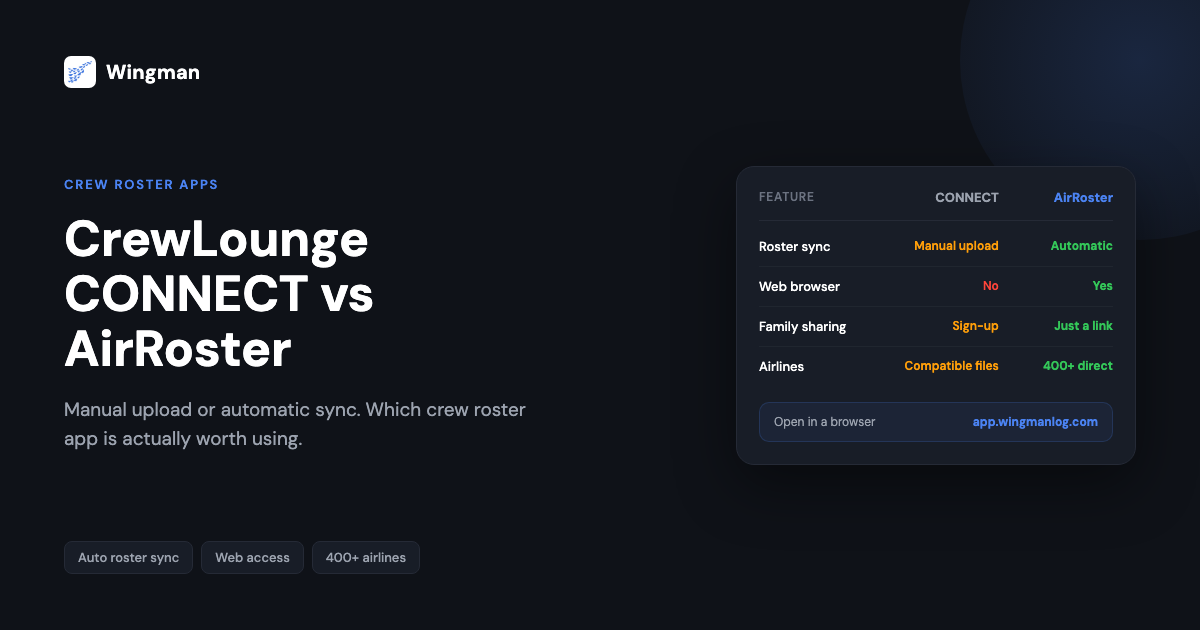
If you fly for a living and you are deciding between CrewLounge CONNECT and AirRoster, the choice comes down to one question: do you want to upload your roster file by hand every time your schedule changes, or do you want it to appear on its own when you open the app. That single difference shapes the entire daily experience, and it is what this comparison is built around. Below is a plain, feature-by-feature breakdown so you can decide quickly and get back to flying. If you would rather just try the auto-sync side now, you can open AirRoster in any browser at app.wingmanlog.com.
The one difference that decides it
CrewLounge CONNECT is a crew lifestyle and social app that includes a roster viewer. AirRoster is a roster app whose whole reason for existing is that your schedule loads automatically. Everything else in this comparison follows from that.
CONNECT asks you to download your roster file from your airline crew portal and then upload it into the app. Each time your schedule moves, you repeat the process. AirRoster connects directly to your airline scheduling system and syncs in the background, so the roster is already there when you open it. If you are choosing a primary roster tool that you will open every day, that is the comparison in one line. The rest of this page is detail.
What is CrewLounge CONNECT?
CrewLounge CONNECT is a companion app for airline crew, developed by AvioVision [VERIFY], and positioned around social and lifestyle features rather than scheduling alone. Alongside a roster viewer it bundles calendar export, crew chat, layover meetup tools, carpool matching, hotel room sharing, a currency converter, parking location tracking, and rest calculation. It is available on iOS and Android, with a user base reported in the low tens of thousands [VERIFY].
The limitation that matters most for a roster tool is described in CONNECT’s own app store listings: the app supports manual upload of roster files only, and the developer recommends trying the free version first to confirm the manual workflow suits you before buying the annual licence [VERIFY]. In practice, manual upload means you fetch the roster file from your crew portal yourself and upload it into the app each time your schedule changes. There is no direct sync from your airline scheduling system. For crew whose rosters shift every few days, which is most crew, that is a repeated chore rather than a one-time setup.
What is AirRoster?
AirRoster is the automatic roster app in the Wingman family, built by Wingman Avtech [VERIFY] around a single commitment: your roster appears the moment you open the app. It connects straight to your airline scheduling system and syncs without any manual download or upload step.
AirRoster supports 400+ airlines worldwide, with direct connections across the major crew scheduling platforms including AIMS eCrew, NavBlue RAIDO, CAE Crew Access, ARMS, CESAR, Sabre, CAE FLICA, and PDC CrewConnex. It runs on iOS, Android, and the web, with nothing to install in a browser. You can open it anywhere at app.wingmanlog.com.
Feature-by-feature comparison
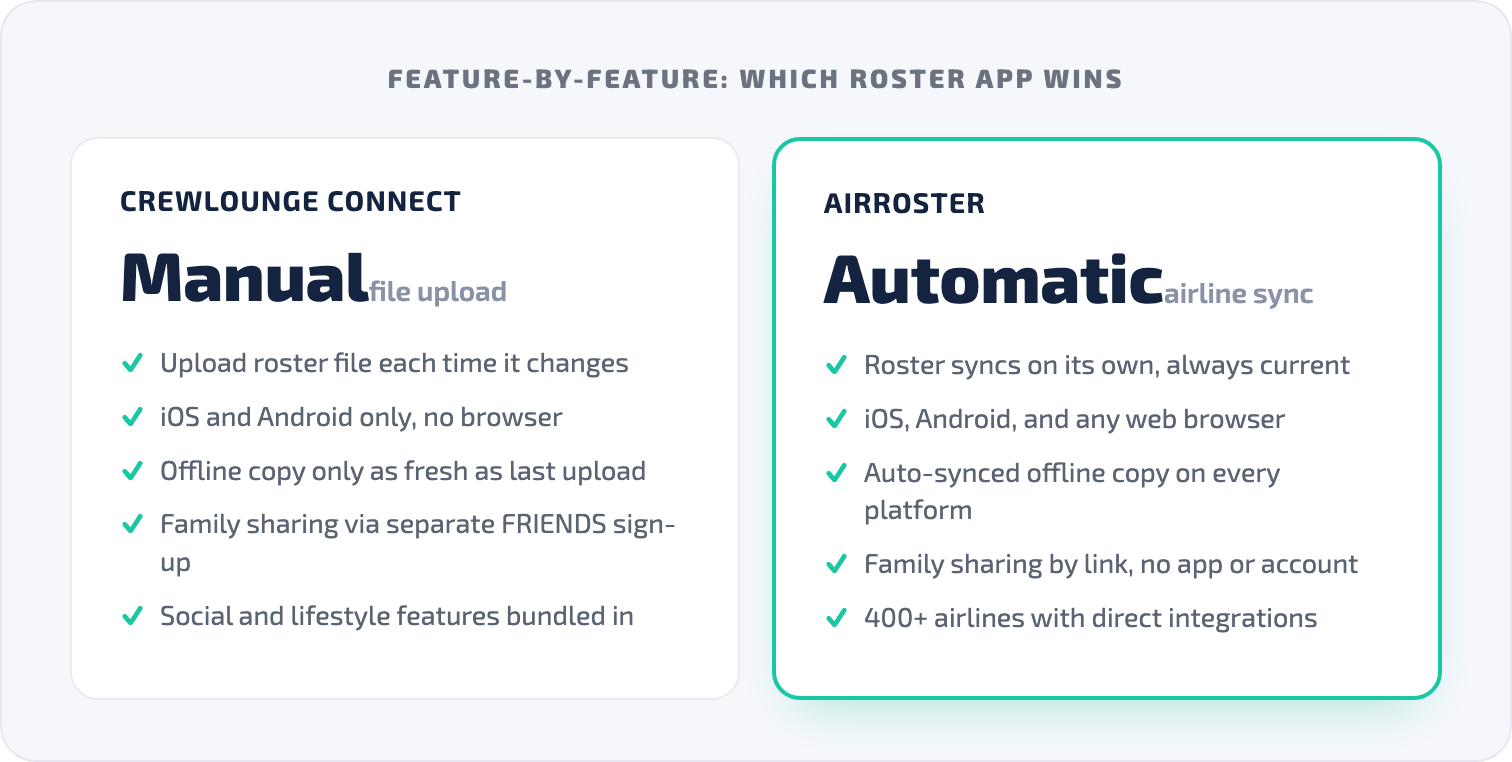
Roster import
This is the comparison that decides whether each app works as a daily roster tool.
CrewLounge CONNECT is manual only. You download the roster file from your crew portal, upload it to the app, and repeat whenever the roster changes [VERIFY]. If you forget, or you are on a layover without access to the crew portal, the app shows stale data.
AirRoster is automatic. It connects to your airline scheduling system directly, so the roster syncs with no manual steps. Open the app and the current schedule is there. Daily background sync means it stays current without you thinking about it.
Platform availability
CrewLounge CONNECT runs on iOS and Android, with no browser version [VERIFY].
AirRoster runs on iOS, Android, and any web browser at app.wingmanlog.com, with nothing to install on the web. You can check a schedule from a hotel computer, a borrowed laptop, or a tablet without setting anything up.
Offline access
CrewLounge CONNECT caches the roster you uploaded so you can view it offline, but it is only as current as your last manual upload.
AirRoster caches your schedule on every sync across all three platforms. The full loaded period, including several weeks ahead, is available offline and works in airplane mode. Because the sync is automatic, the offline copy is current rather than whatever you last remembered to upload.
Sharing with family
CrewLounge CONNECT handles family visibility through a separate product, reported as CrewLounge FRIENDS, a web app where family members register and log in with a password to see your schedule [VERIFY].
AirRoster lets family members view your schedule from a shared link, with no app to download, no account to create, and no password to remember. You share the link, they see the schedule. The difference is what each app asks of the people you share with: CONNECT asks them to sign up, AirRoster asks nothing.
Social and lifestyle features
CrewLounge CONNECT includes layover meetups, crew chat, carpool matching, destination briefings, hotel room sharing, a parking tracker, a rest calculator, and a currency converter [VERIFY]. These exist and some crew value them.
AirRoster does not include social features, by design. It is a roster app, not a community platform. Most crew already use WhatsApp, Telegram, and a maps app for those functions. Adding a social layer to a roster app means navigating past feeds and notifications every time you open it just to read your next report time.
Calendar export
CrewLounge CONNECT exports to iOS Calendar, Google Calendar, and Outlook. Some user reviews on Google Play have reported recurring time-display errors in calendar exports [VERIFY].
AirRoster exports to standard calendar apps as well. Because the underlying data is synced automatically rather than uploaded by hand, the export reflects whatever your airline last published, without a manual step in between.
Career statistics
CrewLounge CONNECT shows duty history with breakdowns such as total hours and days flown.
AirRoster provides statistics across block hours, duty hours, and rest periods over custom date ranges, which is useful when you are watching flight-time limits or planning leave.
Airline coverage
CrewLounge CONNECT supports airlines through manual file upload. If your airline produces a roster in a compatible format, you can upload it [VERIFY]. That is broad in theory, but there is no integration: you are the integration layer, fetching and uploading files yourself.
AirRoster supports 400+ airlines with direct scheduling-system connections across AIMS eCrew, ARMS, CAE Crew Access, NavBlue RAIDO, CESAR, Sabre, CAE FLICA, and PDC CrewConnex, with new integrations added regularly.
Pricing
CrewLounge CONNECT is free to download and allows a limited number of roster imports before an annual subscription is required [VERIFY].
AirRoster has a free tier with full roster access and no ads, and no card details are needed to start.
Side-by-side summary
| Feature | AirRoster | CrewLounge CONNECT |
|---|---|---|
| Roster sync | Automatic from airline system | Manual file upload only [VERIFY] |
| Airlines supported | 400+ with direct integrations | Manual upload from compatible formats [VERIFY] |
| iOS | Yes | Yes |
| Android | Yes | Yes |
| Web browser | Yes, at app.wingmanlog.com | No [VERIFY] |
| Offline access | All platforms, auto-synced | Mobile only, last manual upload |
| Family sharing | No app, no account, no login | Separate FRIENDS sign-up [VERIFY] |
| Social features | No | Chat, meetups, carpool, lifestyle [VERIFY] |
| Calendar export | Standard, from auto-synced data | Standard, from manual upload |
| Career statistics | Block, duty, rest, custom ranges | Duty history and hours |
| Free tier | Full roster access, no ads | Limited imports, then paywall [VERIFY] |
Where CrewLounge CONNECT falls short
The manual upload is not a small caveat, it is the core roster experience. Every use of CONNECT as a scheduling tool starts with you pulling a file from the crew portal and uploading it. The other gaps follow from the same design choices: no browser access, so you cannot check from a desktop or a device without the app; family sharing routed through a separate sign-up; and a stack of lifestyle features competing for screen space with the one job a roster app needs to do well, which is show you your roster. Recurring calendar export errors reported in reviews, and a free tier that caps imports before a subscription, round out the friction [VERIFY].
When CrewLounge CONNECT might still fit
If the social and lifestyle side is what you actually want, crew chat, layover meetups, carpool matching, then CONNECT serves that niche, and some crew run it alongside a separate roster app for exactly those features. As a primary daily roster tool in 2026, though, an app that depends on manual file uploads is hard to recommend over one that syncs on its own.
Who should use AirRoster
AirRoster fits you if you want the roster to appear automatically with no downloads or uploads, if you need browser access from any device, and if you want family sharing that asks nothing of your family. It fits cabin crew as well as pilots, since it is built around the schedule rather than a flight-deck-only workflow. And because it covers 400+ airlines across every major scheduling system, it keeps working if you change carriers.

Where Wingman Pilot Logbook fits
A roster app shows you what is coming. A logbook records what you have flown. Neither AirRoster nor CrewLounge CONNECT is a logbook, so once your schedule has flown, the hours need to land somewhere accurate. Wingman Pilot Logbook is used by 30,000+ pilots across 400+ airlines and keeps your hours, currency, and licence details in one place across iOS, Android, and the web. It produces regulator-compliant exports for the FAA, EASA, UK CAA, GCAA, DGCA, GACA, NZCAA, HKCAD, CASA, and CAAS, and it has a free tier up to 250 logged hours, so you can start without committing anything up front. Because it shares the same roster import (AIMS eCrew, NavBlue RAIDO, CAE Crew Access, ARMS, CESAR, Sabre, CAE FLICA, PDC CrewConnex), your flown duties can flow from schedule to logbook with far less retyping.
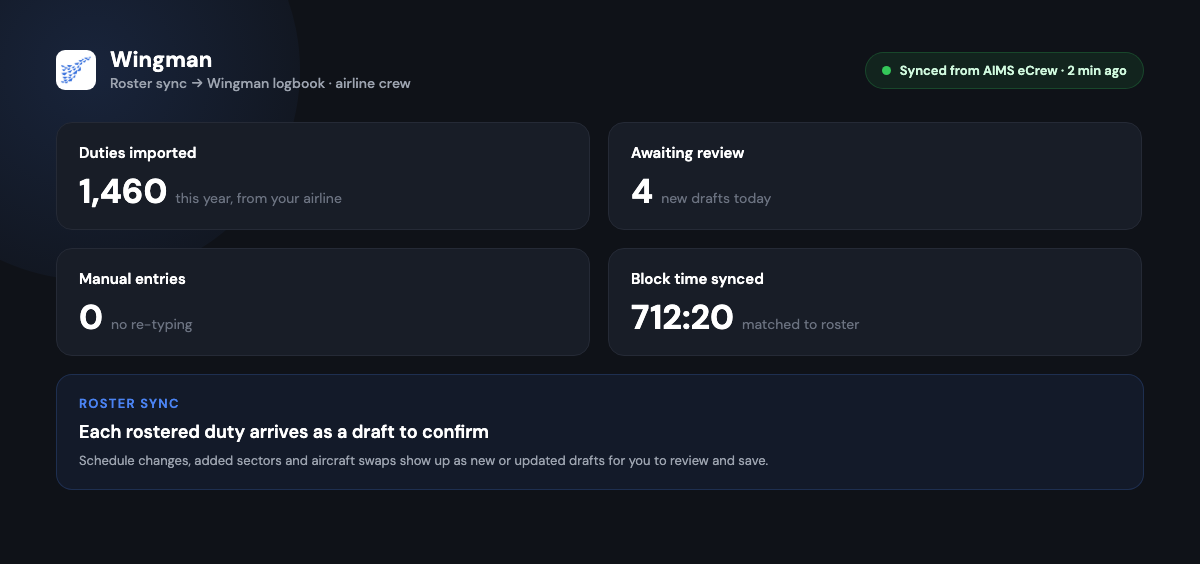
Getting started with AirRoster
- Open AirRoster on iOS, Android, or in a browser at app.wingmanlog.com.
- Select your airline from the 400+ supported carriers.
- Connect and let your roster sync automatically.
- Share with family using a simple link, with no app required on their end.
- Leave daily background sync on so the schedule stays current on its own.
Frequently asked questions
Does CrewLounge CONNECT support automatic roster sync?
No. CrewLounge CONNECT’s own app store listings describe manual upload only: you download the roster file from your crew portal and upload it to the app each time the schedule changes [VERIFY]. AirRoster connects to your airline scheduling system and syncs automatically.
Does AirRoster have social features like CrewLounge CONNECT?
No. AirRoster focuses on reliable automatic roster access and simple family sharing. It does not include crew chat, layover meetups, or lifestyle tools. If those features are your priority, CONNECT offers them, but it does not offer automatic roster sync.
Which app supports more airlines?
AirRoster connects directly to 400+ airline scheduling systems with automatic sync. CrewLounge CONNECT supports manual file upload from airlines that produce compatible roster formats, which is broad in theory but leaves the work to you [VERIFY].
Can I use both apps at once?
Yes. Some crew use AirRoster as the primary roster tool and keep CrewLounge CONNECT for its social and lifestyle features. The two apps are built for different jobs.
Do I still need a separate logbook?
Yes, if you need to record hours for currency and licence purposes. Neither app is a logbook. Wingman Pilot Logbook handles that side with regulator-compliant exports and a free tier up to 250 hours.
The bottom line
CrewLounge CONNECT built a lifestyle app for crew and attached a manual roster uploader to it. AirRoster built a roster app that works automatically. For crew who open their roster app every day to check report times and share schedules, the tool needs to be instant, current, and reliable, and manual file uploads are none of those. CONNECT’s social features are real, but they do not make up for a core roster experience that asks you to do the syncing yourself. If automatic sync, browser access, and frictionless family sharing matter to you, start with AirRoster at app.wingmanlog.com.
Feature details for CrewLounge CONNECT are drawn from public app store listings and user reviews as of early 2026 and are tagged for verification. Items marked [VERIFY] should be confirmed before publishing.
← All articles