DGCA pilot logbook app in 2026: keep your hours in sync with eGCA
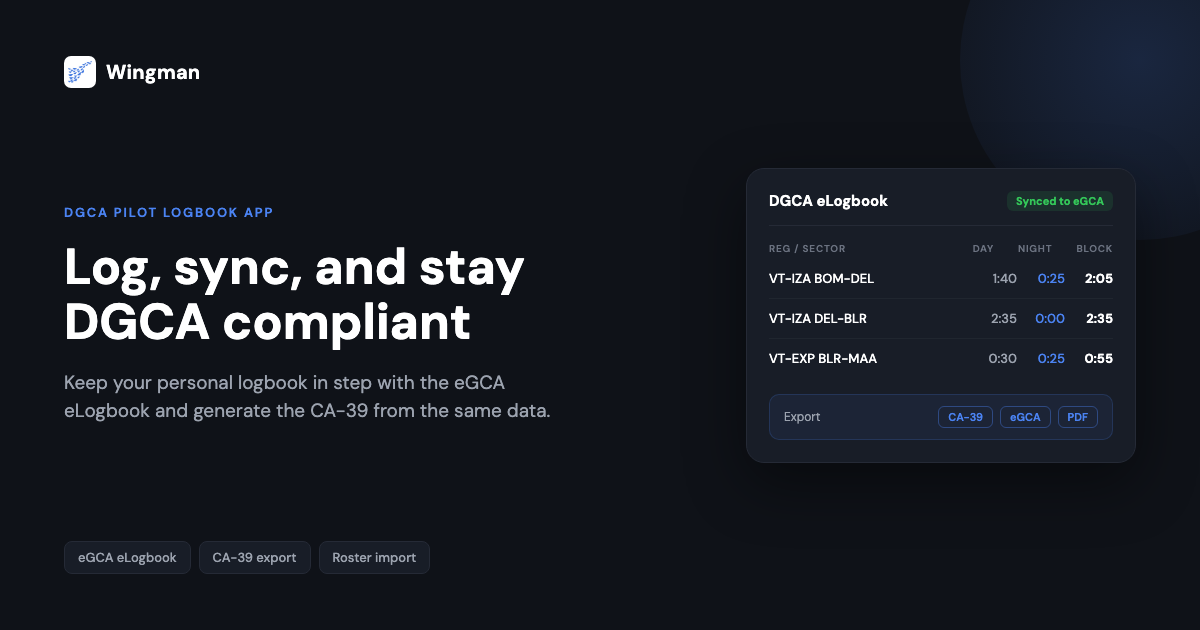
India’s pilot licensing moved online when the DGCA shifted record keeping to the eGCA platform. The physical logbook that pilots once carried to a DGCA office is now a digital record, and your flying hours are expected to be available and accurate inside eGCA rather than only in a paper book. For a DGCA-licensed pilot, the practical question is no longer whether to keep a digital logbook, but which app keeps your personal record and your eGCA entries in agreement.
This guide explains what DGCA expects from a digital logbook in 2026, compares the main logbook apps Indian pilots consider, and shows where Wingman Pilot Logbook fits. If you are still working through written exams alongside your flying, the companion guide on checking your results on the Pariksha DGCA website covers that side of the journey.
What DGCA expects from your logbook in 2026
The eGCA record
DGCA licensing and currency processes run through the eGCA portal, and a pilot’s logged hours are expected to be reflected there rather than held only in a personal book. The DGCA eLogbook is a digital template within that framework, with structured fields for each sector and running totals tied to your licence record. Because the portal is the system of record, any personal logbook you keep needs to map cleanly to the eGCA eLogbook format. [VERIFY]
A second change pilots discuss is the Auto-Profile Update mechanism, which DGCA introduced in early 2026 to move parts of the CPL to ATPL progression from a manual paperwork check toward an automated one. The reported effect is that a mismatch between your personal logbook and your eGCA entries can stall a profile update rather than clear it, so keeping the two records identical matters more than it used to. [VERIFY]
Mandatory entry fields
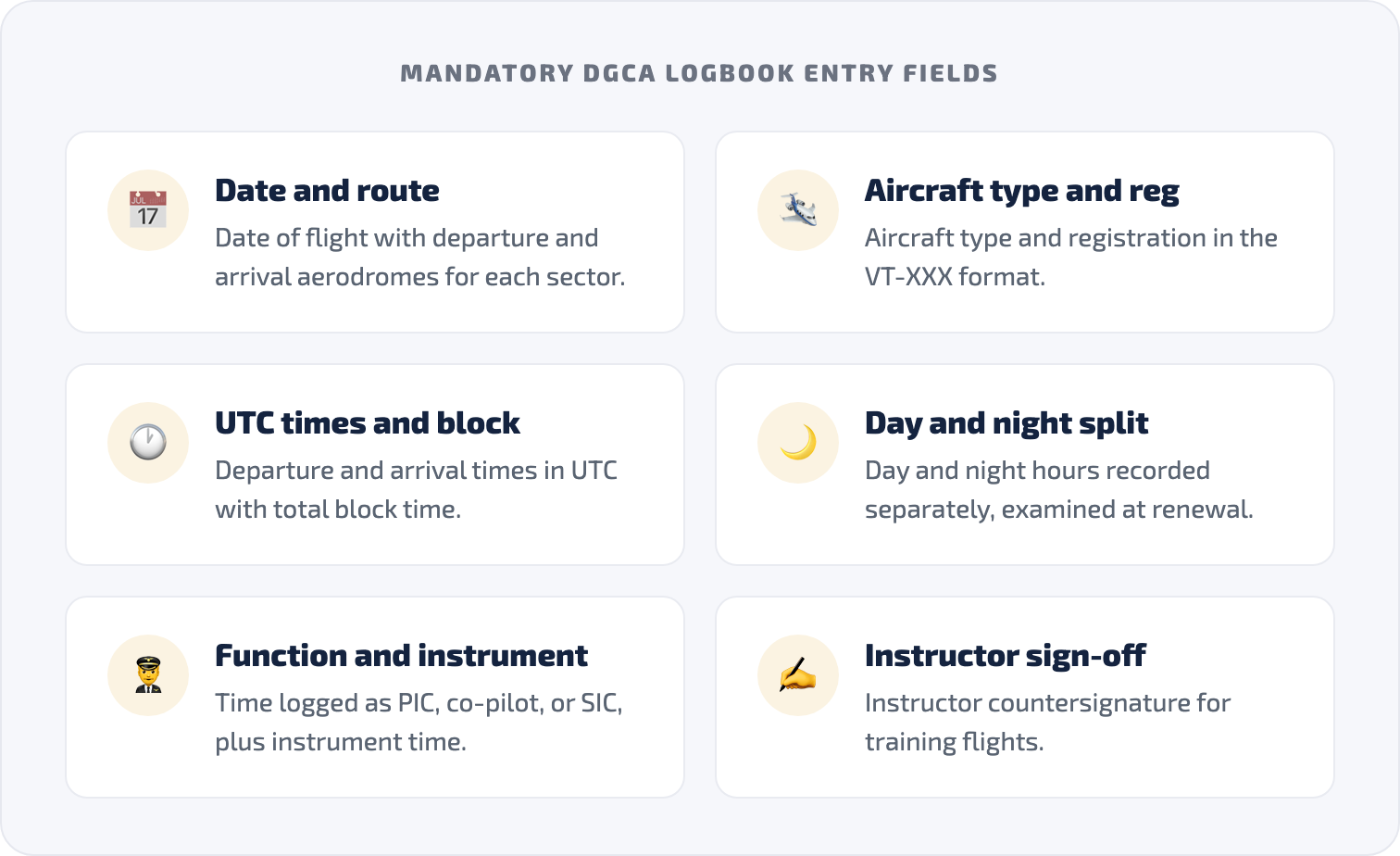
A DGCA logbook entry is detailed. Each sector generally needs the date of flight, aircraft type and registration in the VT-XXX format, departure and arrival aerodromes, departure and arrival times in UTC, total block time, day and night hours recorded separately, the flight time logged as PIC, co-pilot, or SIC, instrument time where applicable, and an instructor countersignature for training flights. [VERIFY] Night hours in particular are examined at renewal, which is why automatic, almanac-based day and night splitting is worth having rather than estimating by hand.
The CA-39 experience report
The DGCA CA-39 form is used for licence renewal and rating endorsements, and it is generated from your logbook totals. It needs to match your eGCA figures, because a discrepancy between the CA-39 you submit and your eGCA record is a common reason for a renewal application being sent back. [VERIFY] A logbook that produces the CA-39 directly from the same data that feeds eGCA removes that mismatch at the source.
Where general logbook apps fall short for DGCA pilots
Most well-known pilot logbook apps were built around FAA and EASA workflows first, so DGCA-specific output is not always their priority. The three names Indian pilots ask about most are LogTen Pro, ForeFlight Logbook, and RB Logbook.
LogTen Pro is a capable logbook, but it does not offer eGCA eLogbook upload and is focused on Apple devices, which leaves out pilots on Android. [VERIFY] ForeFlight Logbook is built primarily for general aviation planning on iOS and is not designed around airline roster import or DGCA reporting. [VERIFY] RB Logbook supports a DGCA format and routes roster data through the RosterBuster ecosystem, but does not provide direct eGCA upload. [VERIFY] Manual entry through the eGCA portal itself remains the fallback, and pilots describe loading several years of history that way as slow work.
Wingman vs other apps: DGCA feature comparison
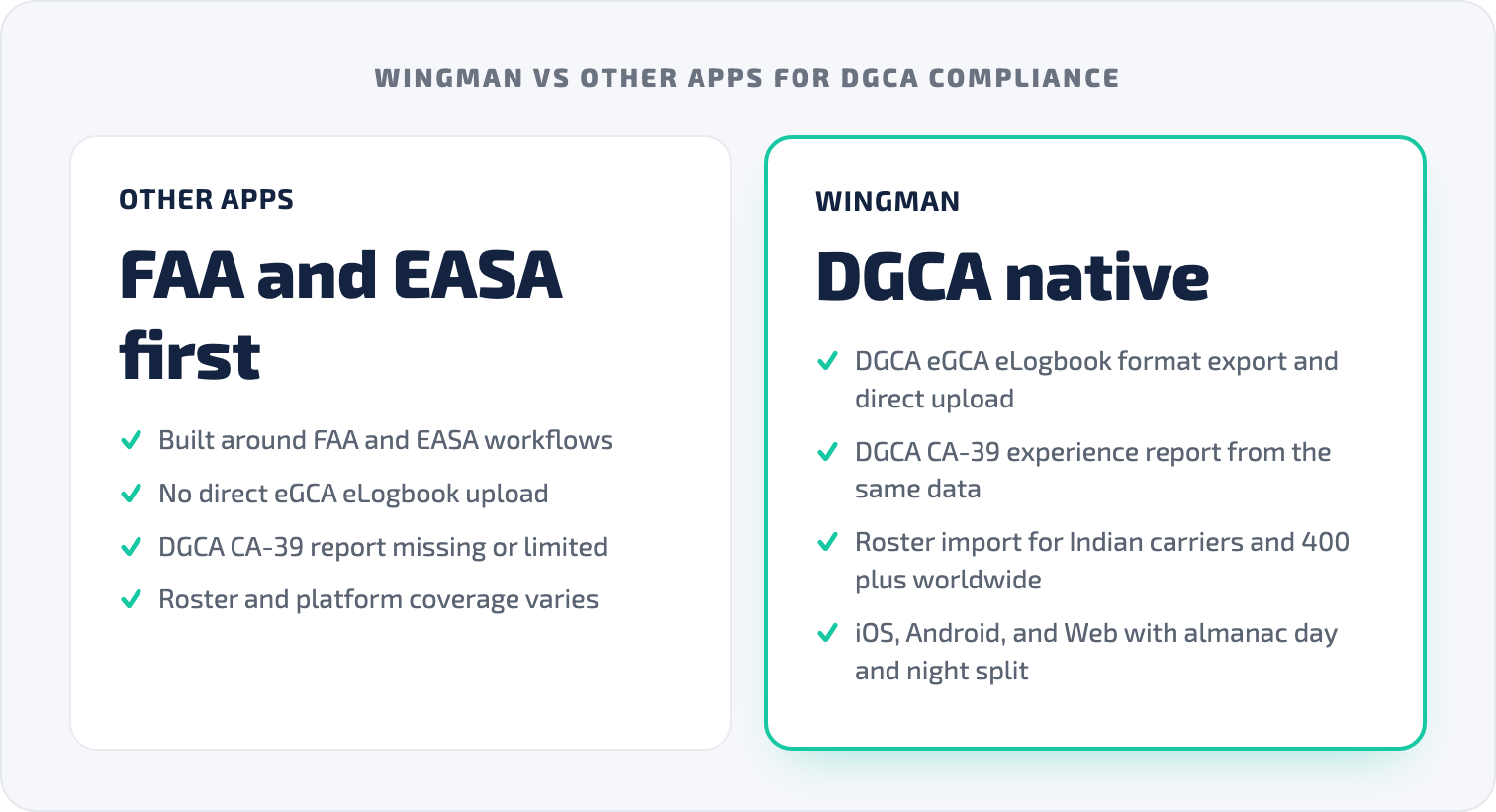
The table below compares the capabilities that matter most for DGCA compliance. Competitor entries are marked for verification because app features change over time, and you should confirm the current state with each vendor before deciding.
| Capability | Wingman | LogTen Pro | ForeFlight Logbook | RB Logbook |
|---|---|---|---|---|
| DGCA eLogbook format export | Yes | No [VERIFY] | No [VERIFY] | Yes [VERIFY] |
| Direct upload to eGCA | Yes [VERIFY] | No [VERIFY] | No [VERIFY] | No [VERIFY] |
| DGCA CA-39 report | Yes | No [VERIFY] | No [VERIFY] | Limited [VERIFY] |
| Automatic airline roster import | Yes, Indian carriers and 400+ worldwide | Limited [VERIFY] | No [VERIFY] | Via RosterBuster [VERIFY] |
| Almanac-based day and night split | Yes | Partial [VERIFY] | Partial [VERIFY] | Partial [VERIFY] |
| Platforms | iOS, Android, Web | Apple only [VERIFY] | iOS only [VERIFY] | iOS, Android, Web [VERIFY] |
| Free tier | Up to 250 logged hours | Confirm with vendor [VERIFY] | Bundled with subscription [VERIFY] | Confirm with vendor [VERIFY] |
| Price | $59/year, ₹4,499/year in India | Confirm with vendor [VERIFY] | Confirm with vendor [VERIFY] | Confirm with vendor [VERIFY] |
The pattern is that the global apps cover logging well but were not built around the DGCA eGCA and CA-39 path, while a cross-platform record that maps to those formats removes the manual reconciliation step.
What Wingman does for DGCA pilots
Exports that match the DGCA formats
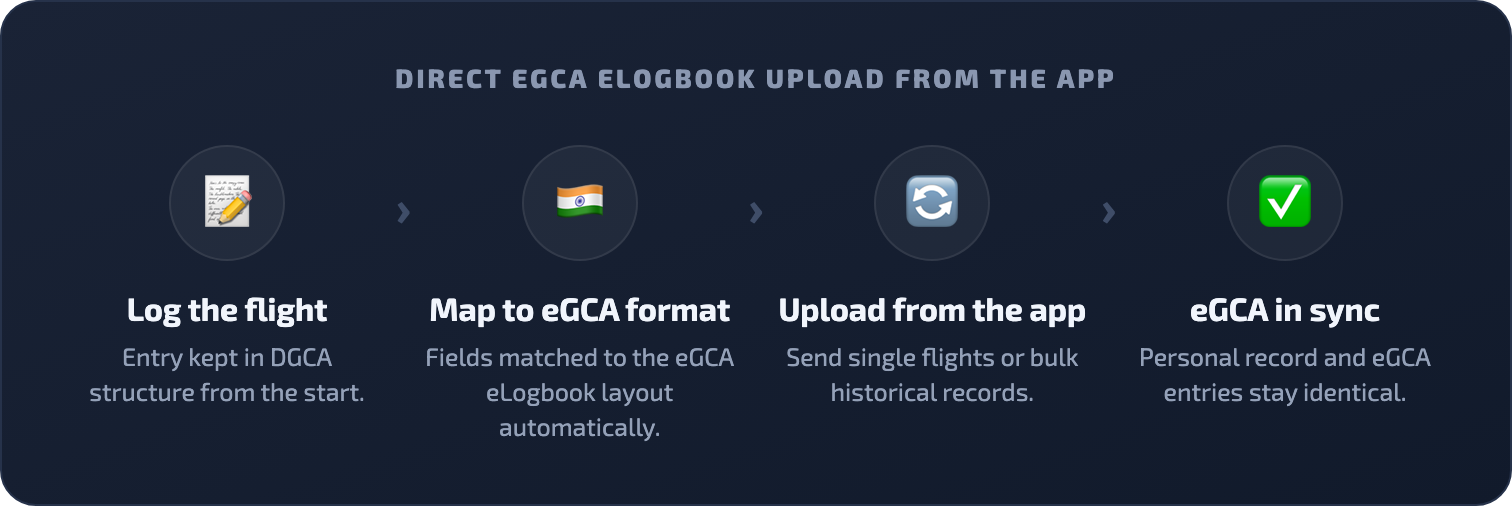
Wingman keeps your logbook in DGCA structure and generates the formats you actually submit, including the eGCA eLogbook upload format, the CA-39 experience report, and a standard Indian physical logbook PDF for pilots who still maintain a paper book. Because the CA-39 is produced from the same data, its totals align with the figures going into eGCA, which is the part renewal reviewers check.
Wingman also supports direct upload of entries to the eGCA eLogbook from within the app, including bulk loading of historical flights for pilots converting years of paper or spreadsheet records. [VERIFY] If you would rather confirm the India-specific workflow first, the DGCA pilot logbook in India walkthrough goes through it step by step.
Automatic roster import
Wingman imports rosters directly from airline scheduling systems, so flights arrive with the correct registration, block times, airports, and duty period rather than being typed in. Supported systems include AIMS eCrew, NavBlue RAIDO, CAE Crew Access, ARMS, CESAR, Sabre, FLICA, and PDC CrewConnex, which covers the carriers most Indian and international pilots fly with. Day and night hours are calculated from almanac data for the date and route, which keeps night totals defensible at renewal.
One record across iOS, Android, and Web
Many Indian pilots carry Android devices and move between phone, tablet, and a laptop across a duty day. Wingman runs on iOS, Android, and any browser through the web app, and your logbook syncs across all of them. You can confirm a flight on your phone after a turn-around and generate a CA-39 on a laptop before a renewal appointment from the same record.
Currency tracking
Wingman tracks flying against recency requirements, including instrument, type, night, and multi-crew currency, and flags medicals and ratings before they lapse. Custom limit groups let you match the tracking to your operator’s manual rather than a generic default.

Pricing and the free tier
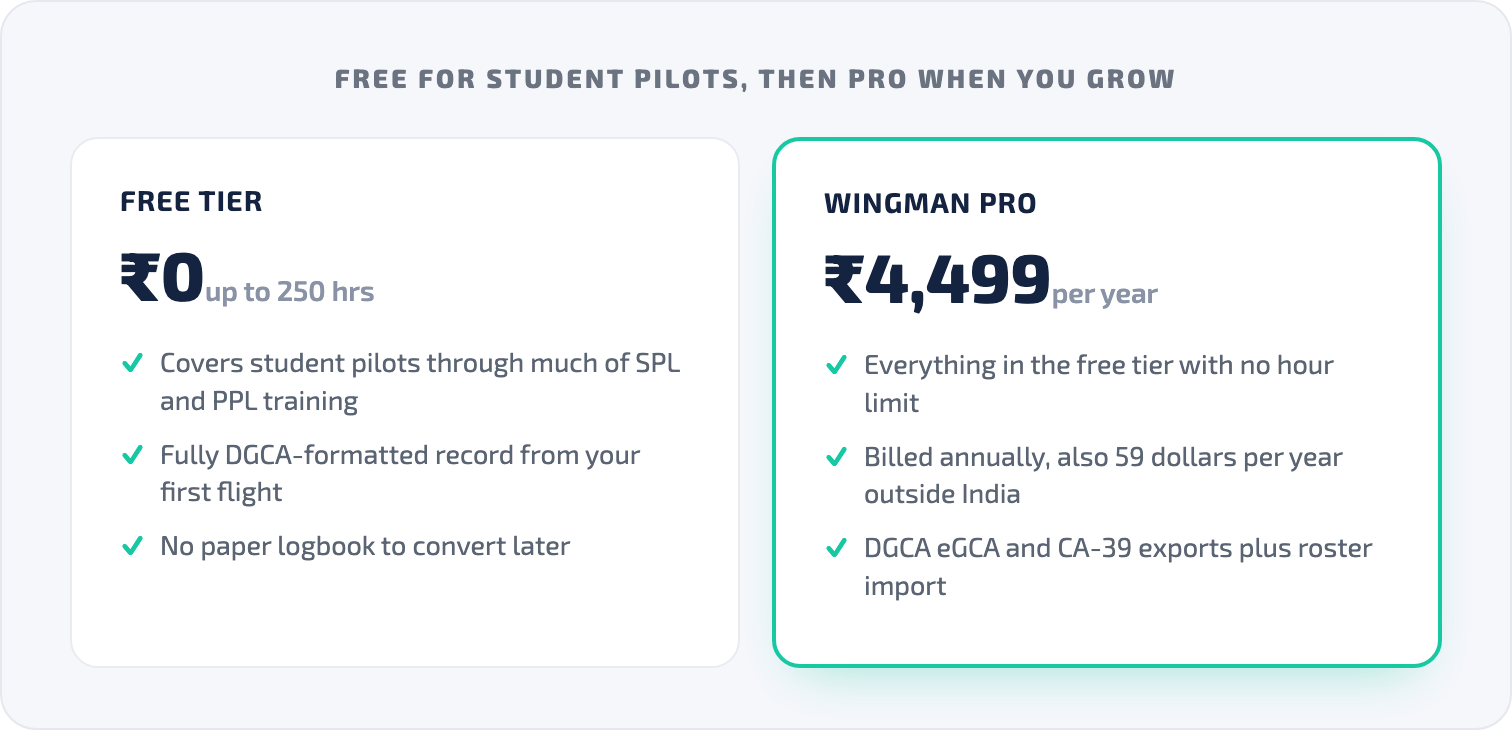
Wingman is free up to 250 logged hours, which covers student pilots through much of SPL and PPL training, so you can keep a DGCA-formatted record from your first flight without paying. Pro is $59 per year, billed annually at $4.99 per month, and ₹4,499 per year in India. Across the wider product, Wingman is used by more than 30,000 pilots across over 400 airlines, and it is a global tool rather than an India-only one, with compliant exports for DGCA alongside the FAA, EASA, UK CAA, GCAA, GACA, NZCAA, HKCAD, CASA, and CAAS.
Who this is for
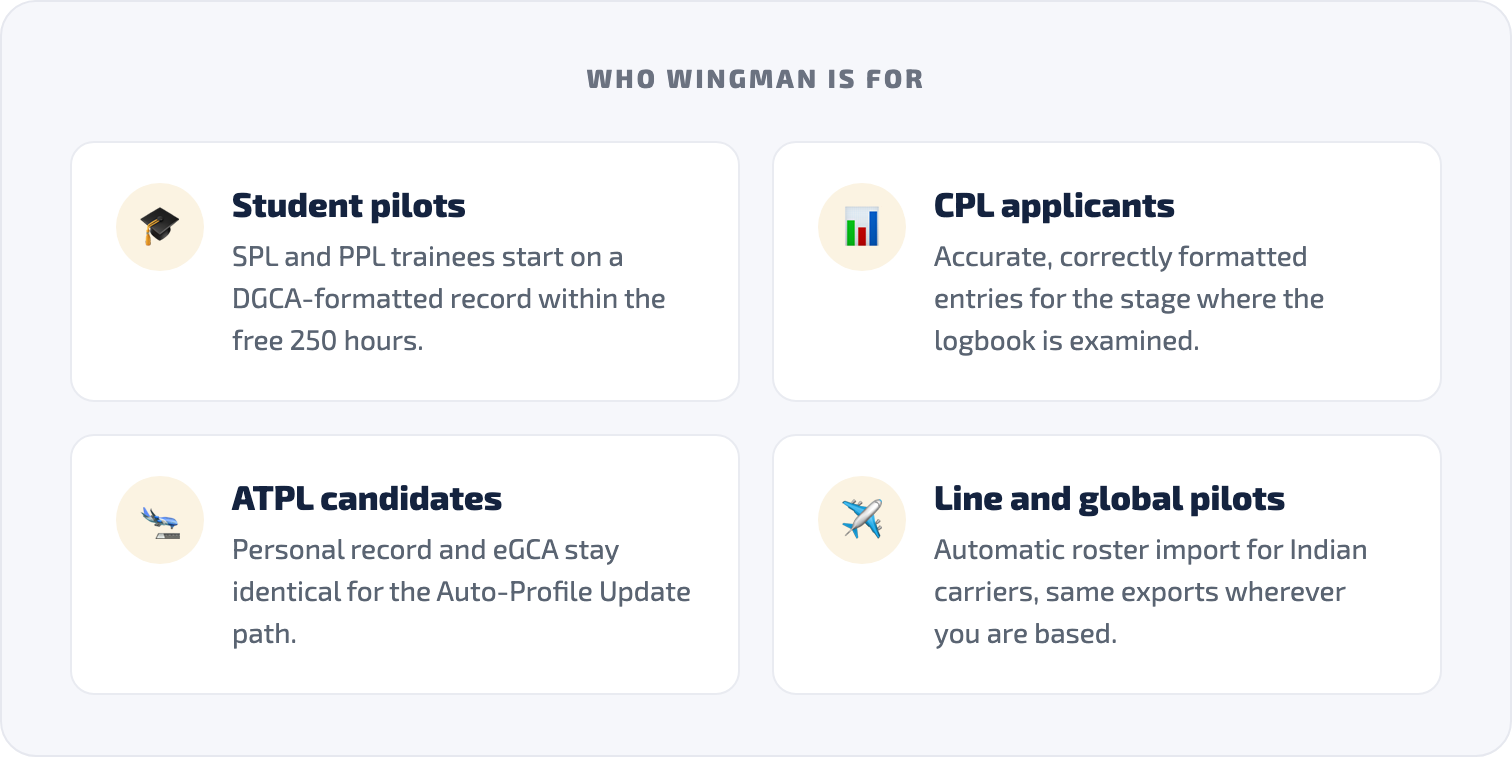
Student pilots in SPL and PPL training benefit from starting on a DGCA-formatted record early, since the free tier covers them up to 250 hours and there is no paper logbook to convert later. CPL applicants need accurate, correctly formatted entries because the logbook is examined at that stage. ATPL candidates approaching command care most about the personal record and eGCA staying identical, given the Auto-Profile Update behaviour. Line pilots at Indian carriers gain from automatic roster import, and pilots flying internationally get the same app and the same export set wherever they are based.
How to get started
- Open Wingman on iOS, Android, or in your browser at the Wingman Pilot Logbook page.
- Create your account.
- Connect your airline roster so flights import automatically if your carrier is supported.
- Bring across historical entries from paper, a spreadsheet, or another app, and contact the Wingman team if you want help with a large migration.
- Use the DGCA exports to keep your eGCA eLogbook and CA-39 in step with your personal record.
- Move to Pro when you pass 250 hours, with the free tier remaining available below that.
If you are also setting up the licensing side, the guides on getting your eGCA ID and the pilot registration process with eGCA explain how the portal is organised.
Frequently asked questions
Is Wingman approved by DGCA?
Wingman is a personal pilot logbook app that produces DGCA-compliant formats, including the eGCA eLogbook export and the CA-39 report. It is not a licence and is not formally approved in that sense, but it is built to meet the DGCA format and data requirements that the portal and renewal process expect. [VERIFY]
Can Wingman upload directly to eGCA?
Wingman supports upload of entries to the eGCA eLogbook from within the app, including bulk upload of historical flights, with the formatting and field mapping handled for you. Confirm the current behaviour in the app or with the Wingman team before a large migration. [VERIFY]
Does Wingman generate the DGCA CA-39 form?
Yes. The CA-39 experience report is generated from your logbook, and because the same data feeds your eGCA entries, the totals align, which addresses the most common reason renewal applications are returned. [VERIFY]
Is Wingman free for student pilots in India?
Yes. Wingman is free up to 250 logged hours, so student pilots can keep a fully DGCA-formatted digital logbook from their first flight at no cost, then move to Pro when they pass that threshold.
Which logbook app is best for DGCA pilots?
The right choice depends on whether the app produces the DGCA eGCA and CA-39 formats, imports your airline roster, and runs on your devices. Use the comparison table above to check each app against those points, and verify current features with each vendor, since the global apps were built around FAA and EASA workflows first. [VERIFY]
← All articles