eCrew App Not Working? Fixes for 2026 (and a More Reliable Way to See Your Roster)
Last Updated: 16 July 2026 | 7 min read | Crew Roster Apps
If you found this by searching “eCrew app not working,” you already know the feeling. You open the app before a 5:00 AM report, and it either crashes on launch, shows you the wrong day, spins forever, or throws “invalid credentials” at you for a password you know is correct.
You are not alone. The AIMS eCrew app currently sits at 1.5 stars on Google Play across thousands of ratings, and App Store reviews describe the same pattern: crashes after updates, login failures, schedules that will not load, and calendar sync that quietly stopped working.
This guide covers two things: the fixes that actually resolve most eCrew problems, and, if the app keeps letting you down, a more reliable way to see the same roster on any device.
Quick Fixes First (Most Issues)
Work through these in order. Most eCrew problems are resolved before you reach the bottom of this list.
- Check your internet. eCrew needs a live connection to load your schedule. Switch between Wi-Fi and mobile data, and try again away from congested crew-room Wi-Fi.
- Set your phone’s date & time to “Automatic.” This is the single most common eCrew fix. A manually-set clock breaks the app’s session token. Turn on automatic date/time and network time zone, then relaunch.
- Force close and reopen the app. Swipe it away from your recent apps and open it fresh.
- Update eCrew. Many crashes are introduced by one update and fixed by the next. Check the App Store / Google Play for a pending update.
- Restart your phone. Clears stuck background processes that block the app from loading.
If you are still stuck, the detailed fixes below target specific symptoms.
Fixing Specific eCrew Problems
”Invalid credentials” or denied access
This is the most reported eCrew failure. Before assuming your login is wrong:
- Confirm your crew ID and password work on your airline’s crew web portal in a browser. If they fail there too, it is a company account issue. Contact crew control, not the app.
- If they work in the browser but not the app, delete and reinstall eCrew to clear a corrupted saved session, then log in fresh.
- Check that a recent password change has fully propagated. Some airlines take a few hours to sync new credentials to the mobile app.
App crashes immediately on launch
Usually a corrupted local cache after an update.
- iOS: Offload the app (Settings → General → iPhone Storage → eCrew → Offload App), then reinstall. This clears the cache without deleting your login.
- Android: Settings → Apps → eCrew → Storage → Clear Cache (try this first). If it still crashes, Clear Data, then log in again.
App opens but the schedule is blank or shows the wrong day
- Pull down to force a refresh.
- Confirm date/time is set to Automatic (see above). A wrong clock is the usual cause of “it opens to a random day, not today.”
- Clear the cache (steps above) so the app re-fetches a clean copy of your roster.
Calendar sync stopped working
Broken calendar export is a long-standing eCrew complaint, especially on Android.
- Re-grant calendar permissions (Settings → Apps → eCrew → Permissions).
- Remove and re-add the calendar subscription.
- If sync still fails, see the alternative below. Reliable calendar export is one of the reasons crew move off eCrew entirely.
Nothing works
If you have reinstalled, fixed the clock, cleared the cache, and updated the OS and the app, and it still fails, the problem is the app itself, not your setup. That is worth knowing, because it changes the question from “how do I fix eCrew” to “what do I use instead.”
Why the eCrew App Keeps Breaking
AIMS eCrew is a company scheduling front-end, not a product built around crew experience. The reviews reflect it: consecutive updates that trade one bug for another, a support path that ends in a ticket queue, and core functions like loading today’s duty or exporting to a calendar that fail often enough that crew stop trusting them.
For a tool you open every single day, before every duty, “works most of the time” is not good enough. Your report time, base, layovers, and rest need to be there every time: at 5:00 AM, on layover, in airplane mode.
The Same Roster, Without the eCrew App: AirRoster
Here is the part most crew do not realise: your roster does not live in the eCrew app. It lives in AIMS, your airline’s scheduling system. The eCrew app is just one window onto it, and it happens to be a poor one.
AirRoster is a crew roster app built by Wingman Avtech that connects directly to AIMS eCrew and pulls the same roster into a clean, fast, reliable interface. It runs on iOS, Android, and any web browser at app.airroster.com with no installation required, and supports 400+ airlines across the Middle East, Europe, India, the UK, USA, Africa, and Southeast Asia.
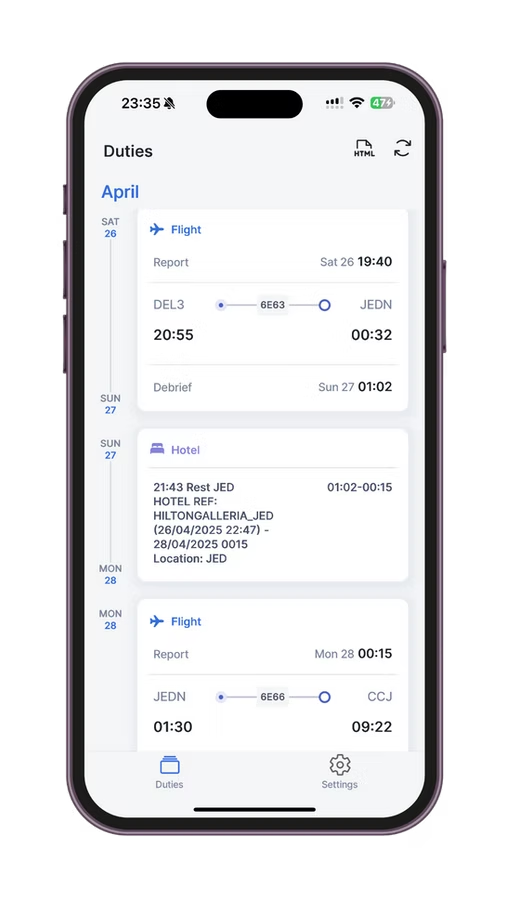
Because it reads straight from AIMS, you get the same duties you would see in eCrew, but built around one commitment: your roster, one tap away, every time.
- Automatic sync from AIMS. No manual upload, no login loops. Open the app, your roster is there.
- Works offline. Your last synced roster is cached and available the moment you open the app, on the crew bus, in transit, with no signal.
- Every device. iOS, Android, and web. Check your duty on your phone, tablet, or a hotel computer without re-installing anything.
- Family sharing, free. Share a clean view of your schedule with family who do not need to download an app or create an account.
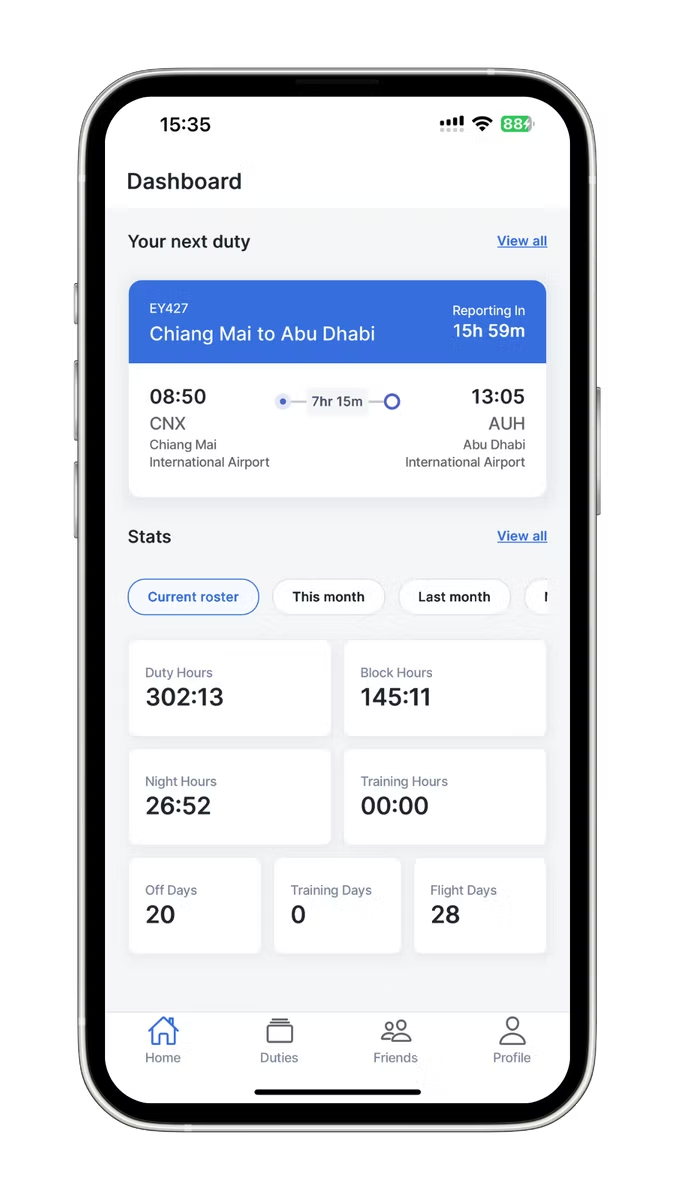
- Calendar and stats that work. Export to your calendar and see block hours, duty hours, rest and off days across any date range.
How to get started (under 5 minutes)
- Open app.airroster.com on any device and add it to your home screen.
- Create a free account, no credit card required.
- Select your airline. If it runs on AIMS eCrew, AirRoster connects and loads your roster automatically.
- Your schedule is visible immediately, and offline from then on.
If your airline is not yet on the supported list, the AirRoster team accepts requests and adds new integrations regularly.
eCrew vs AirRoster
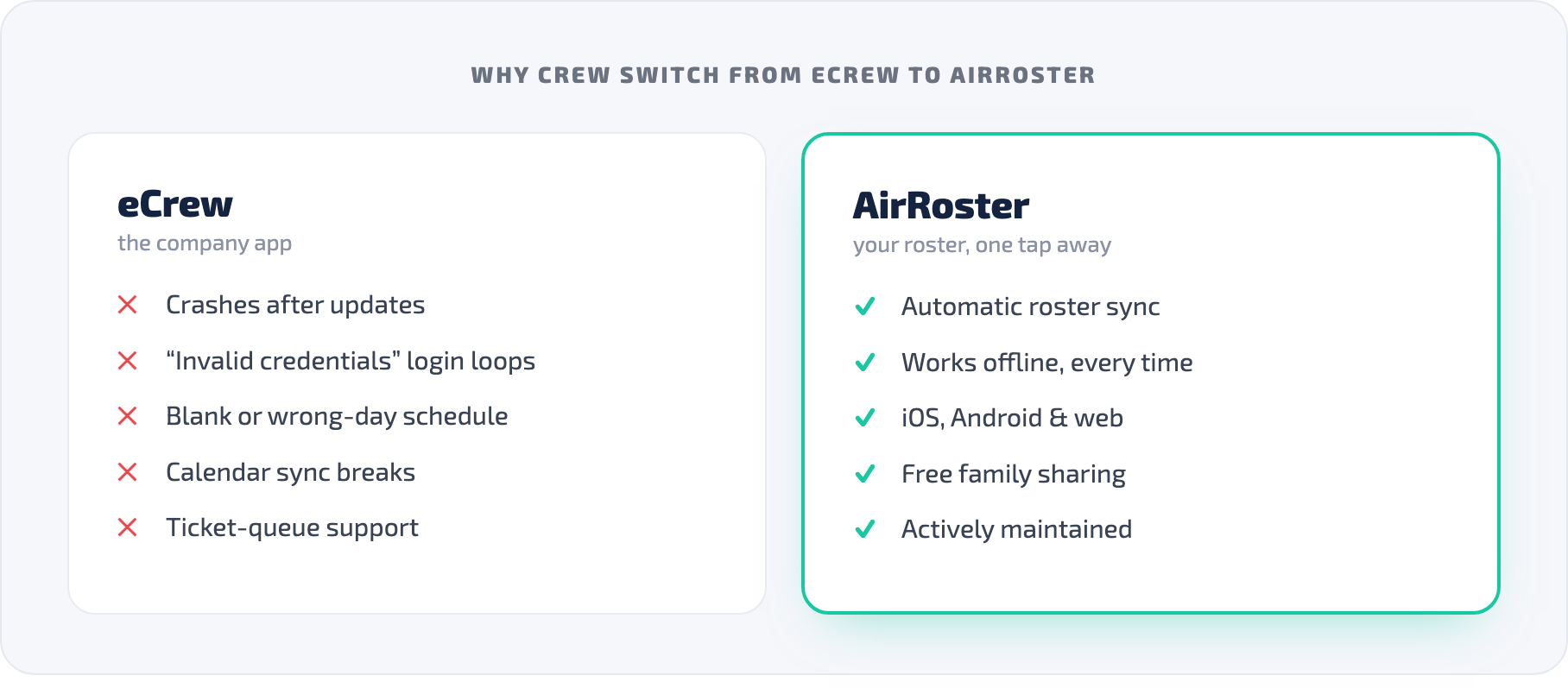
| Feature | eCrew (AIMS) | AirRoster |
|---|---|---|
| Reliability | Frequent crashes / login failures reported | Built around always-on reliability |
| Roster source | AIMS scheduling system | Same AIMS roster, synced automatically |
| Offline access | Limited / inconsistent | Auto-cached, available on open |
| Web browser | Not really usable | Full app at app.airroster.com |
| Family sharing | No | Free, no app needed for family |
| Calendar sync | Reported broken, esp. Android | Standard export |
| Support | Company ticket queue | Direct channel, active maintenance |
Frequently Asked Questions
Why does the eCrew app keep crashing? The most common causes are a corrupted cache after an update and a phone clock that is not set to automatic. Clearing the cache (or reinstalling) and turning on automatic date/time resolves most crashes. If it still crashes after that, the issue is the app itself.
Why does eCrew say my credentials are invalid? First confirm your crew ID and password work on your airline’s web portal. If they work there but not in the app, reinstall eCrew to clear a corrupted session. If they fail in the browser too, contact crew control.
Why won’t eCrew show today’s schedule? Almost always a wrong device clock. Set date & time to Automatic, pull to refresh, and clear the cache so the app re-fetches your roster.
Does AirRoster work with AIMS eCrew? Yes. AirRoster connects directly to AIMS and loads the same roster you would see in eCrew, automatically, with offline access and web support. Confirm your specific airline at app.airroster.com.
Is AirRoster free? Yes. AirRoster has a free tier with full roster access and no ads. You can try it without entering payment details.
Does AirRoster work offline? Yes. Your last synced roster is cached and accessible without an internet connection from the moment you open the app.
The Bottom Line
Most eCrew problems come down to the same handful of causes: a wrong clock, a corrupted cache, a stale login, or a broken update. Work through the fixes above and you will resolve the majority of them.
But if you are here because eCrew has failed you one too many times (crashing before a report, refusing a valid login, showing yesterday’s duty), remember that your roster is not stuck inside that app. It lives in AIMS, and AirRoster reads it directly, then shows it to you reliably, the moment you open the app, on any device.
Try AirRoster free at app.airroster.com
Troubleshooting steps and app review references reflect publicly available information as of mid-2026. Always use your official company scheduling system as the authoritative source for your roster and report times.
← All articles