ForeFlight Logbook vs Wingman: what Android pilots and budget-conscious crews need to know
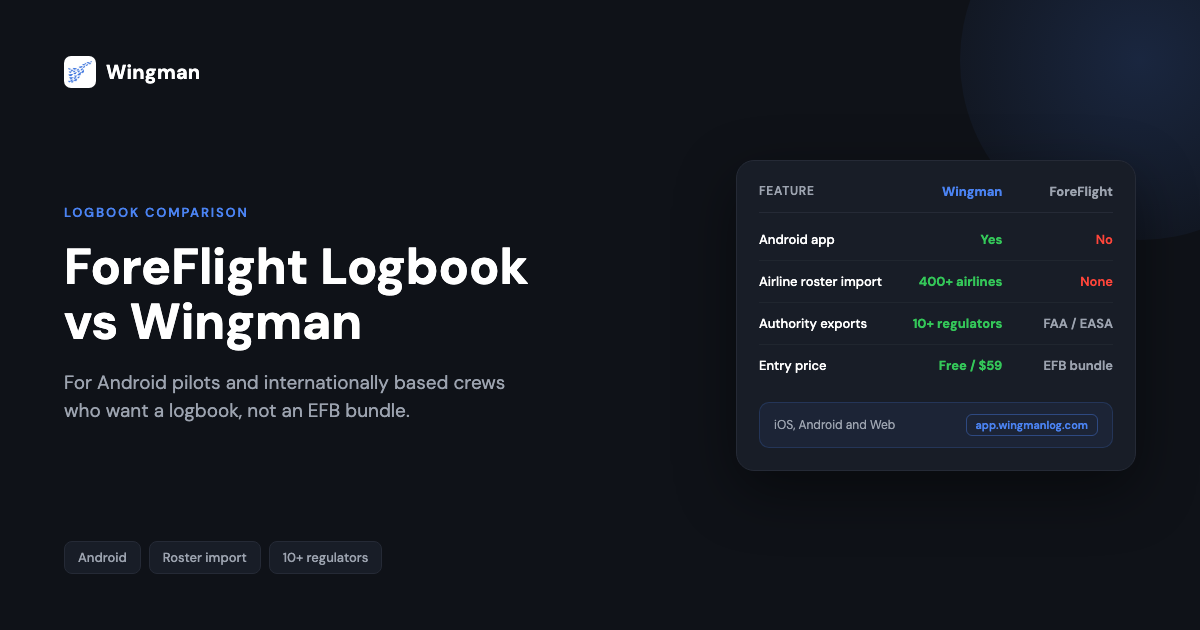
If you are weighing ForeFlight Logbook against Wingman, the honest answer depends on three things: the device in your flight bag, the authority that licenses you, and whether you actually use an electronic flight bag on the line. ForeFlight is a well-known name in aviation technology, and for a US or European General Aviation pilot flying an iPad it is a polished tool. But the moment you fly Android, operate outside the FAA and EASA sphere, or simply want a logbook without paying for a full EFB suite, the comparison shifts.
This is a direct, two-app comparison written for that second group: the airline pilot on Android, the internationally based crew member flying under authorities such as GCAA, GACA, UK CAA, NZCAA, HKCAD, CASA or CAAS, and anyone paying for an EFB subscription they barely open just to keep a logbook. For those pilots, Wingman is usually the more purposeful choice, and this guide explains exactly where the differences sit and where ForeFlight still wins.
What is ForeFlight Logbook
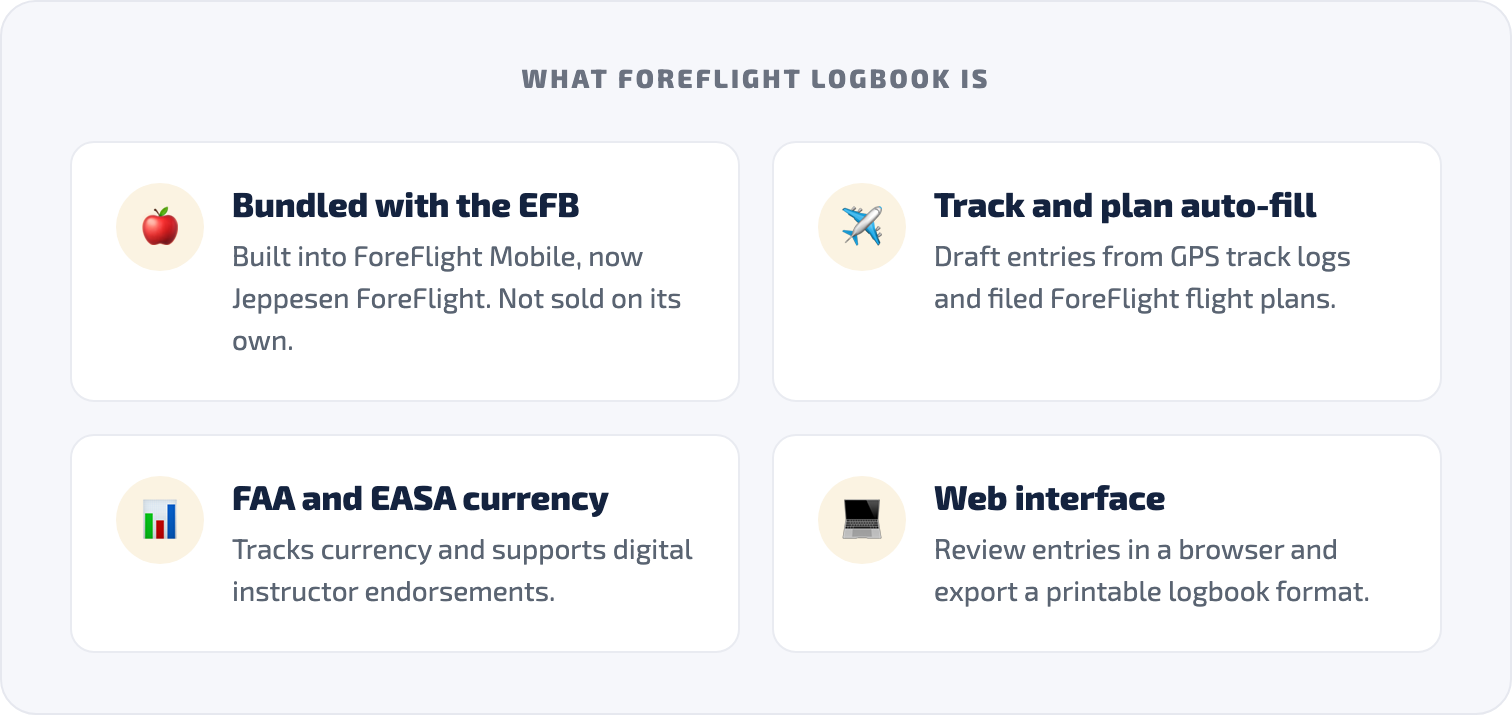
ForeFlight Logbook is the built-in logbook feature of the ForeFlight Mobile app, now branded as Jeppesen ForeFlight following its acquisition by Boeing’s Jeppesen unit. [VERIFY] It is not a standalone product. You cannot buy ForeFlight Logbook on its own. [VERIFY] It comes bundled with a ForeFlight subscription, which means that to use the logbook you are paying for the full suite of charts, weather, flight planning and navigation tools whether you need them or not.
That bundling is not a flaw in itself. If you are a General Aviation pilot in the US or Europe who already uses ForeFlight for flight planning every week, the logbook is a genuinely useful bonus. It pulls draft entries from GPS track logs recorded in the app, auto-fills departure and destination airports from your filed flight plan, tracks currency for FAA and EASA requirements, supports digital instructor endorsements, and exports to a printable traditional logbook format. [VERIFY] It also has a web interface, so you are not limited to iOS devices for reviewing entries.
ForeFlight Logbook is a capable product within its intended scope. The friction begins when pilots try to use it outside that scope. For a fuller breakdown, there is a dedicated Wingman vs ForeFlight comparison.
The five limitations that matter for airline pilots
1. No Android app
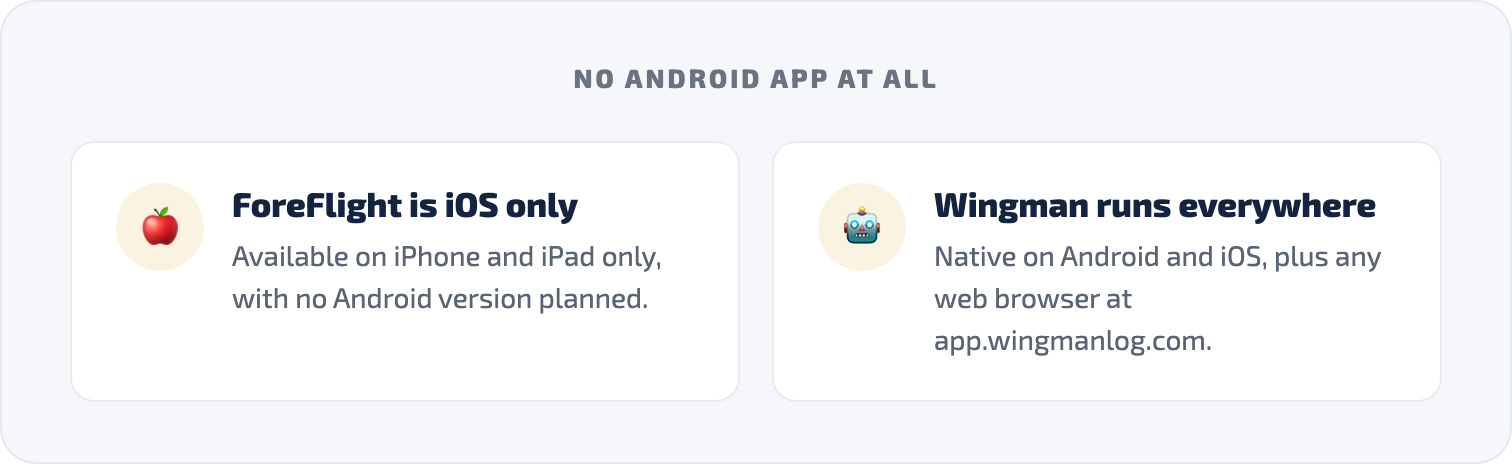
This is the most absolute difference in the comparison. ForeFlight Mobile is available only on iPhone and iPad. There is no Android version, and ForeFlight has stated it has no plans to build one, describing this as a deliberate strategy tied to Apple hardware and software standardisation. [VERIFY]
For any pilot who carries an Android phone or tablet, that ends the conversation. ForeFlight Logbook is simply not available to you. Wingman is fully native on both iOS and Android, and also runs in any web browser at app.wingmanlog.com. Your logbook follows you regardless of the device you carry, what your airline issues, or where you operate.
2. No airline roster import
This is the limitation that defines the daily experience for most airline pilots. ForeFlight Logbook builds draft entries from GPS track logs recorded within the ForeFlight app, from filed ForeFlight flight plans, or manually. It does not connect to airline scheduling systems. [VERIFY]
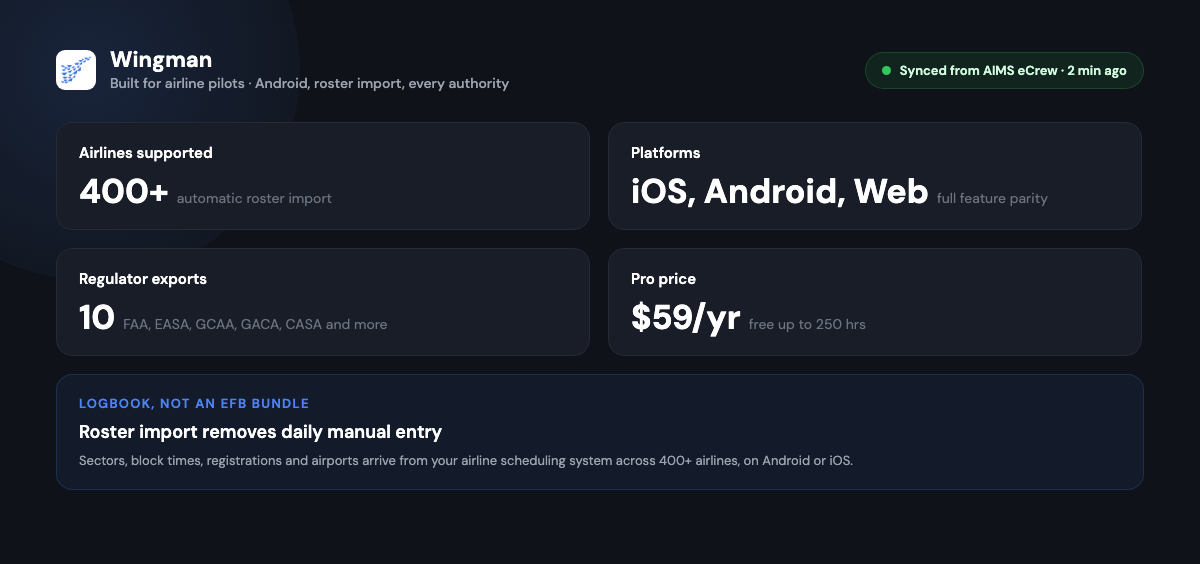
For a GA pilot flying their own aircraft with ForeFlight open in the cockpit, that works well. For an airline pilot flying a sector in an Airbus or Boeing where ForeFlight is not the aircraft navigation system, there is no track log to pull from, so every entry is manual. Wingman imports rosters directly from airline scheduling systems including AIMS eCrew, NavBlue RAIDO, CAE Crew Access, ARMS, CESAR, Sabre, FLICA and PDC CrewConnex, across 400+ airlines. Your sectors, block times, aircraft registration, airports and duty periods come in automatically. For line pilots this is the single most consequential difference between the two apps.
3. You are paying for an EFB you may not use
ForeFlight subscriptions are priced as electronic flight bag bundles, with entry pricing reported around 120 USD per year and higher tiers above that following a price increase in 2025. [VERIFY] Every tier includes charts, weather, navigation data and flight planning designed for pilots planning and flying their own routes. For airline crews whose navigation is handled by the aircraft and the airline’s own systems, much of that is irrelevant. You are paying for a logbook wrapped inside an EFB you do not use in the line.
Wingman is a focused logbook. The free tier covers up to 250 logged hours, and Pro is 59 USD per year (4.99 USD per month billed annually). There is no chart subscription and no nav data bundle. It does one thing: keep your logbook accurate, current and compliant.
4. Authority coverage outside FAA and EASA is limited
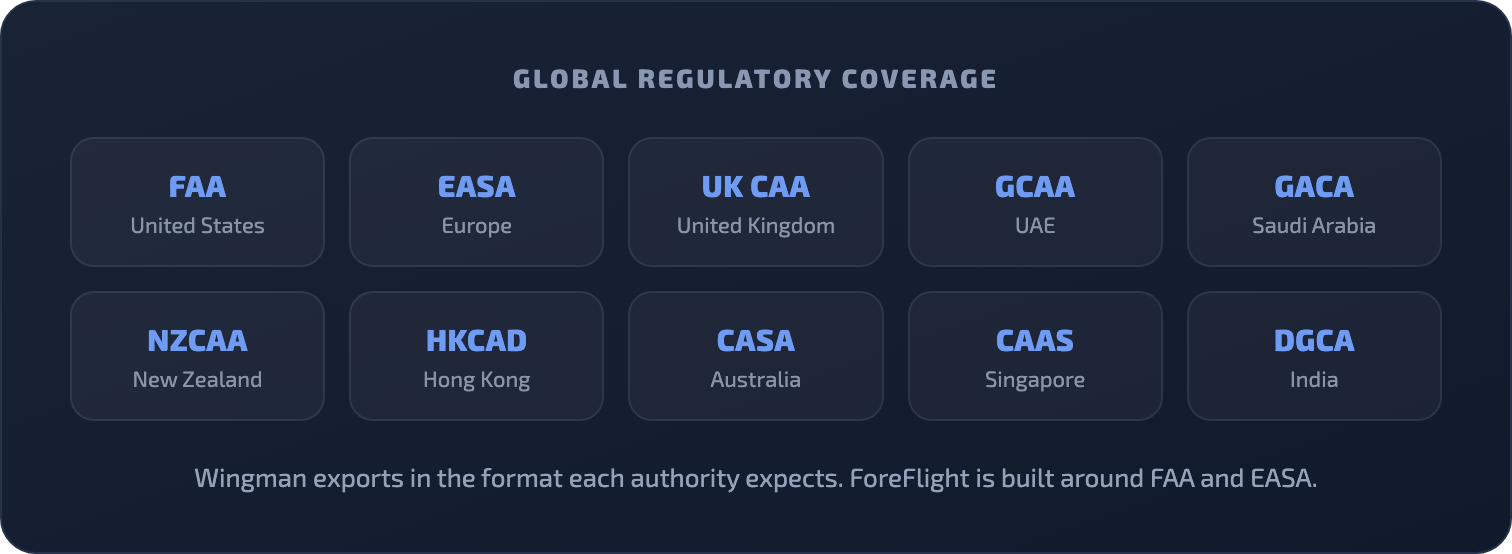
ForeFlight Logbook is built around FAA reporting and EASA FCL.050 format, the two dominant frameworks in North American and European GA. [VERIFY] For airline pilots based in the UAE, Saudi Arabia, the UK, Hong Kong, Australia, New Zealand or Singapore, that coverage falls short. ForeFlight does not advertise GCAA, GACA, HKCAD, NZCAA, CASA or CAAS compliant exports in the way Wingman does. [VERIFY]
Wingman produces regulator-compliant exports for FAA, EASA, UK CAA, GCAA, GACA, NZCAA, HKCAD, CASA, CAAS and DGCA. For a pilot submitting a licence renewal to the GCAA or applying for an endorsement under CASA, the logbook is already in the format the authority expects.
5. The price of entry has risen
ForeFlight raised subscription prices in 2025 and discontinued legacy plans, which means existing subscribers move to current tiers at renewal. [VERIFY] For pilots who joined years ago at lower rates, renewal now carries a meaningful step up. Wingman keeps a permanent free tier up to 250 hours and a single Pro price, with no separate logbook tier locked behind an EFB bundle.
Where ForeFlight Logbook is genuinely strong
A fair comparison has to say what ForeFlight does well. For GA pilots flying their own aircraft with ForeFlight open in the cockpit, the logbook integration is close to automatic. Track logs auto-populate entries, flight plans pre-fill routes and aircraft, and the currency summary is colour-coded and easy to read. [VERIFY] Digital endorsements work cleanly for instructors and students, and the printable logbook export is a thoughtful touch for pilots who want a physical record.
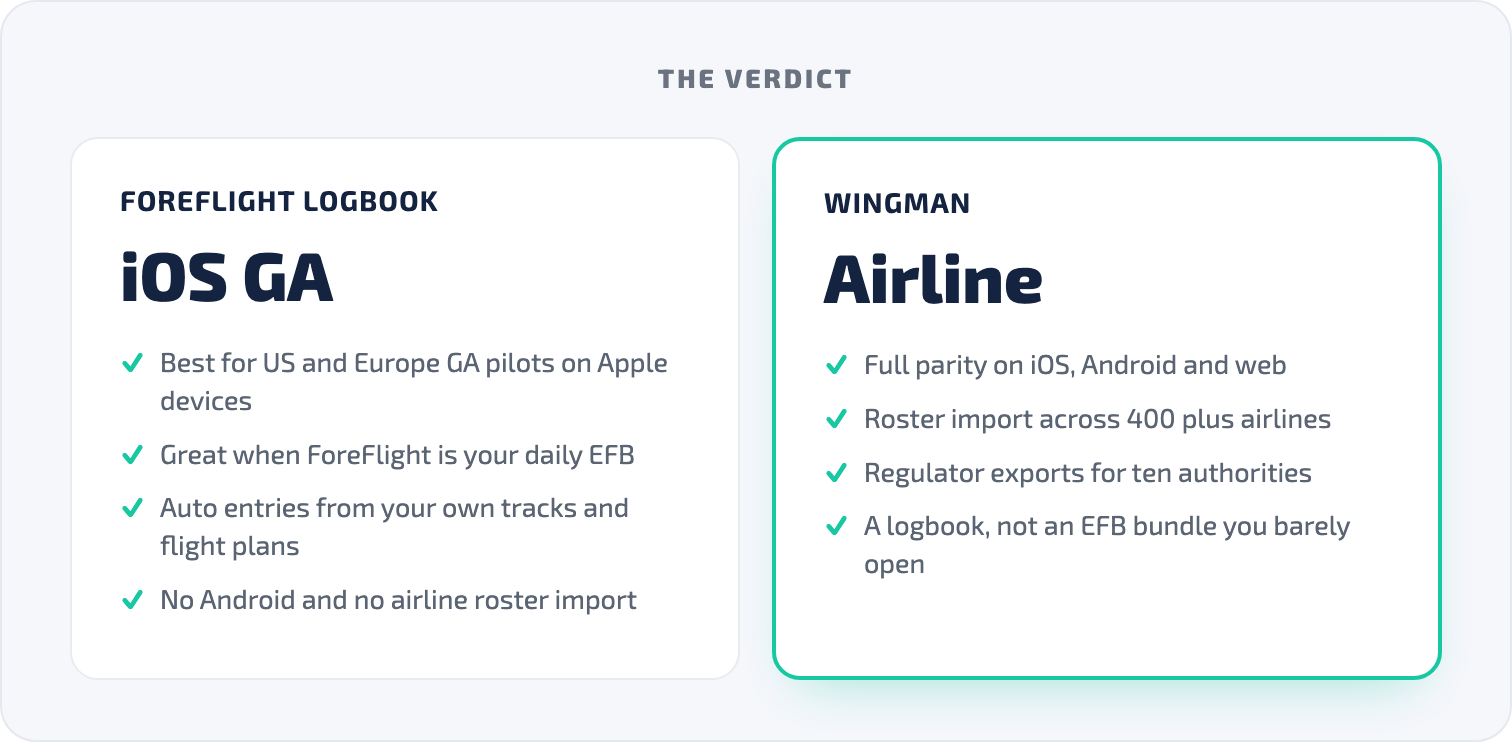
The ecosystem depth is hard to match too. If you already use ForeFlight for charts, weather, planning and navigation, having the logbook in the same app means everything talks to itself with no setup. When ForeFlight Logbook makes sense is clear: a GA or corporate pilot in the US or Europe, on Apple devices, already paying for ForeFlight as their primary EFB, logging flights that originate from their own flight plans and tracks.
Wingman vs ForeFlight Logbook side by side
| Feature | Wingman | ForeFlight Logbook |
|---|---|---|
| Price | Free up to 250 hrs, Pro 59 USD/year | EFB bundle, from ~120 USD/year [VERIFY] |
| Standalone logbook | Yes | No, bundled with EFB [VERIFY] |
| iOS | Yes | Yes |
| Android | Yes | No [VERIFY] |
| Web browser | Yes | Yes |
| Airline roster import | 400+ airlines, automatic | No airline roster import [VERIFY] |
| Auto entry from track log | Yes | Yes, ForeFlight track logs only [VERIFY] |
| Supported authorities | FAA, EASA, UK CAA, GCAA, GACA, NZCAA, HKCAD, CASA, CAAS, DGCA | FAA and EASA primarily [VERIFY] |
| Free tier | Free up to 250 hrs | Trial only [VERIFY] |
| Offline logging | Yes | Yes |
| Digital endorsements | Yes | Yes |
| Currency tracking | Yes | Yes, FAA/EASA focused [VERIFY] |
Choosing between them

The price comparison in plain terms
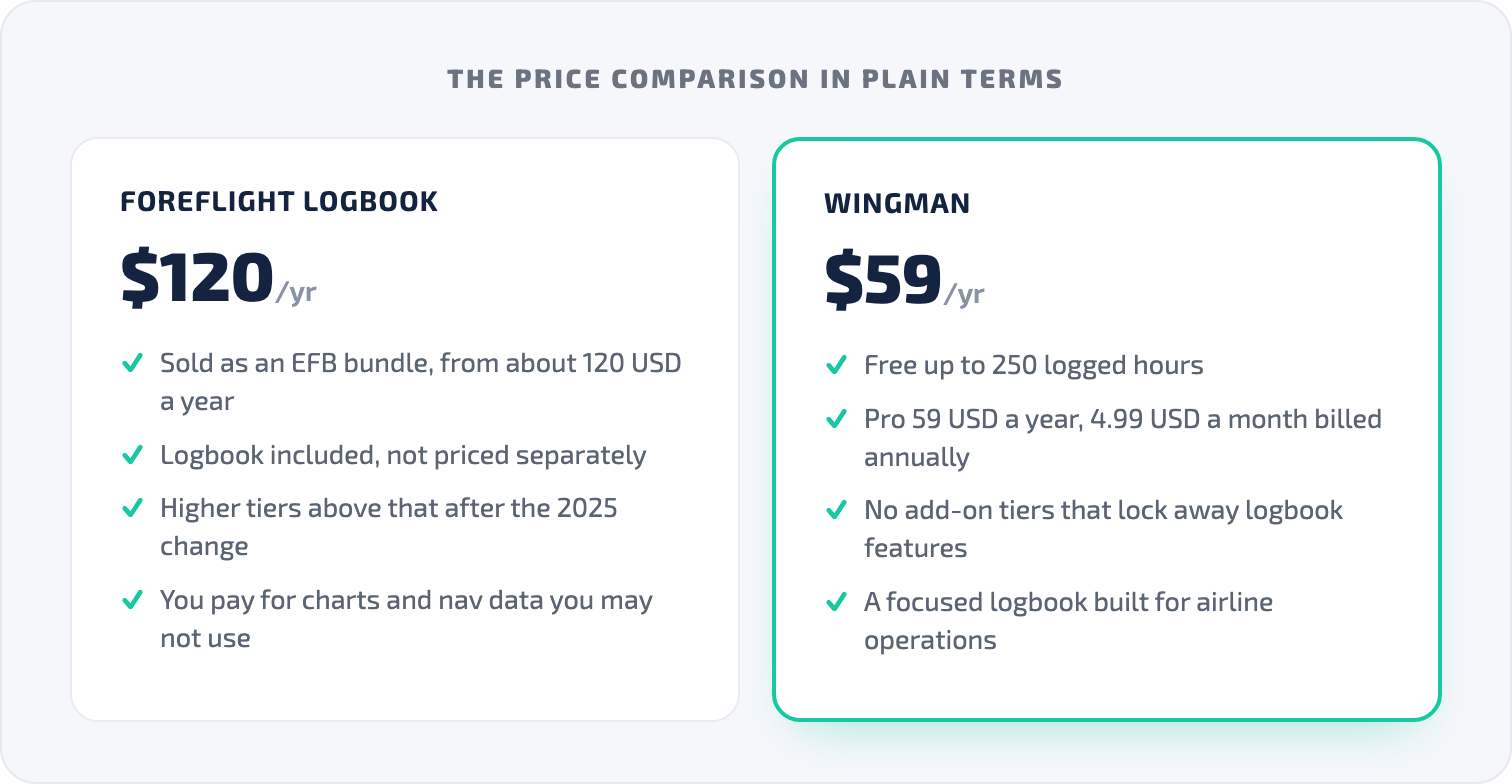
ForeFlight is sold as an EFB, with the logbook included rather than priced separately. Reported entry pricing sits around 120 USD per year after the 2025 change, with higher tiers above that. [VERIFY] Wingman is free up to 250 logged hours and 59 USD per year for Pro, with no add-on tiers that lock away logbook features.
For an airline pilot who wants a logbook and does not use an EFB on the line, the comparison is straightforward: ForeFlight gives you a logbook plus an EFB you likely will not open, while Wingman gives you a logbook built for airline operations with roster import that removes daily manual entry. Over a multi-decade career the running-cost gap compounds, but the practical case is the time saved on every roster, not just the subscription difference.
Who should choose Wingman
You carry an Android device, so ForeFlight does not exist for you and Wingman offers full feature parity across iOS, Android and web. You fly line operations and want roster import across 400+ airlines so you never type a sector by hand. You are based outside the FAA and EASA sphere and need GCAA, GACA, CASA, CAAS, HKCAD or NZCAA exports in the right format. You want a logbook rather than an EFB bundle. Or you are a student pilot building toward a first licence and want to start free up to 250 hours with no trial expiry. You can start in the browser at Wingman Pilot Logbook.
Who should stay with ForeFlight Logbook
If you are a GA or corporate pilot in the US or Europe who uses ForeFlight daily for planning, weather and navigation, and you carry Apple devices, staying with ForeFlight Logbook makes sense. You already pay for the subscription, the logbook is included and polished, and it is tightly integrated with your workflow. If you instruct and rely on ForeFlight digital endorsement tools, those are strong in a CFI environment. ForeFlight Logbook is built well for the pilot it was designed to serve. It was just not designed for most airline pilots.
How to switch from ForeFlight Logbook to Wingman
- Open Wingman on iOS, Android or in your browser at app.wingmanlog.com.
- Export your ForeFlight Logbook data as a CSV file from ForeFlight Web. [VERIFY]
- Contact the Wingman team with your export so they can complete the migration for you.
- Connect your airline roster and set up automatic import if your airline is supported.
- Upgrade to Pro when you are ready, with a single price and no hidden tiers.
Your flight history transfers across without loss, so you are not starting over.
Frequently asked questions
Does ForeFlight Logbook work on Android?
No. ForeFlight Mobile is available only on iPhone and iPad, and ForeFlight has stated it has no plans for an Android version. [VERIFY] Wingman is fully native on Android, iOS and web browsers, so your logbook stays with you on any device.
Can I use ForeFlight Logbook without a full ForeFlight subscription?
No. ForeFlight Logbook is not a standalone product. It is included with a ForeFlight Mobile subscription, so the logbook cannot be purchased separately. [VERIFY] Wingman offers a standalone logbook with a free tier up to 250 hours and Pro at 59 USD per year.
Does ForeFlight Logbook import from airline scheduling systems?
No. ForeFlight Logbook creates draft entries from GPS track logs recorded within the ForeFlight app and from filed ForeFlight flight plans. It does not connect to airline scheduling systems. [VERIFY] Wingman imports rosters directly from systems including AIMS eCrew, NavBlue RAIDO, CAE Crew Access, ARMS, CESAR, Sabre, FLICA and PDC CrewConnex across 400+ airlines.
Which regulators does Wingman support beyond FAA and EASA?
Wingman generates regulator-compliant exports for FAA, EASA, UK CAA, GCAA (UAE), GACA (Saudi Arabia), NZCAA (New Zealand), HKCAD (Hong Kong), CASA (Australia), CAAS (Singapore) and DGCA (India). ForeFlight Logbook is built around FAA and EASA reporting. [VERIFY]
Can I migrate my ForeFlight Logbook data to Wingman?
Yes. Export your ForeFlight Logbook as a CSV from ForeFlight Web, then contact the Wingman team. [VERIFY] They handle the full migration so your complete flight history transfers without loss, and you can then connect your roster for automatic import.
← All articles