How to apply for a CPL on eGCA: a step-by-step guide for Indian pilots
eGCA (Electronic Governance for Civil Aviation) is the online platform the Directorate General of Civil Aviation (DGCA) uses to manage pilot licensing in India. Once you have cleared your written examinations, completed your flying, and passed your skill test, the issuance of your Commercial Pilot Licence (CPL) runs through this portal. This guide walks you through the full application, from logging in to submitting the original documents DGCA needs, so you can complete it in one sitting rather than discovering each requirement as you go.
The steps below are written as a numbered how-to you can follow with eGCA open in another tab. We have also covered the requirements that come before this stage and the renewal process that comes after, so this page sits at the centre of the CPL issuance journey rather than describing it in isolation.
What eGCA does in the CPL journey
eGCA is where DGCA handles licence applications, ratings, endorsements, and medical and registration processes. Your CPL issuance is one service among many on the platform, and it draws on records that already exist in the system: your examination results, your flying experience, and your medical status. Because the portal pulls these together, the smoothest applications are the ones where every prerequisite is already in place and showing as qualified before you start.
If you are still earlier in the process, two things need to be sorted first. You need an eGCA account, which our guide on how to get your eGCA ID and the wider pilot registration process with eGCA explain. You also need to have cleared the right written papers; the set depends on the licence, and we break it down in exams to be cleared in order to get CPL, PPL, ATPL. Getting these in place first means the CPL issuance form will load your details correctly when you reach it.
Before you apply: prerequisites to confirm
A CPL application on eGCA is mostly an exercise in confirming that work you have already done is recorded correctly. Before you open the form, check that the following are in order:
- Your written examination results for the CPL papers are recorded and showing as passed. If you have not yet sat or cleared them, our exam guides cover the CPL regulations exam, navigation exam, meteorology exam, and the technical general and technical specific exam.
- Your flying experience meets the CPL minimums. The detail is in CPL flying requirements in India and the broader requirements for CPL in India.
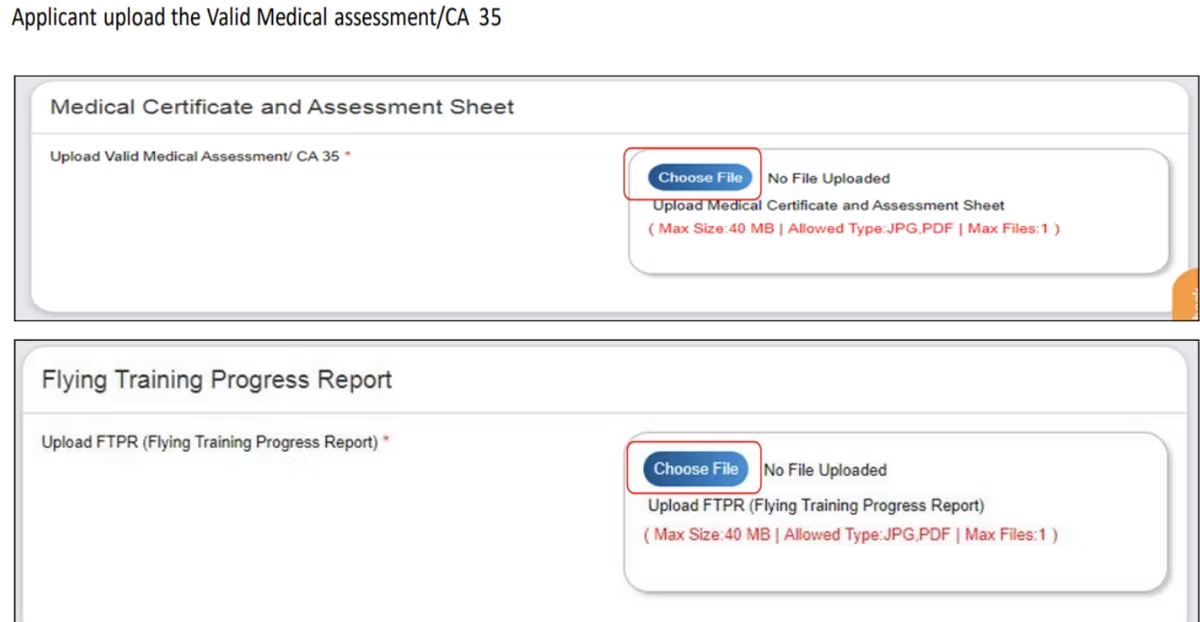
- Your Class 1 medical assessment is valid and reflected in eGCA.
- Your Radio Telephony licence (RTR) details are to hand if you intend to apply for an FRTOL at the same time.
Having each of these ready before you begin reduces the chance of a rejection that sends you back to the start of the queue.
How to apply for a CPL on eGCA
With your prerequisites confirmed, the application itself follows a clear sequence. Work through the steps below with your login ready.
-
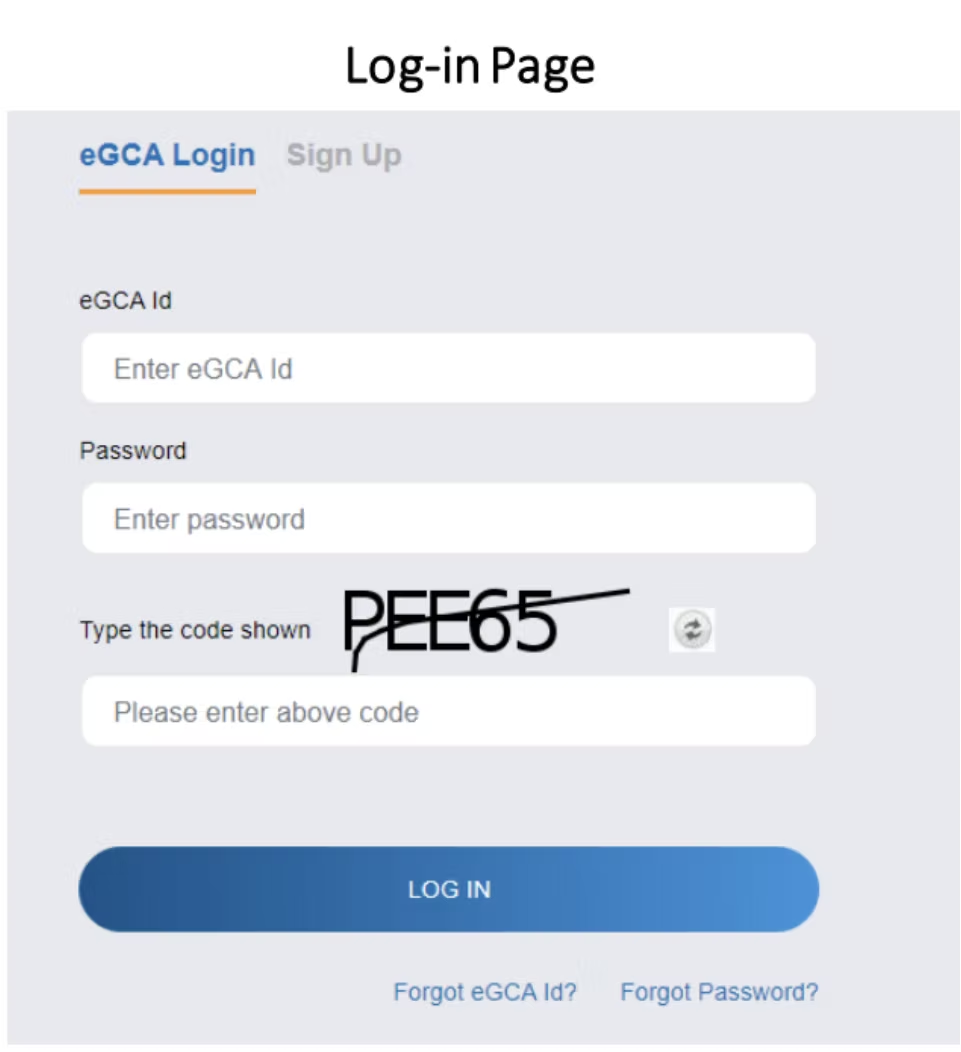
Log in to the eGCA portal. Go to the eGCA website and sign in with your eGCA ID and password. Your candidate record, examination results, and flying experience are tied to this login, so use the same account you registered with.
-
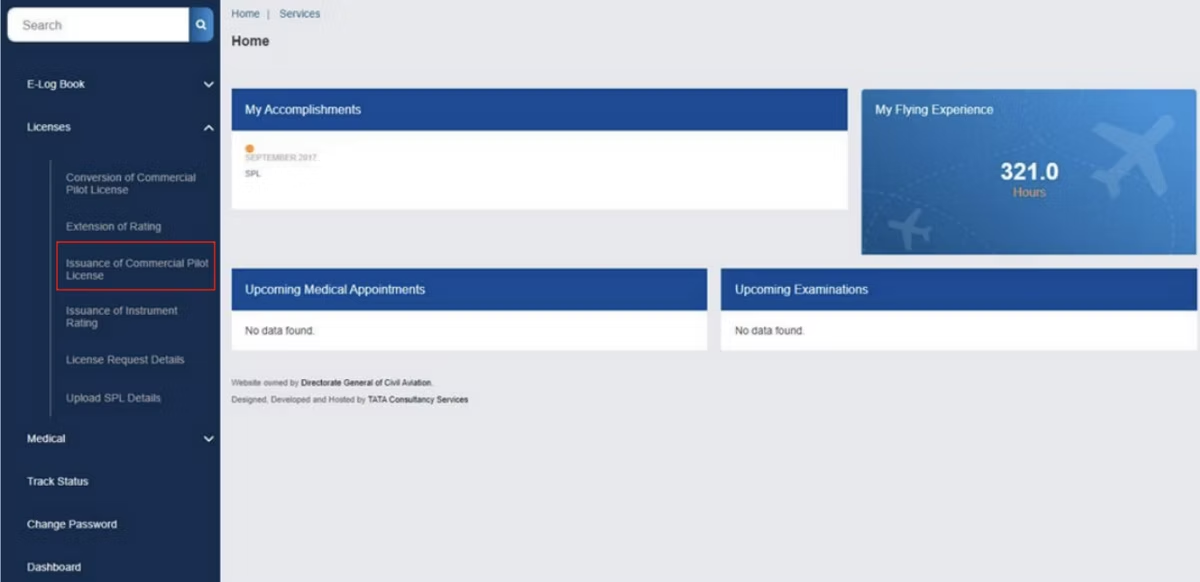
Open the CPL issuance service. From the Services section in the left-side panel, select “Issuance of Commercial Pilot License” to begin the application.
-
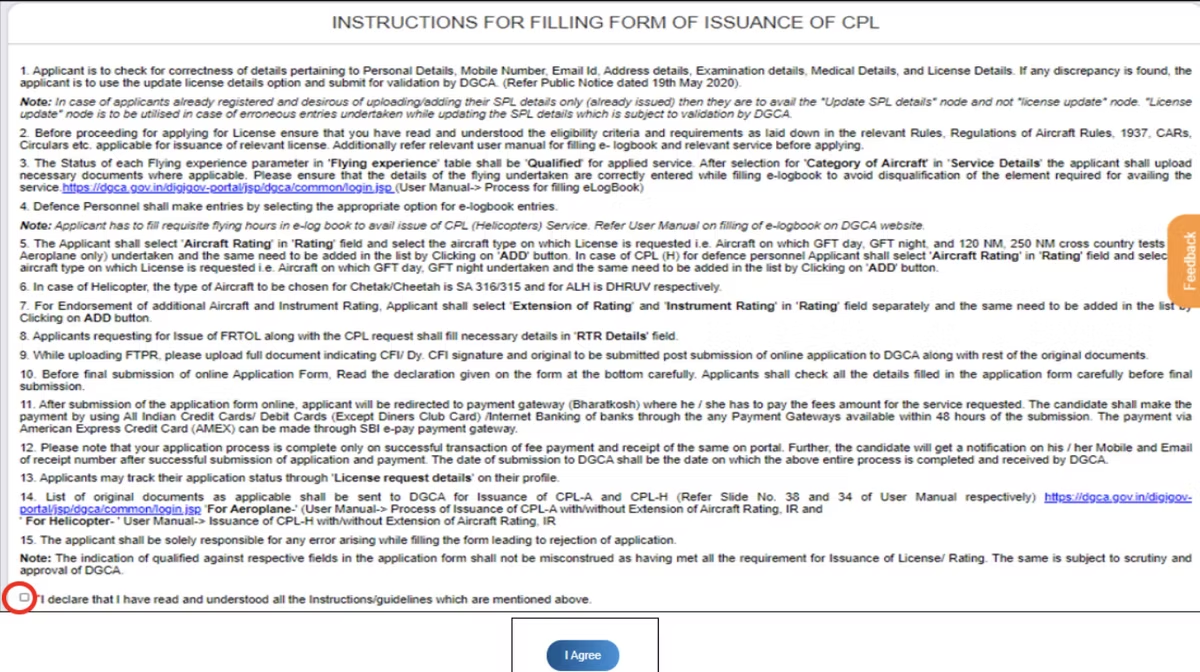
Read the instructions and user manual. Before filling anything in, work through the instruction page and the user manual the portal provides. These set out what the form expects and which documents you will need to send afterwards.
-
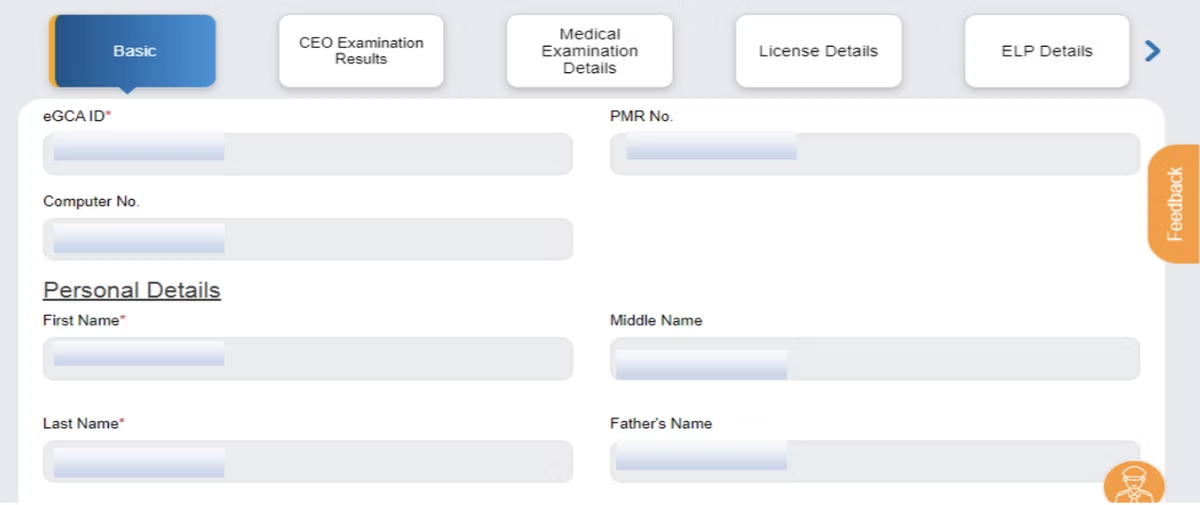
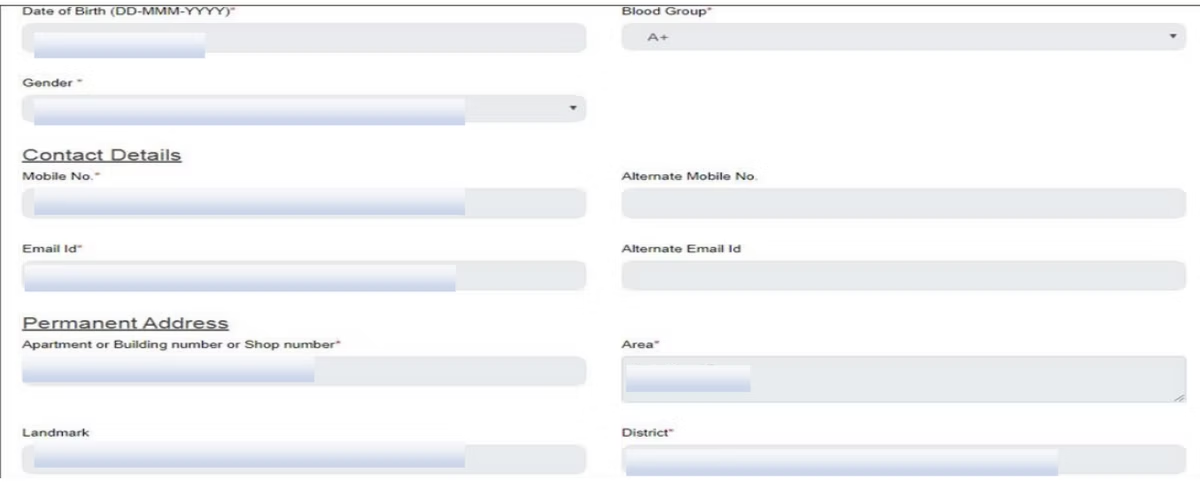
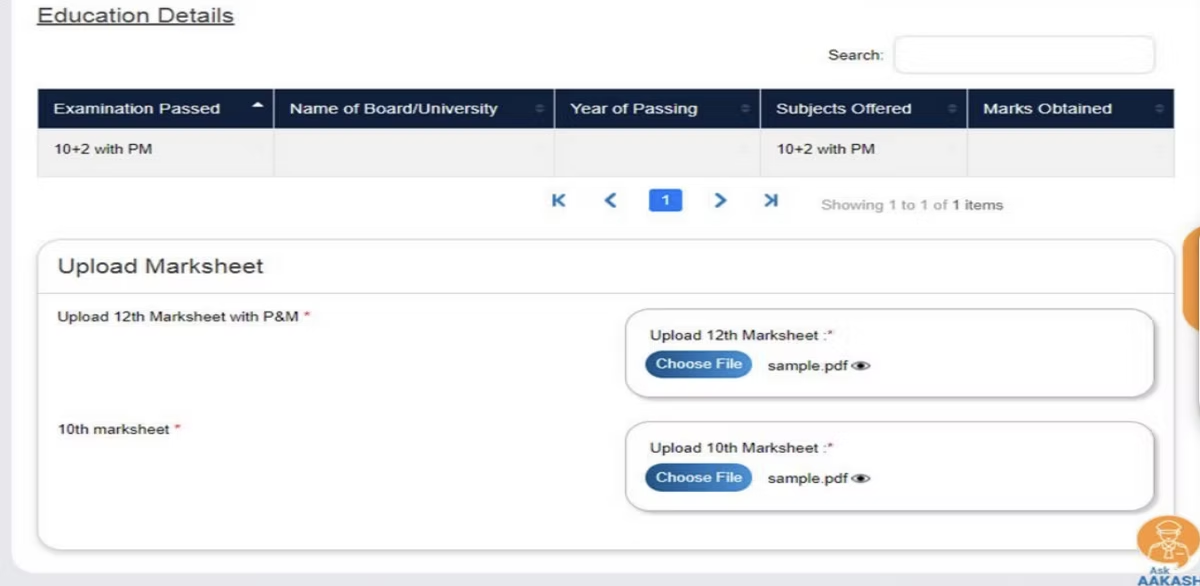
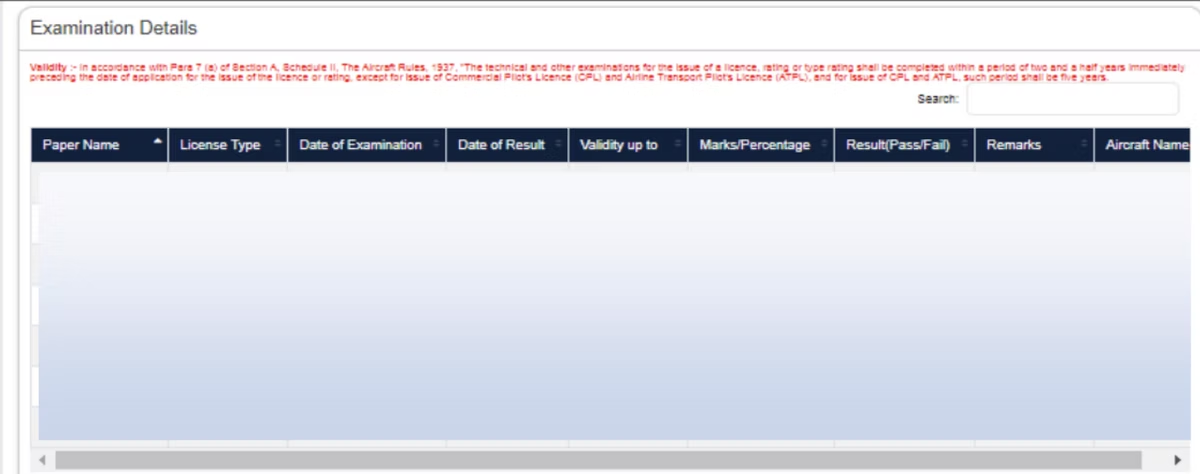
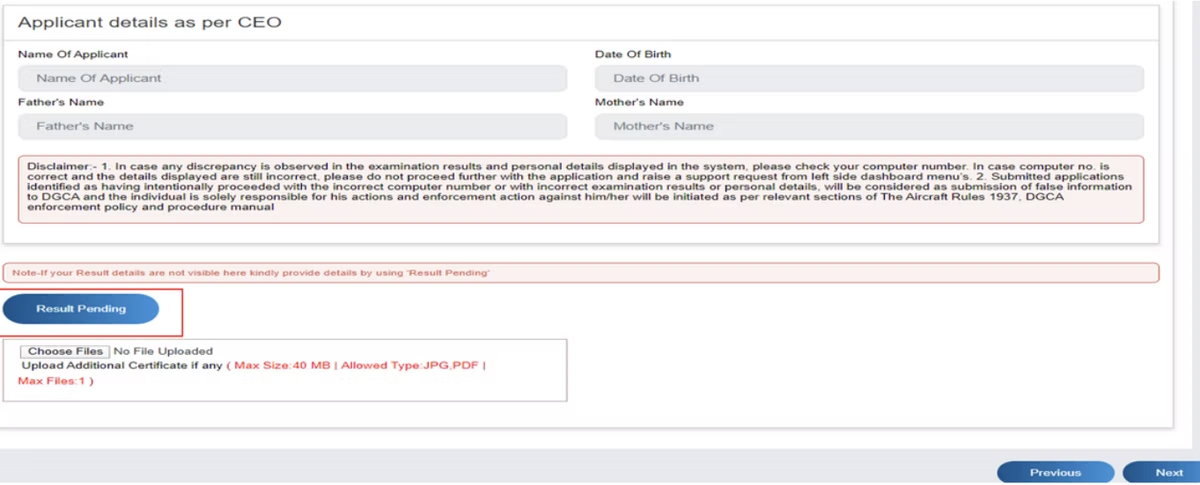
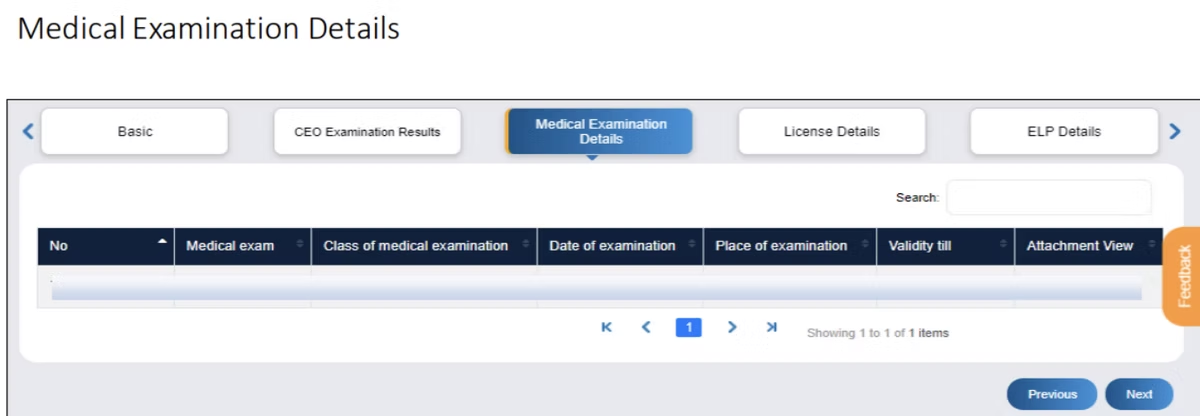
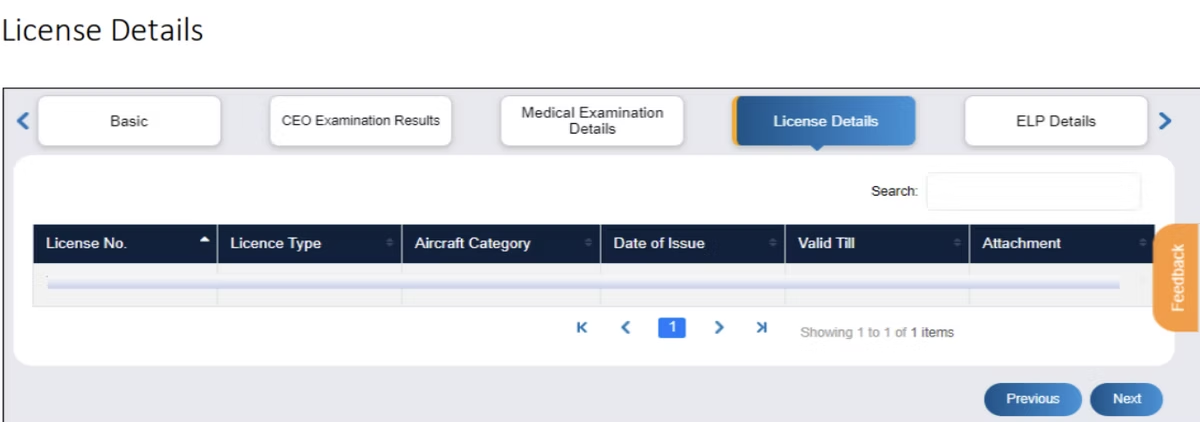
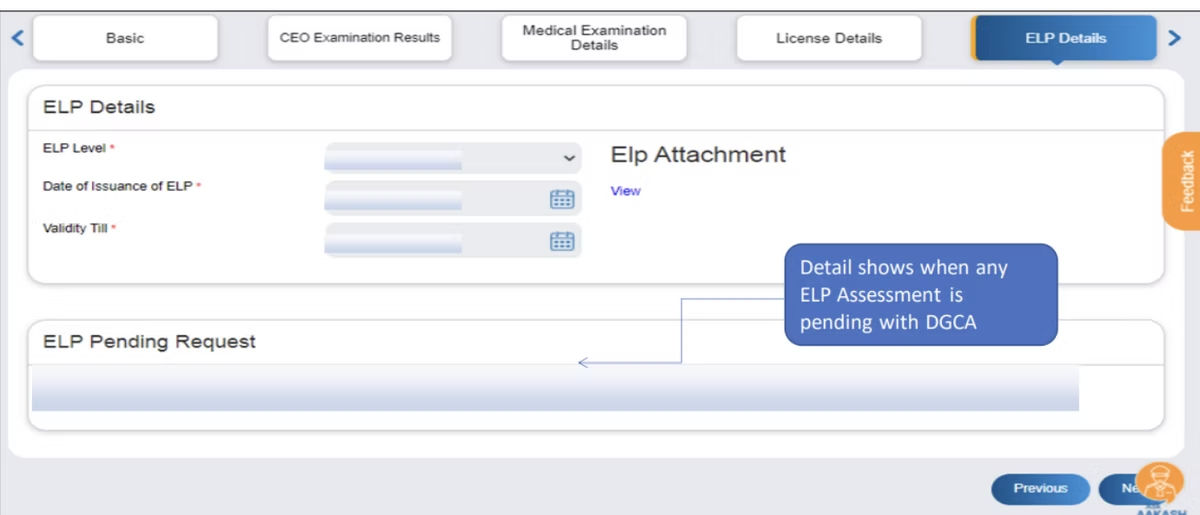
Verify and complete the application form. Check and provide your basic details, examination details, medical examination details, and licence details. Once everything is confirmed, fill out the CPL issuance form. If any examination result is still pending, select the “Result Pending” option and enter the relevant details to continue. [VERIFY]
-
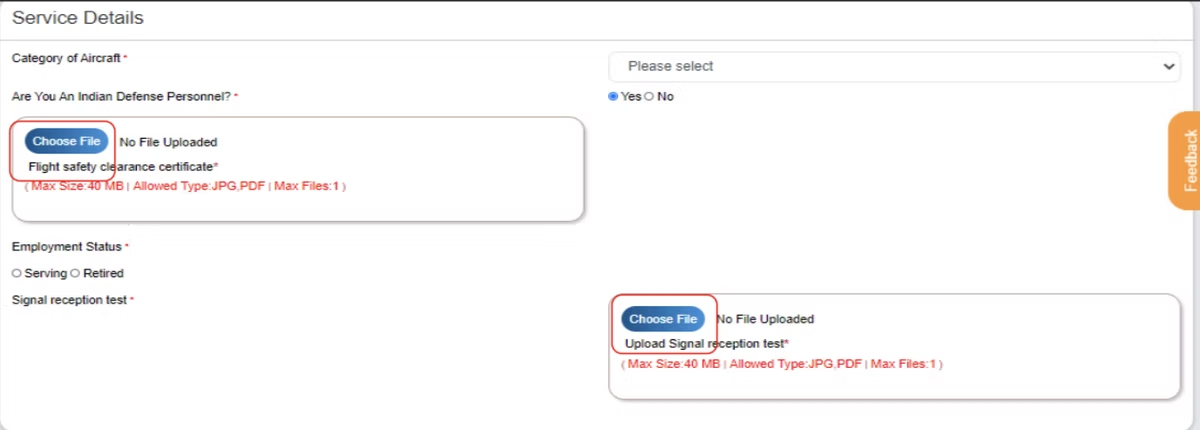
Select the aircraft category and defence personnel status. Choose the category of aircraft you are applying for the CPL on. If you are Indian defence personnel applying for a CPL, select the appropriate option so your record is processed on the correct route. [VERIFY]
-
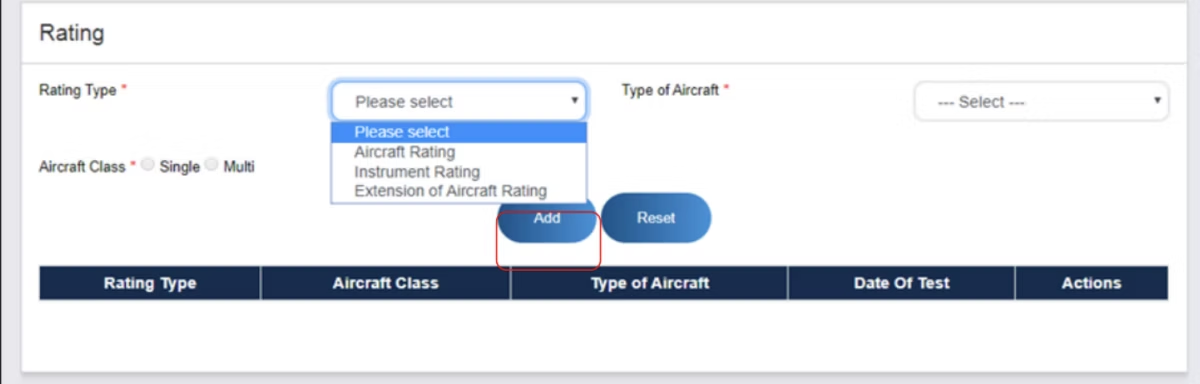
Add aircraft ratings and endorsements. For each aircraft type on which you were tested and require a licence, select the relevant “Aircraft Rating” and add it to the list. If you need to endorse additional aircraft or an instrument rating, select the “Rating” type separately and add it as well. Our guide on applying for an instrument rating in eGCA covers that path in more detail.
-
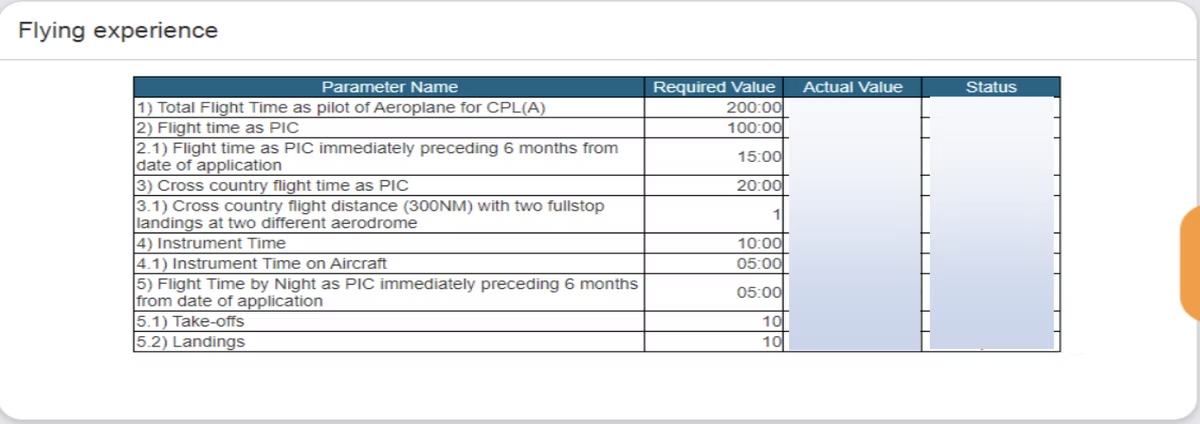
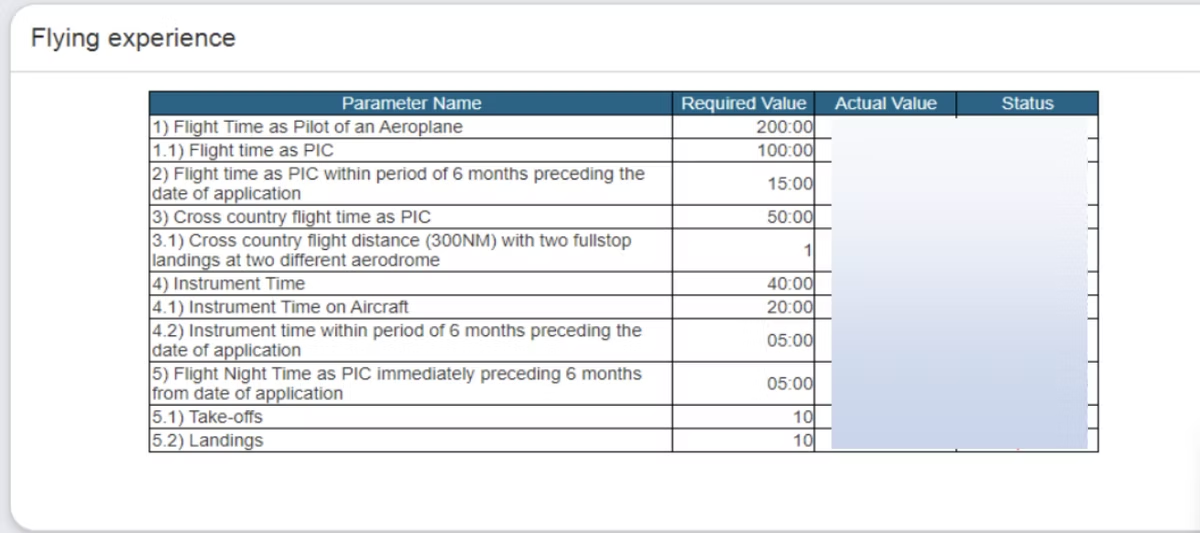
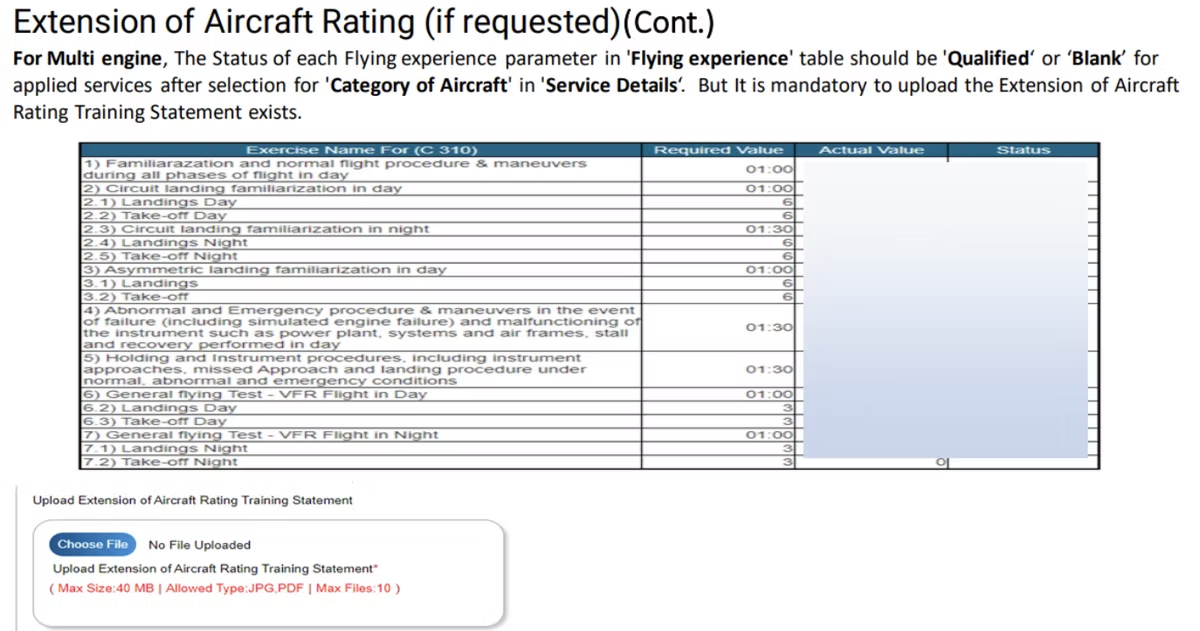
Validate your flying experience. Confirm that every parameter in the “Flying Experience” table is marked as “Qualified” for the services you are applying for, particularly after selecting the “Category of Aircraft” in the “Service Details” section when requesting an aircraft rating. If a row is not qualified, the application will not progress, so resolve any gaps here before moving on. [VERIFY]
-
Apply for FRTOL if required. If you need a Flight Radio Telephony Operator Licence, select “Yes” and provide the RTR (Radio Telephony Restricted) details. Holders of FRTOL (R) should also enter their RTR details. The separate walkthrough on the FRTOL (R) application in eGCA goes through this in full.
-
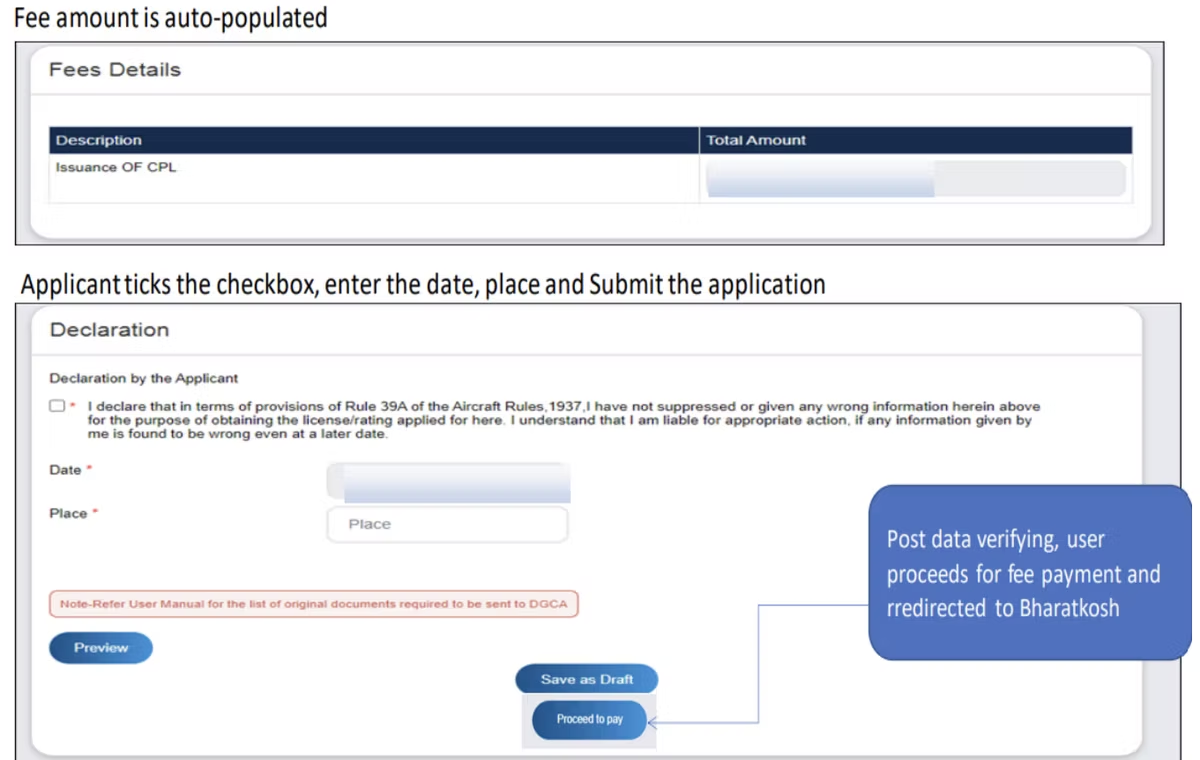
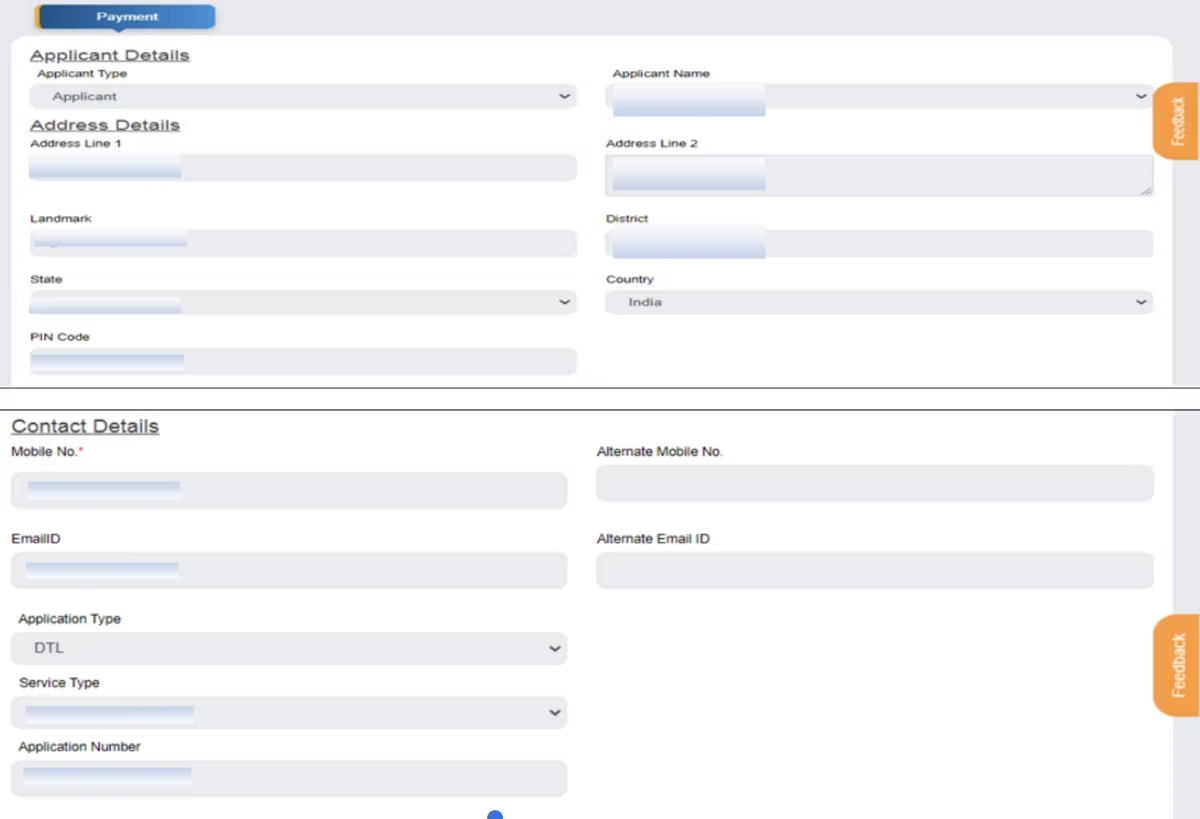
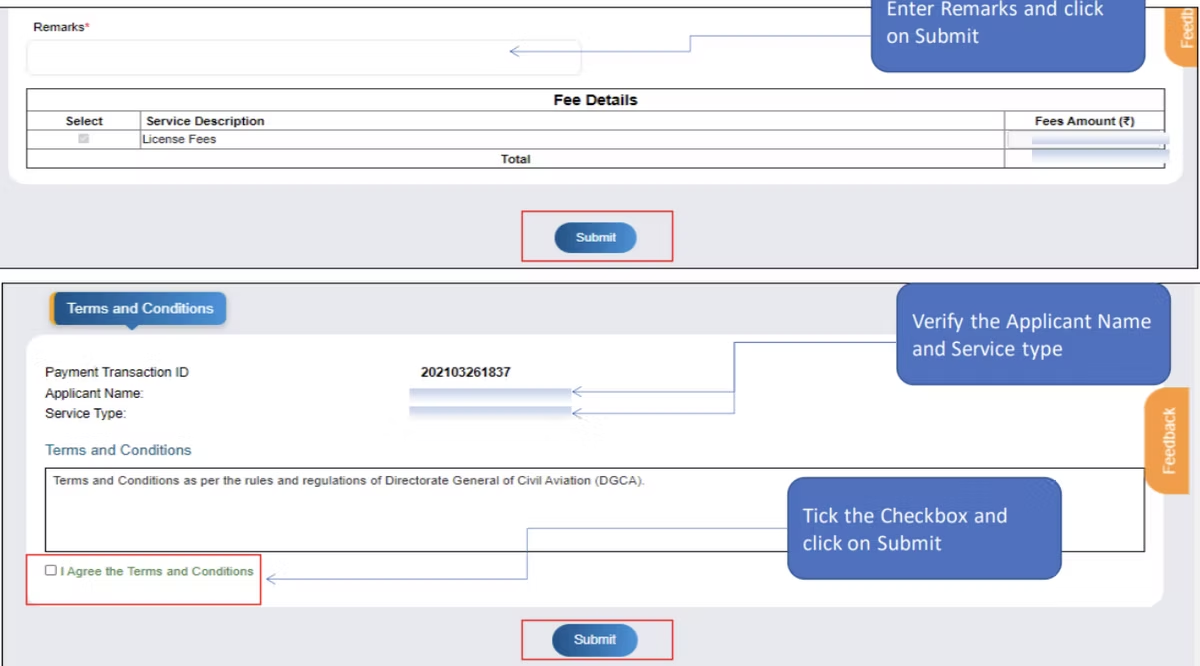
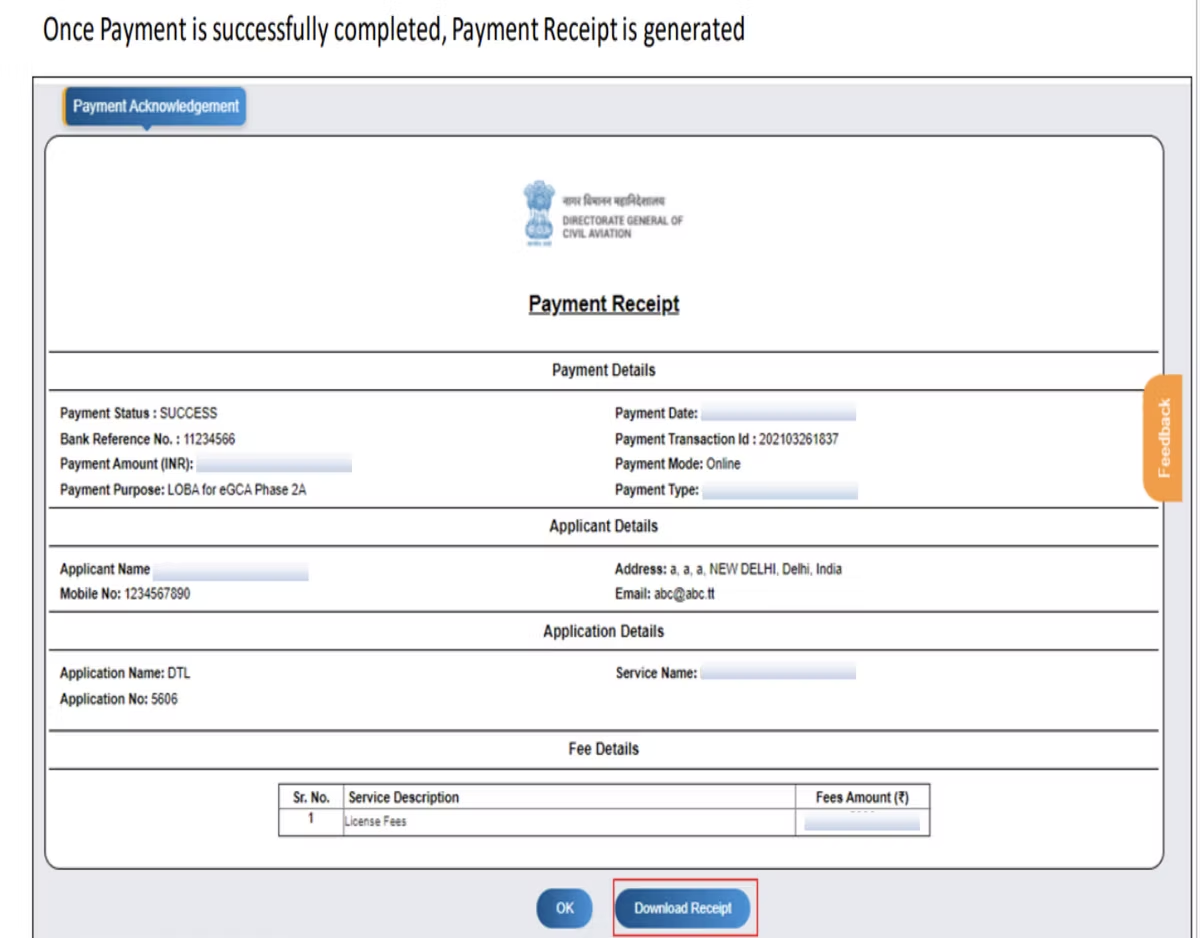
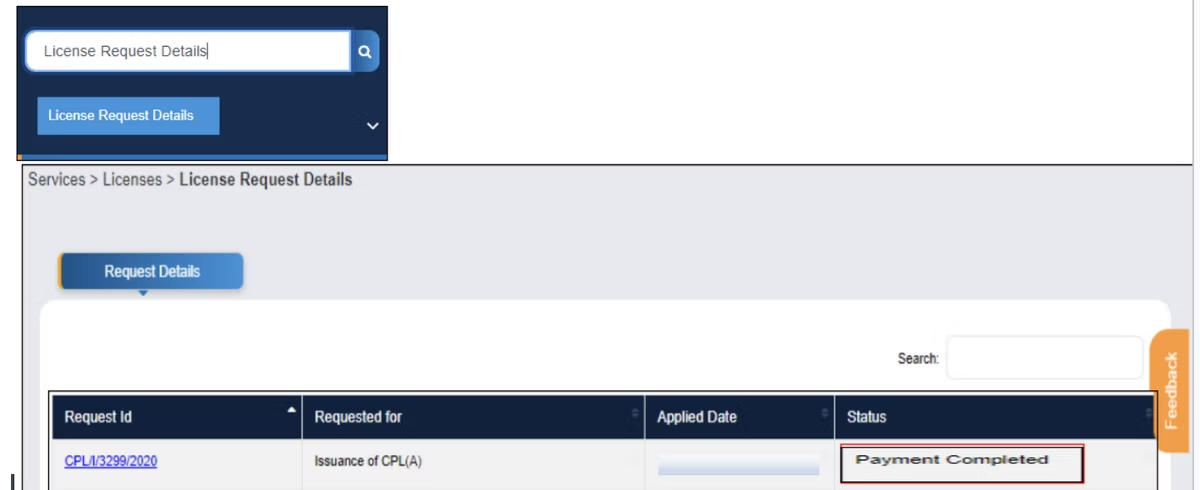
Pay the applicable fee and submit. Complete any fee payment through the portal’s payment gateway, then submit the application. [VERIFY] Keep the acknowledgement or reference number for tracking.
The CPL issuance flow

Documents required for issuance of CPL (A)
After you submit the online application, certain original documents must reach DGCA for processing. The list typically includes: [VERIFY]
- Flight Training Proficiency Check Report (FTPR)
- Radio Telephony Licence issued by the Ministry of Telecommunication, WPC
- Any other licences issued by DGCA
- Log Book(s), in the case of defence personnel
- A covering letter from the Flying Training Organisation (FTO), and from the individual in the case of defence personnel
Send the originals as instructed on the portal, and keep copies of everything you submit. Because the physical documents are checked against your online record, any mismatch between the two is a common reason for delay, so confirm names, dates, and licence numbers agree across both before you post anything.
Fees and processing time
The CPL issuance fee is set by DGCA and paid through the eGCA payment gateway during the application. Confirm the current amount on the portal at the time you apply, as published fee schedules change. [VERIFY] Processing time depends on the completeness of your application and the verification of your original documents; applications with every prerequisite already qualified and documents that match the online record move through fastest. [VERIFY] Rather than relying on a fixed timeline, track your application status through your eGCA dashboard after submission.
Common reasons CPL applications are delayed or rejected
Most problems at this stage are avoidable and come down to records that do not line up. Watch for these: [VERIFY]
- Flying experience rows in the “Flying Experience” table not marked as “Qualified” for the applied service.
- A pending or unrecorded examination result that has not been resolved through the “Result Pending” option correctly.
- A Class 1 medical that has lapsed or is not reflected in eGCA.
- Mismatched details between the online form and the original documents sent to DGCA.
- Missing or incomplete FTPR, RTR licence, or FTO covering letter.
Working through the prerequisites section above before you start removes most of these in advance.
After your CPL: what comes next
Once your CPL is issued, the licence does not stay valid indefinitely; it has to be kept current. Our guide on the validity of a DGCA CPL in India explains the rules, and when the time comes, CPL renewal in India through eGCA covers the renewal process. If you are weighing up a different route into the licence, the private pilot licence (PPL) application on eGCA sits alongside this one.
Keeping the licence current depends on accurate flight time, and that is where a digital logbook earns its place. Wingman is a pilot logbook used by 30,000+ pilots across 400+ airlines, and it keeps your hours, currency, and licence details in one place across iOS, Android, and Web. There is a free tier up to 250 logged hours, so you can start recording your flying while you are still building toward the CPL minimums.
Wingman is a global product rather than an India-only tool, and it supports DGCA among regulators including the FAA, EASA, UK CAA, GCAA, GACA, NZCAA, HKCAD, CASA, and CAAS. For India specifically, there is a focused walkthrough on keeping a DGCA pilot logbook in India, and a separate guide on the eGCA logbook upload process for when you need your records in the portal.
Frequently asked questions
How do I apply for a CPL on eGCA?
Log in to the eGCA portal, open the “Issuance of Commercial Pilot License” service from the Services panel, read the instructions, then verify and complete the issuance form with your basic, examination, medical, and licence details. Select your aircraft category, add the relevant aircraft ratings and endorsements, confirm your flying experience is marked as “Qualified”, apply for an FRTOL if needed, pay the fee, and submit. You then send the required original documents to DGCA. [VERIFY]
What documents do I need for CPL issuance?
The originals typically required are the Flight Training Proficiency Check Report (FTPR), the Radio Telephony Licence issued by the Ministry of Telecommunication WPC, any other DGCA-issued licences, log books in the case of defence personnel, and a covering letter from the FTO (and from the individual in the case of defence personnel). Confirm the current list on the portal before posting anything. [VERIFY]
Do I need to apply for an FRTOL at the same time?
Only if you require it. During the CPL application, you can select “Yes” for FRTOL and provide your RTR (Radio Telephony Restricted) details. Holders of FRTOL (R) also enter their RTR details. If you do not need it, you can leave this part out. [VERIFY]
Why might my CPL application be delayed or rejected?
The most common causes are flying experience rows not showing as “Qualified”, an unresolved pending examination result, a lapsed Class 1 medical, mismatches between the online form and the original documents, or missing FTPR, RTR, or FTO documents. Confirming each prerequisite before you apply removes most of these. [VERIFY]
Is eGCA the same as the Pariksha portal?
No. eGCA handles licence issuance, ratings, and related processes, while Pariksha is the separate DGCA portal used for flight crew examinations. After you sit your papers, you can check your exam results on the Pariksha DGCA website; those passed results then feed into your CPL application on eGCA.
← All articles