How to apply for a DGCA computer number: eligibility, documents and timelines
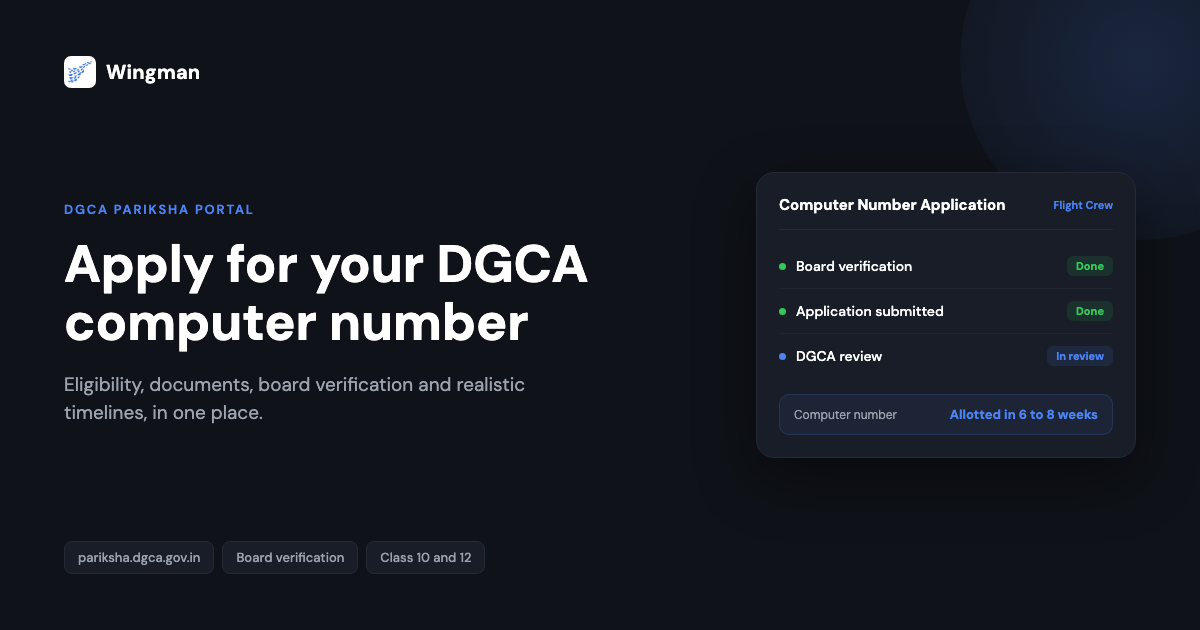
If you are starting down the path toward an Indian pilot licence, the DGCA computer number is one of the first things you need to sort out. It is the reference identity that the Directorate General of Civil Aviation (DGCA) ties to your candidate record, and you cannot book or sit the flight crew examinations without it. This guide explains what the computer number is, who is eligible, exactly which documents you need and how each board verifies them, the file format and size rules for uploads, and the realistic timelines you should plan around.
The whole process runs through the DGCA Pariksha portal at https://pariksha.dgca.gov.in. It looks intimidating the first time you open it, but the application is mostly about getting your paperwork in order and entering it carefully. Most rejections come from avoidable mistakes rather than genuine eligibility problems, so the detail below is worth reading before you start.
What the DGCA computer number is
The computer number is a unique candidate identifier issued by DGCA. Once it is allotted, it stays with you across every flight crew examination you sit and follows through to your licence application. Think of it as your permanent roll number inside the DGCA system: your exam registrations, results and licence records all hang off it. Because it is foundational, you apply for it once, early, and then reuse it throughout your training.
You apply for and use the computer number on the same Pariksha portal where you later register for and sit examinations. If you are still getting oriented with that portal, our overview of how to check exam results on the DGCA Pariksha website explains how the wider system fits together.
Who is eligible
Eligibility centres on your academic record. To apply for a computer number on the commercial pilot licence (CPL) track, DGCA’s Pariksha FAQ says you must have passed the 10+2 examination with Physics and Mathematics from a recognised board. PPL applicants are exempt from this requirement, and there is no upper age limit.
If you completed Class 12 without Physics and Mathematics, the common route is to clear these subjects separately through a recognised board, such as the National Institute of Open Schooling (NIOS), so that your record meets the requirement. Diploma holders need a certificate showing the diploma is equivalent to 10+2, and a qualification from outside a council, state or central board needs an equivalency certificate from the Association of Indian Universities (AIU). Confirm the exact combination that applies to your situation against the current DGCA guidance before you apply, because the academic prerequisites are the part candidates most often get wrong.
Documents you need
Before you begin the application, gather clean digital copies of the following. Having everything ready in one folder makes the upload stage far smoother.
- Class 10 marksheet and passing certificate.
- Class 12 marksheet and passing certificate showing Physics and Mathematics.
- A board verification certificate for your Class 10 and Class 12 records (explained in detail below).
- Identity proof such as your Aadhaar card and passport.
- A recent colour photograph (45 mm x 35 mm, white background, JPEG, no more than 70 KB) and a scanned signature (JPEG, no more than 20 KB), per the Pariksha FAQ.
Self-attest the copies if the portal asks you to. Passports are not mandatory for Indian candidates, but foreign candidates need a valid passport and an Indian mobile number. The board verification certificate is handled differently, which is the next section.
Board verification, by board
Board verification is the step that trips most applicants up, so it is worth understanding clearly. DGCA requires a board verification certificate (BVC) confirming that your Class 10 and Class 12 (or equivalent or diploma) marksheets are genuine. The Pariksha FAQ says it is mandatory for all new candidates.
There is now a shortcut for some boards. Since 16 October 2025, DGCA auto-generates the computer number through DigiLocker for candidates who passed Class 10 and 12 with CBSE, without manual document submission, and it said other boards would follow (All India Radio report). Check the Pariksha portal for the boards currently covered before you start the manual route.
Each board has its own process:
- CBSE. The Central Board of Secondary Education runs its own document verification service. Check the current method and fee on the CBSE site, and remember that CBSE candidates may be covered by the DigiLocker route above.
- CISCE (ICSE / ISC). The Council for the Indian School Certificate Examinations provides its own verification route for ICSE and ISC results. As with CBSE, you request verification through the council and use the issued confirmation.
- State boards. Each state board runs its own verification process, and these vary widely in method, fee and turnaround. Some accept online or postal requests; others require you to apply in person at the board office. Contact your specific state board early, because state board verification is frequently the slowest single step in the whole timeline.
Older guides, including earlier versions of this one, describe rules for sealed certificates and attestation by a gazetted officer or your Chief Flying Instructor. DGCA has since reported dropping hard-copy submission and attestation requirements for the computer number, so follow the instructions on the current Pariksha portal rather than an older checklist. If your board issues the certificate in a sealed envelope addressed to DGCA, ask for a scan before it is sealed so you keep a copy for your records.
File format and size rules for uploads
When you reach the upload page, the portal expects each document in PDF format within the size limit set out in the user manual, with the photograph and signature as JPEG files. Scans should be clear, fully legible and free of blur or pixelation, with the whole document inside the frame rather than cropped at the edges. If a file is too large, reduce the resolution or compress it rather than cutting off part of the page. Keep the originals of every file you upload, in case DGCA queries the application. Check the size limit shown against each upload field before you submit, since an oversized or unreadable file is a common reason an otherwise complete application stalls.
How to apply, step by step
With your documents ready, the application itself follows a clear sequence.
-
Register on the portal. Go to https://pariksha.dgca.gov.in, choose New Candidate Registration in the Flight Crew section, read the on-screen instructions, accept the guidelines and enter your personal details. Verify your email and phone number using the OTP, then create a password. Your login ID and password are now ready. We cover this in more detail in new candidate registration on Pariksha DGCA.
-
Start the computer number application. Log in and open the Computer Number Application. Enter your details exactly as they appear on your supporting documents. Spelling mismatches between the form and your marksheets are a leading cause of rejection, so go slowly here.
-
Upload your documents. On the upload page, attach each required document within the specified size and format. Confirm every file is clear and complete before moving on.
-
Review and submit. A review page shows your full application. Check every field against the supporting documents, confirm the spelling matches, then submit.
-
Check whether a hard copy is still needed. Older instructions asked new candidates to print the form and post it with their documents to DGCA. DGCA has reported abolishing hard-copy submission, so follow what the current portal and your confirmation email say. Approval or rejection, with reasons, is sent to your registered email, and once the number is allotted your login ID becomes “P-” followed by your computer number.
Application flow

Realistic timelines
Plan for the timeline in two parts. The board verification step can take weeks depending on your board, and for some state boards it is the longest wait of all, so start it before anything else. After you submit the online application, the computer number is allotted only once DGCA has scrutinised the file, and DGCA does not publish a fixed processing time. Build in buffer rather than booking exams on the assumption of the fastest case.
Once you hold the computer number, you can register for examinations on the same portal whenever the test window is open. Registration windows are open for a limited period, so watch the portal notices closely. To plan which papers you need, read exams to be cleared in order to get CPL, PPL, ATPL, and when results are out, our guide to checking exam results on Pariksha DGCA walks through that step.
Keep your flying record straight from day one
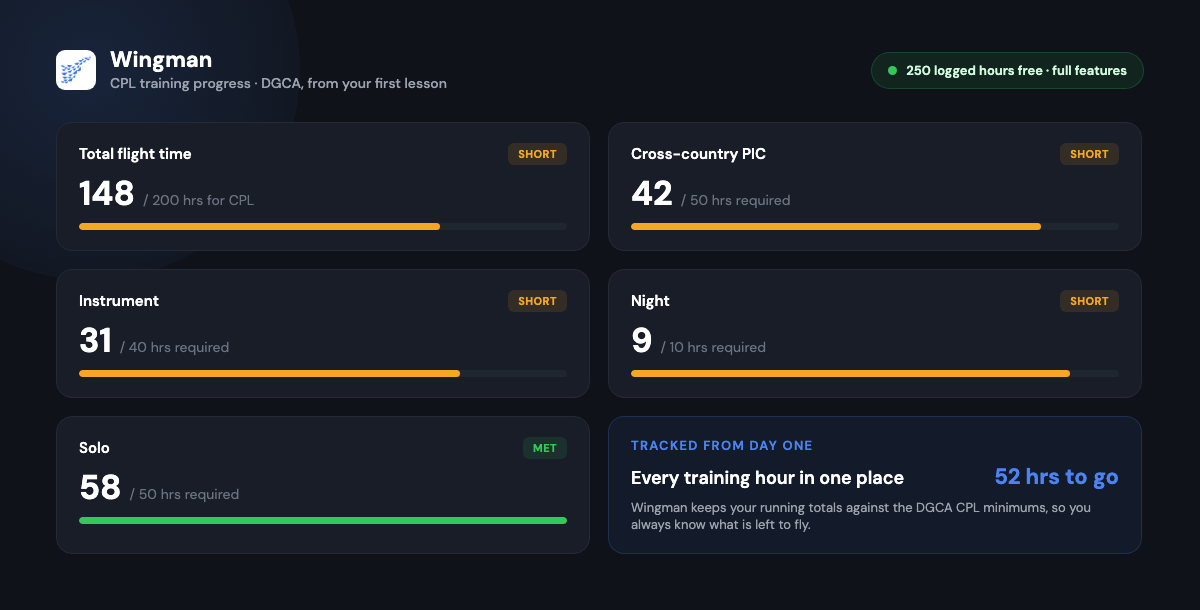
The computer number sorts out the examination side of your DGCA journey, but your licence ultimately rests on flight time, and those hours need to be recorded accurately from your very first lesson. A digital logbook makes that far easier than paper. Wingman is a pilot logbook used by 30,000+ pilots across 400+ airlines, keeping your hours, currency and licence details in one place across iOS, Android and Web.
Wingman is a global product rather than an India-only tool, and it produces regulator-compliant exports for DGCA alongside the FAA, EASA, UK CAA, GCAA, GACA, NZCAA, HKCAD, CASA and CAAS. For an India-specific walkthrough, see keeping a DGCA pilot logbook in India. There is a free tier up to 250 logged hours, so you can start recording your training flights without committing anything up front, and you can open the app whenever you are ready.
Frequently asked questions
What is a DGCA computer number?
It is a unique candidate identifier issued by DGCA that ties together your flight crew examination records and, later, your licence application. You apply for it once on the Pariksha portal and reuse it throughout your training.
What academic qualifications do I need to apply?
For the CPL track you need to have passed 10+2 with Physics and Mathematics from a recognised board. If you did not take those subjects, you can usually clear them separately through a recognised board such as NIOS. Diploma holders need a certificate showing the diploma is equivalent to 10+2. Confirm the exact requirement for your case against current DGCA guidance.
How long does board verification take?
It depends entirely on your board. CBSE and CISCE offer their own verification routes, while state boards each have their own process and turnaround, which can take weeks. CBSE candidates may be able to skip manual verification through the DigiLocker route. Start board verification before any other step, as it is often the slowest part.
How long until I receive my computer number?
DGCA does not publish a fixed processing time. The number is allotted after DGCA scrutinises your application, and CBSE candidates using the DigiLocker route can get it generated automatically. Build in buffer before booking exams.
Why do computer number applications get rejected?
The most common causes are spelling mismatches between the form and your marksheets, unclear or oversized document scans, and board verification certificates submitted in the wrong form. Entering details carefully and following the current portal instructions for the board verification certificate removes most of this risk.
← All articles