How to choose a pilot logbook: a five-question framework for your regulator and airline
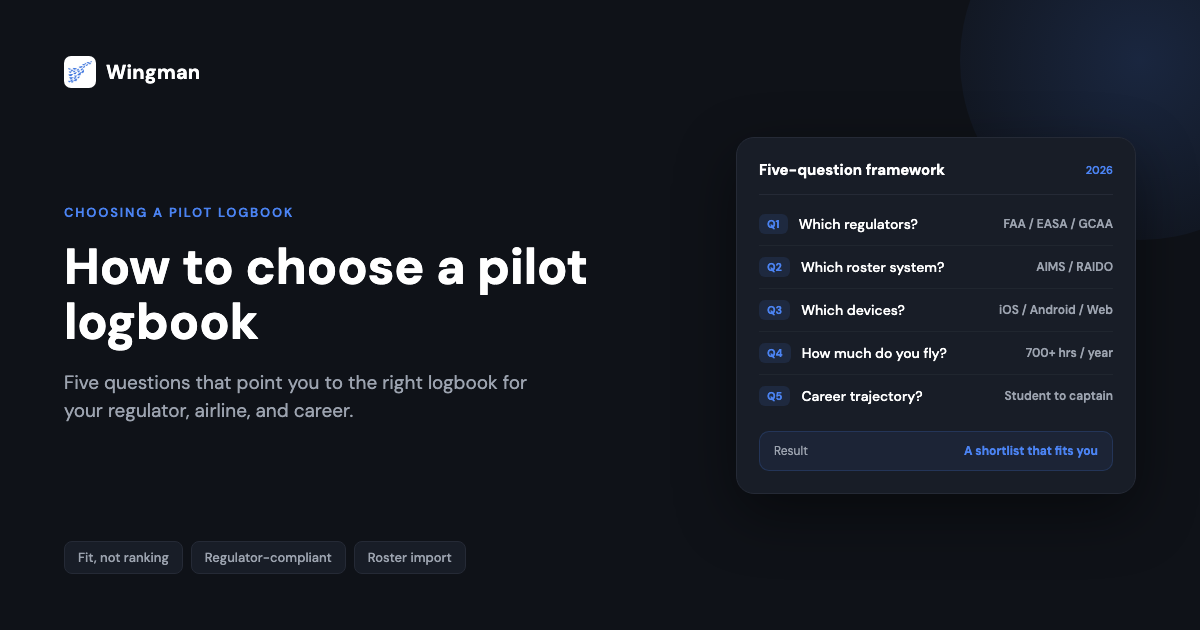
Most logbook comparisons hand you a ranking and tell you which app sits at the top. That approach assumes every pilot flies the same way, under the same regulator, with the same devices, at the same point in their career. None of that is true, which is why a generic best-of list rarely answers the real question: how to choose a pilot logbook that fits your own flying.
A logbook is the one piece of software you will carry across an entire flying career. It will be audited, presented at airline interviews, submitted to regulators for licence conversions, and checked for currency before a line check. The right choice is the one that fits your operating context, not the one that scored highest on someone else’s feature table.
This post is a framework rather than a verdict. It walks through five questions, and your answers point toward the tool that fits. Pilots at Emirates, Spirit Airlines, easyJet, Cebu Pacific, Ethiopian Airlines, and IndiGo all use Wingman, but they arrived there from different starting points. The questions below are how you find yours. If you would rather see head-to-head breakdowns first, the best digital pilot logbook apps roundup and the LogTen vs Wingman vs ForeFlight comparison cover the products named here in more detail. This framework sits one level above those: it tells you which comparison actually matters for you.
The framework: five questions to ask before choosing a logbook
Before looking at any product, answer these five questions about your own flying. Each one narrows the field. Together they tell you what you actually need a logbook to do, and which features are noise for your situation.
The order matters. Regulator and scheduling system are hard constraints: get those wrong and the logbook cannot do its core job. Devices, flying volume, and career stage refine the choice from there.
Question 1: which regulators do you fly under?
Your logbook has to produce a record your authority will accept. If you fly under the FAA, the legal basis for what must be recorded sits in 14 CFR 61.51, which requires you to document training and aeronautical experience used for certificates, ratings, and recency. EASA pilots work to a different standard, FCL.050, set out in the EASA Part-FCL rules, which specifies its own column structure and signature handling.
Those two are only the start. Pilots across the Wingman cohorts fly under the UK CAA, GCAA in the UAE, DGCA in India, GACA in Saudi Arabia, CASA in Australia, CAAS in Singapore, NZCAA in New Zealand, and HKCAD in Hong Kong. Each authority accepts a particular logbook format, and a record formatted for one is not automatically valid for another.
This matters most for two groups. Expat and contract pilots routinely hold licences under more than one authority at once. Pilots planning a licence conversion, for example moving from a GCAA licence to an EASA one, need their history exportable in the destination authority’s format without re-keying years of flights.
When you assess a logbook against this question, ask which authorities it actually exports compliant formats for, not just which ones it stores data for. The table later in this post covers where the leading options stand.
Wingman supports FAA, EASA, UK CAA, GCAA, DGCA, GACA, NZCAA, HKCAD, CASA, and CAAS. If you fly under one of these, the regulator-specific guides are worth reading before you decide: the EASA guide, FAA guide, GCAA guide, and DGCA guide.
Question 2: what scheduling system does your airline use?
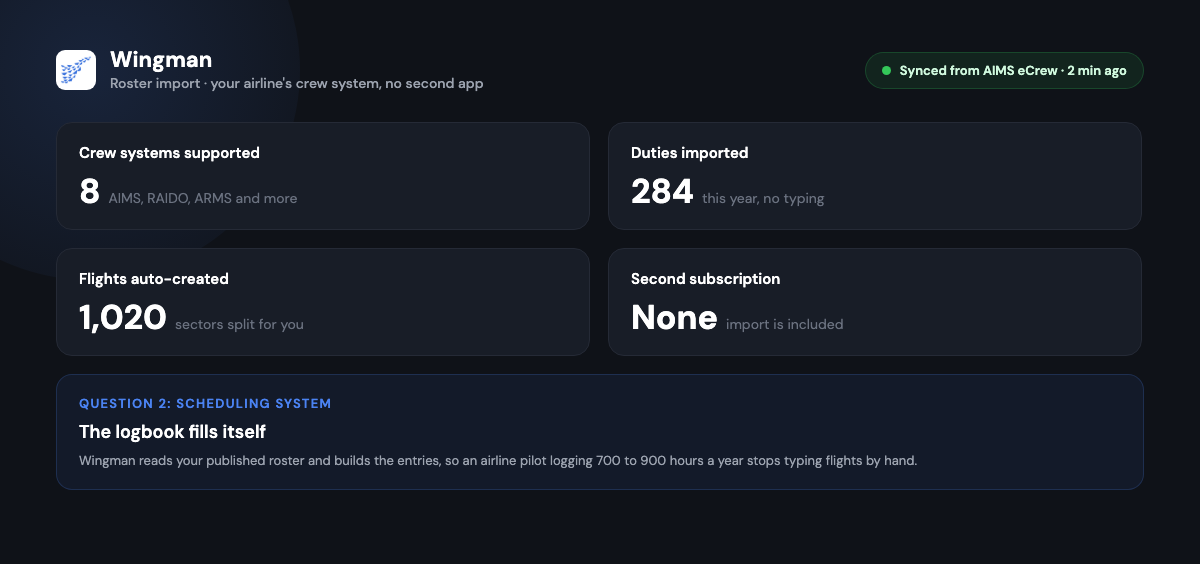
For airline pilots, this question decides whether your logbook fills itself or whether you type every flight by hand. Roster import means the logbook reads your airline’s published schedule and creates flight entries automatically. Without it, an airline pilot logging 700 to 900 hours a year is doing a meaningful amount of manual data entry, and manual entry is where errors enter a logbook.
The catch is that airlines do not all use the same crew scheduling system. Common ones include AIMS eCrew, NavBlue RAIDO, CAE Crew Access, ARMS, CESAR, Sabre, FLICA, and PDC CrewConnex. A logbook that imports from AIMS does nothing for you if your airline runs RAIDO. So the practical question is narrow: does this logbook import from the specific system my airline uses?
This is the single highest-frequency feedback theme across the Wingman cohorts at Emirates, easyJet, Spirit Airlines, and IndiGo. It is also where general aviation and airline needs split sharply. A GA pilot flying a Cessna on weekends has no roster to import and should not pay for a feature they cannot use. An airline pilot who skips this question ends up doing avoidable work after every trip.
One detail worth checking carefully: some products advertise roster import but deliver it through a separate companion app on a separate subscription. The headline price and the price of the full working setup are then two different numbers. Question 2 and Question 4 are linked for that reason.
Wingman imports rosters from AIMS eCrew, NavBlue RAIDO, CAE Crew Access, ARMS, CESAR, Sabre, FLICA, and PDC CrewConnex, with no second subscription for the import function.
Question 3: what devices do you use?
Pull out the devices you actually carry. A logbook is only useful on the hardware in your hand at the moment you need it, whether that is reviewing currency on a phone before a flight or pulling up your record on a laptop during an interview.
Some logbooks run only on Apple hardware: iPhone, iPad, and Mac. If you carry an iPhone and an iPad and never leave that ecosystem, that is no constraint at all. If you carry an Android phone, or switch between an Android phone and a Windows laptop, an Apple-only logbook simply will not follow you. Mixed-device setups are common, and they are common in particular among pilots outside North America.
The honest version of this question is not “which logbook has the best app” but “which logbook runs on every device I personally use.” If your answer includes Android or Windows, that alone removes some otherwise capable products from your shortlist.
Wingman runs on iOS, Android, and the web, and it is the same logbook with the same data on every device.
Question 4: how much do you fly?
Flying volume decides which pricing model costs you the least, and it interacts with the free tiers and paid thresholds that logbooks use.
A student pilot building toward a CPL might log 200 to 250 hours across the whole training period. A low-time GA pilot might add 40 to 60 hours a year. An airline first officer logs several hundred hours annually. Each of those profiles has a different cost-optimal answer.
Free tiers vary in how they are limited. Some cap by number of flight records, some by logged hours, some are unlimited but with a thinner feature set. Wingman’s free tier runs up to 250 logged hours with the full feature set, including roster import and exports, which means most pilots can fly their entire training period without paying. After 250 hours, Wingman is one flat price: $59 per year, or the local equivalent (₹4,499 per year in India), billed as $4.99 per month when paid annually.
Question 5: what is your career trajectory?
The last question looks forward. A logbook chosen as a student should still serve you as a captain, because the cost of switching grows with every hour you log.
A typical path runs student pilot, then CPL, then ATPL, then a first airline job, then command. Your needs change at each stage. As a student you need clean recording and instructor endorsements. Moving into airline flying, roster import and currency tracking become central. Crossing borders for a new contract, multi-regulator export becomes the deciding feature. Choosing a logbook that only fits your current stage means re-evaluating, exporting, and migrating later.
This is also the question that argues against optimising purely for today’s price. The cheapest option for a student is not always the one that still fits when that student is an ATPL holder flying internationally. A logbook that spans the whole trajectory, on the regulators and devices you will use later, saves a migration you would otherwise pay for in time and risk.
How the five questions narrow the field

Read the diagram top to bottom. Each question removes options that cannot meet a hard constraint before you ever compare features or price. By the time you reach the bottom, the shortlist is short, and a head-to-head comparison finally makes sense.
How the leading options score against the framework
The table below maps five widely used logbooks against the framework. It is a fit assessment, not a ranking. The right column for you is the one whose row of answers matches the answers you gave above.
| Framework dimension | Wingman | LogTen Pro | ForeFlight | CrewLounge PILOTLOG | MyFlightbook |
| Devices | iOS, Android, web | Apple only | Apple app plus web | Desktop plus mobile companion | iOS, Android, web |
| Roster import | Yes, included | Yes | Limited | Via separate CONNECT app [VERIFY] | Manual or spreadsheet import [VERIFY] |
| Regulator coverage | FAA, EASA, UK CAA, GCAA, DGCA, GACA, NZCAA, HKCAD, CASA, CAAS | Strong FAA and EASA focus [VERIFY] | FAA and European formats [VERIFY] | FAA, EASA, ICAO range [VERIFY] | Strongest for FAA format [VERIFY] |
| Free tier | Up to 250 hours, full features | None [VERIFY] | None, bundled in EFB plan [VERIFY] | Student Edition, 100 records [VERIFY] | Free, no usage cap [VERIFY] |
| Indicative price | $59/year (₹4,499/year in India) | About 129.99 USD/year [VERIFY] | EFB subscription, logbook not sold standalone [VERIFY] | About 39.99 to 46.99 euros/year via website [VERIFY] | Free [VERIFY] |
Read across, not down. A few honest takeaways:
LogTen Pro is a mature, feature-rich logbook with a strong following among airline pilots on Apple hardware. If you live entirely in the Apple ecosystem and value its automation, it earns its place on your shortlist. Its constraints are platform and price. The LogTen vs Wingman vs ForeFlight comparison and the Wingman vs LogTen guide go deeper if it is on your list.
ForeFlight makes most sense if you already pay for ForeFlight as an electronic flight bag and want logbook and flight planning in one subscription. If you only need a logbook, you are paying for charts and weather you may not use.
CrewLounge PILOTLOG covers a wide regulatory range and has a genuinely free Student Edition. The detail to weigh is that roster import runs through a separate app, CONNECT, on its own subscription, so the full working setup costs more than the headline PILOTLOG price. [VERIFY]
MyFlightbook remains a strong free option in 2026. It is open source, has a long track record, and places no cap on usage. If zero cost and long-term data portability are your priorities, it deserves serious consideration. The trade-off is a less polished interface and roster import that is manual rather than automatic. [VERIFY]
Wingman fits pilots who need cross-device access, automatic roster import without a second subscription, broad regulator coverage, and a free tier that lasts through training. If your framework answers point that way, it is a natural fit. If they point elsewhere, one of the options above will serve you better, and that is the framework working as intended.
Frequently asked questions
How do I choose a pilot logbook?
Choose by fit, not by ranking. Work through five questions about your own flying: which regulators you fly under, what scheduling system your airline uses, what devices you carry, how much you fly, and where your career is heading. Your regulator and roster system are hard constraints; devices, flying volume, and career stage refine the choice. The logbook whose capabilities match those five answers is the right one for you, even if a generic list ranks a different app first.
What is the best pilot logbook for my regulator and airline?
There is no single best logbook for every pilot, because the right choice depends on your regulator, your airline’s scheduling system, your devices, your flying volume, and your career stage. A pilot on Apple hardware, a student wanting a free option, and an expat flying under two authorities will reach different answers. Confirm the logbook exports a compliant format for your authority and imports your airline’s specific roster system, then weigh devices and price. That combination, not a star rating, identifies the best logbook for your situation.
Is a digital logbook legally accepted by the FAA and EASA?
Yes. The FAA does not mandate a specific logbook format. 14 CFR 61.51 requires you to document the relevant time in a manner acceptable to the Administrator, which a digital logbook can satisfy. EASA addresses electronic records under FCL.050 in the Part-FCL rules. The practical requirement is that your logbook can produce a compliant export in the format your authority expects, so check that capability for the authorities you fly under.
Can I switch logbooks without losing my flight history?
In most cases, yes. Logbooks generally export your full history as a file, commonly CSV or a similar format, and a new logbook imports it. The quality of the import varies between products, so before committing, export a copy of your current logbook and confirm the new one ingests it cleanly, including type ratings, function time, and route detail. Keeping an export of your data is good practice regardless of which logbook you use.
What logbook should a student pilot start with?
A student should weigh two things: cost during training, and whether the logbook will still fit after the CPL and ATPL stages. A free tier that covers the whole training period is valuable, since most students log 200 to 250 hours before a CPL. Just as important, choosing a logbook that also handles roster import and multi-regulator export means no migration when you reach airline flying. Wingman’s free tier runs to 250 hours with full features, and MyFlightbook is free without a cap, so both suit students for different reasons. [VERIFY]
Where to go from here
Work through the five questions with your own flying in mind. Your regulator and your airline’s scheduling system set the hard constraints; your devices, flying volume, and career stage refine the choice from there.
If your answers point toward broad regulator coverage, automatic roster import without a second subscription, the same logbook on iOS, Android, and web, and a free tier that lasts through training, Wingman is built for that profile. You can start on the free tier up to 250 hours, with no card required, and see whether it fits before you commit, or open the Wingman web app to try it now. If your framework points elsewhere, one of the other options in this post will serve you better.
← All articles