How to endorse an air traffic controller ELP on eGCA
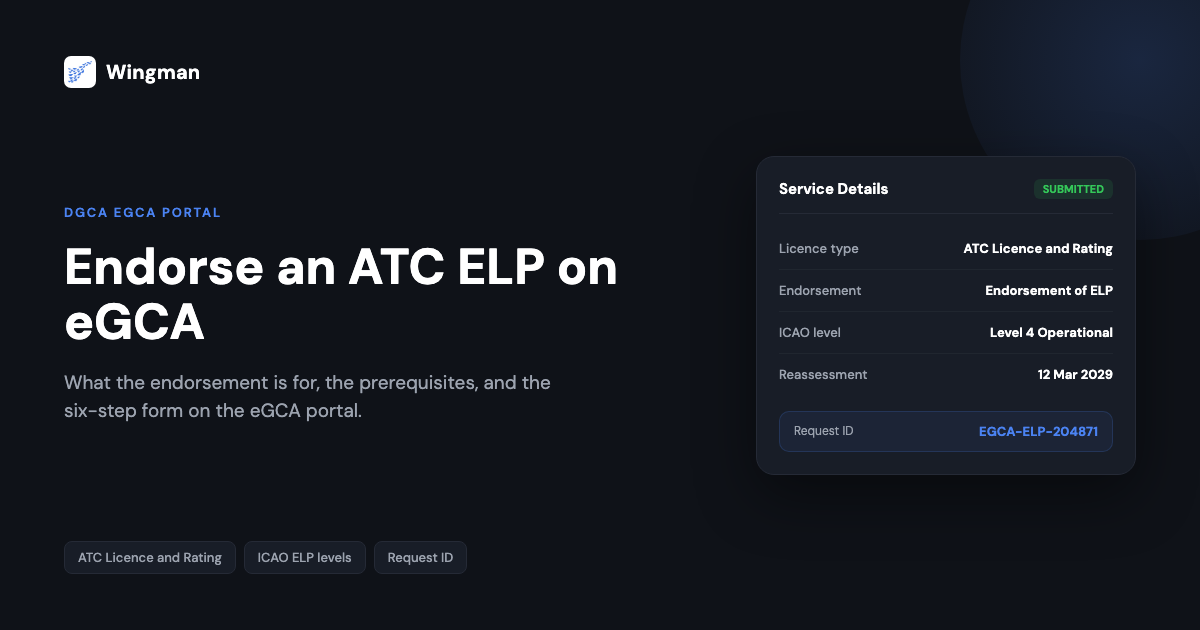
English Language Proficiency (ELP) is a safety requirement, not a formality. Air traffic controllers in India hold an ATC licence issued by the Directorate General of Civil Aviation (DGCA), and that licence carries an ELP endorsement that records the level at which the controller has been assessed and the date by which it must be reassessed. When an assessment is due, or when a controller needs the endorsement recorded against their licence, the request is made through eGCA, the DGCA online platform for licensing services.
This guide explains what the ELP endorsement is for, the prerequisites you need before you start, and a step-by-step walkthrough of raising the endorsement request on the eGCA portal. The steps are written so you can follow them with the portal open in another tab, and the process ends with a request ID you can use to track the application.
What the ELP endorsement is and why it matters
ELP is the standard that confirms a controller can communicate clearly in aviation English, both in routine phraseology and in the plain language needed when a situation falls outside standard procedure. The International Civil Aviation Organization (ICAO) sets the framework, grading proficiency on a scale from Level 1 to Level 6, where Level 4 (Operational) is the minimum required to exercise the privileges of the licence. [VERIFY] Levels 4 and 5 carry a reassessment requirement at fixed intervals, while Level 6 (Expert) is generally treated as not requiring further testing. [VERIFY]
For an air traffic controller, the endorsement is what ties that assessment result to the licence record. Without a current ELP endorsement against the licence, the proficiency that the controller has demonstrated is not reflected in the official DGCA record, which is why the endorsement is processed through the same eGCA platform that holds the rest of the licence and rating data.
If you are looking at ELP from the pilot side rather than the controller side, the requirements and assessment route differ, and we cover those separately in English Language Proficiency (ELP) for Indian pilots. Training organisations that run ELP assessments register through a different eGCA workflow, explained in the ELP organisation registration process on eGCA. This guide is specifically about the individual ATC endorsement.
Before you start: prerequisites
A few things need to be in place before you raise the endorsement request. Sorting these first avoids a stalled application part way through the form.
- An active eGCA account. You access every licensing service through the eGCA external portal, so you need a registered account and a working login. If you have not set this up yet, our walkthrough on how to get your eGCA ID covers registration, and the wider pilot registration process with eGCA explains how the portal is structured once you are in.
- A valid eGCA ID and password. Keep these somewhere safe, because the same credentials tie together your profile, licence record, and any in-progress applications.
- Your ATC licence details to hand. The endorsement is recorded against an existing Air Traffic Controllers licence, so have your licence number and current rating information available before you start the form.
- Your ELP assessment outcome. The endorsement records a proficiency level and a reassessment date, so you should know the level you have been assessed at and have any supporting assessment documentation ready to upload if the form requests it. [VERIFY]
Step-by-step: endorse an ATC ELP on eGCA
Follow these steps with your eGCA login ready. The route below mirrors the portal as documented for the ATC licence and rating service, but DGCA does update labels and menus from time to time, so the exact wording on screen can vary. [VERIFY]
-
Open the eGCA portal and log in. Go to the eGCA external portal and select the eGCA Login option. On the login page, enter your eGCA ID and password, complete the captcha verification, and submit. [VERIFY] You will land on your eGCA dashboard.
-
Confirm you are on your dashboard. The dashboard is the hub for your licensing services. Check that your own profile and licence record are loaded before you continue, so the endorsement is raised against the correct controller record.
-
Open the ATC licence service. From the dashboard, select the Services tab to open the list of available services. Choose Application for Air Traffic Controllers (ATC) Licence and Rating. [VERIFY] This is the workflow that covers licence issue, ratings, and endorsements for controllers.
-
Go to the service details and select the endorsement. Inside the ATC licence service you will see a set of tabs that step you through the application. Open the Service Details tab, then select Endorsement of ELP as the action you want to perform. [VERIFY] Selecting this tells the portal you are requesting the ELP endorsement rather than a new licence or a different rating.
-
Complete the application form. Fill in the form fields the portal presents. These typically include your personal details, existing licence and rating information, and the ELP assessment data such as the proficiency level and reassessment date. [VERIFY] Where the form asks for supporting documents, upload the assessment record in the format and size the portal accepts. Work through every required field, because a missing entry will usually block submission.
-
Review, submit, and note the request ID. Before submitting, review the whole form for accuracy, since correcting a record after submission is slower than getting it right the first time. When everything checks out, submit the application. The eGCA system then generates a unique request ID for the endorsement. [VERIFY] Save this ID, because it is how you track the application status and how you reference the request if you need to follow up with DGCA.
After submission the request moves into DGCA processing, and any fee, document verification, or approval step is handled within the portal workflow. [VERIFY] Use the request ID to monitor progress rather than starting a fresh application.
The endorsement flow at a glance

If the endorsement option does not appear, confirm you opened the correct ATC licence service and that your licence record is loaded. If the form will not submit, check for a required field left blank or a document upload that did not attach. [VERIFY]
Keeping your records straight alongside the endorsement
The endorsement updates your DGCA record, but it sits within a wider set of personal records you are responsible for keeping current, including your hours and currency. For pilots working across the same eGCA platform, an accurate digital logbook keeps that side of the record consistent and export-ready. Wingman is a pilot logbook used by 30,000+ pilots across 400+ airlines, holding hours, currency, and licence details in one place across iOS, Android, and Web.
Wingman is a global product rather than an India-only tool, and it produces regulator-compliant exports for DGCA alongside the FAA, EASA, UK CAA, GCAA, GACA, NZCAA, HKCAD, CASA, and CAAS. For India specifically, there is a focused walkthrough on the eGCA logbook upload process, and a free tier up to 250 logged hours so you can start before committing anything up front. Roster import is automatic from systems including AIMS eCrew, NavBlue RAIDO, CAE Crew Access, ARMS, CESAR, Sabre, FLICA, and PDC CrewConnex, which keeps the flying side of your record current while the licensing side is handled in eGCA.
How the endorsement fits the wider eGCA journey
eGCA is the single platform DGCA uses for licensing across pilots, controllers, instructors, and engineers, so the ELP endorsement is one of many services that run through the same login. Knowing how the portal is organised makes each task quicker, whether you are getting set up for the first time through how to get your eGCA ID or working through the broader eGCA registration process. Because the ELP endorsement, organisation registration, and individual pilot ELP are distinct workflows, it is worth confirming you are in the right service before you fill anything in.
Frequently asked questions
What is an ELP endorsement on an ATC licence?
It is the record on an air traffic controller’s DGCA licence that confirms the English Language Proficiency level they have been assessed at and, for levels that require reassessment, the date by which they must be reassessed. ICAO sets the framework, grading proficiency from Level 1 to Level 6, with Level 4 the minimum operational standard. [VERIFY]
What do I need before I raise the endorsement request on eGCA?
An active eGCA account with a valid ID and password, your existing ATC licence and rating details, and your ELP assessment outcome including the proficiency level and any supporting documentation the form asks you to upload. [VERIFY] If you do not yet have an eGCA account, set that up first.
How long does the ELP endorsement take to process?
DGCA does not publish a fixed turnaround for this endorsement, and processing time depends on document verification and approval within the portal workflow. [VERIFY] After you submit, use the request ID generated on submission to track the application rather than raising a duplicate request.
Is there a fee for the ELP endorsement?
Any applicable fee is handled within the eGCA workflow at the point the portal requests it, and fee amounts are set by DGCA and can change, so confirm the current fee on the portal at the time you apply. [VERIFY]
Is the ATC ELP endorsement the same as ELP for pilots or ELP organisation registration?
No. The ATC endorsement covered here applies to an individual controller’s licence. ELP for pilots follows a separate route, covered in ELP for Indian pilots, and training providers that run assessments register through the ELP organisation registration process on eGCA. Confirm you are in the correct eGCA service before completing any form.
← All articles