How to fill out a pilot logbook correctly: every column, rule, and common mistake
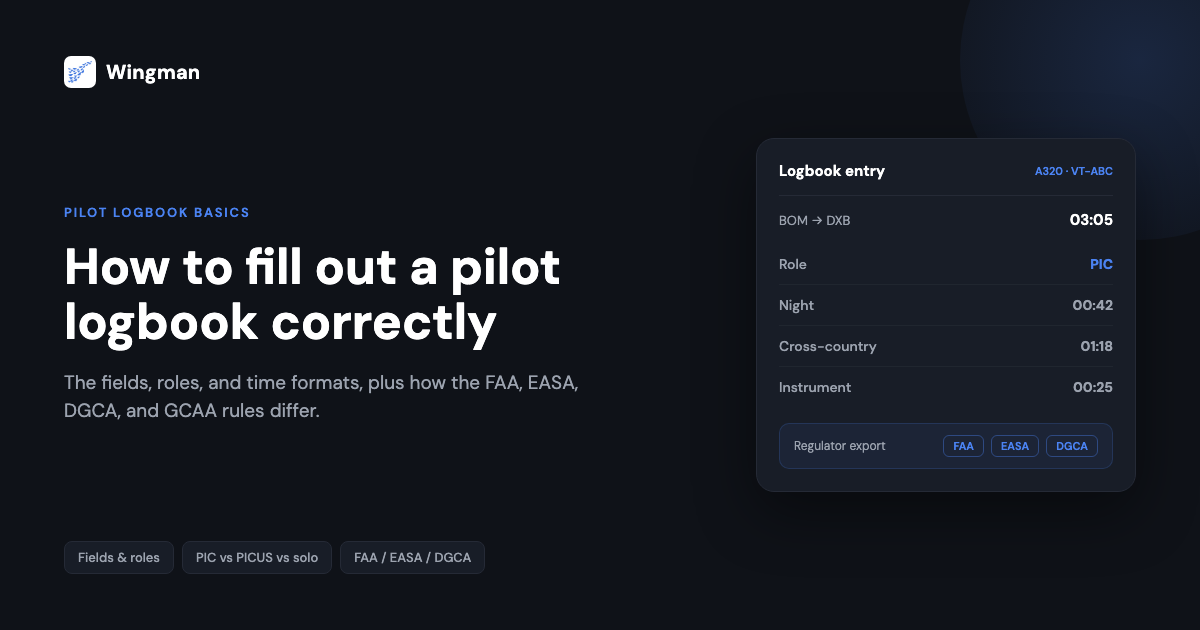
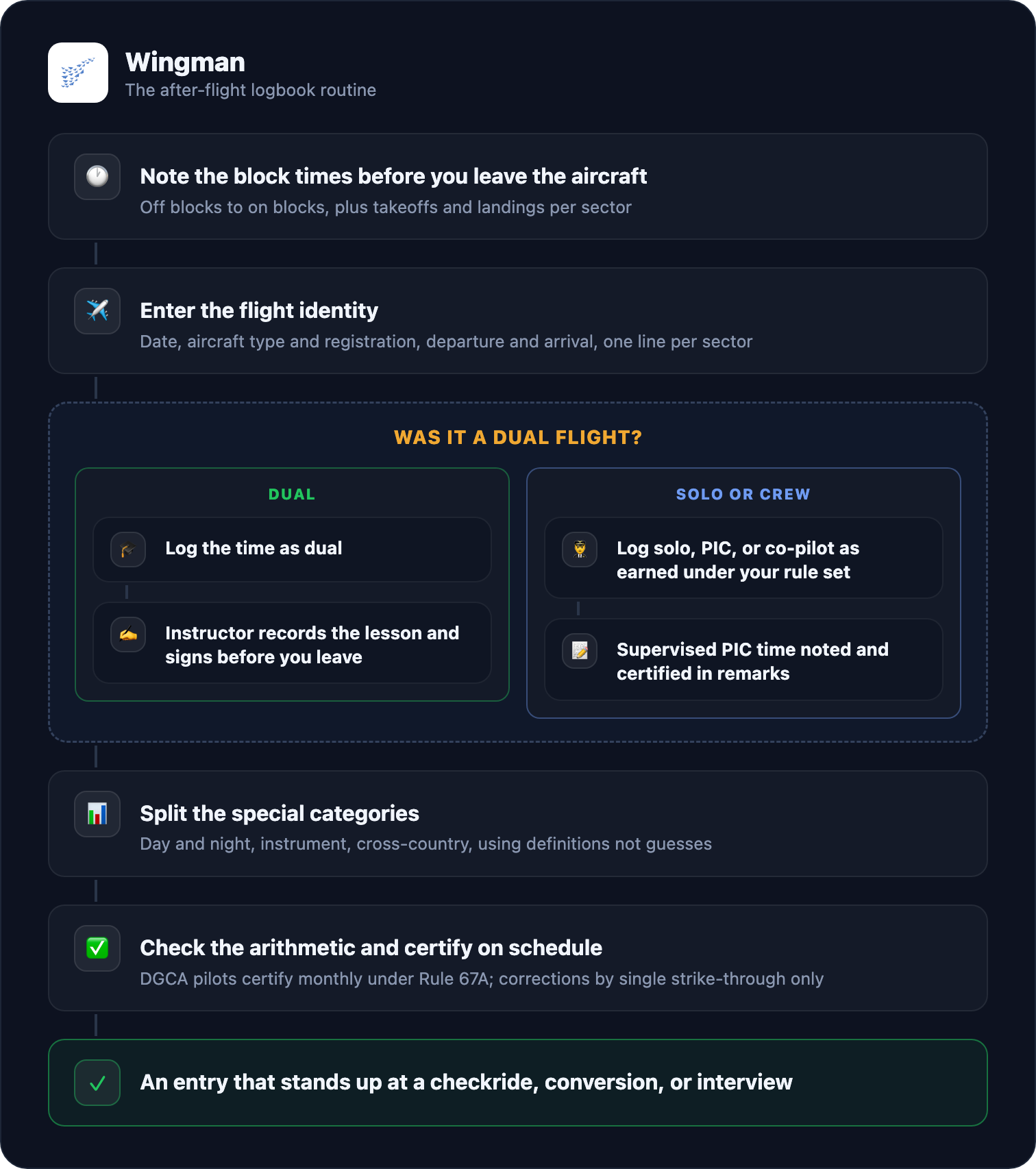
To fill out a pilot logbook correctly, enter each flight on its own line in this order: the date, the aircraft type and registration, the departure and arrival aerodromes, the block time, your capacity on the flight (dual, solo, PIC, or co-pilot), the day and night split, any instrument time, takeoffs and landings, and remarks. On a training flight, the instructor then records the lesson and signs the entry. Total each column, never erase a mistake, and certify your totals on the schedule your authority sets.
That single paragraph is the whole method. The rest of this guide is the detail that keeps the method defensible: what regulators such as the FAA, EASA, and the DGCA actually require in each field, and the classic beginner mistakes that get entries challenged at a checkride, a licence conversion, or an airline interview. Your logbook is the evidence an examiner or recruiter uses to confirm your experience, so a wrong or messy entry surfaces at exactly the moment it matters most.
The columns, what to enter, and the classic mistake in each
| Column | What to enter | Classic mistake |
|---|---|---|
| Date | The calendar date of the flight | Combining several sectors on one line, which corrupts landings and totals |
| Aircraft type and registration | Make and model plus the tail number, for example C172, VT-ABC | Type without registration, which makes the flight hard to verify |
| From / To | Departure and arrival aerodromes, by ICAO code | Writing a local strip inconsistently, so cross-country claims cannot be traced |
| Block time | Off blocks to on blocks, the figure that builds your totals | Mixing 01:45 and 1.75 styles in one column, which breaks the arithmetic |
| Capacity | Dual, solo, PIC, or co-pilot, as actually earned | Logging PIC before the rules allow it |
| Day / Night | The split of the block time | Guessing the night portion instead of using twilight times |
| Instrument | Time flown solely by reference to instruments, actual or simulated | Logging the whole flight instead of the hooded or IMC portion |
| Takeoffs / Landings | Counted per sector, often split day and night | Forgetting them entirely, then failing a currency check on paper |
| Remarks | Lesson content, approaches flown, anything unusual | Leaving it blank on training flights that need an instructor record |
| Signature | Instructor sign-off on dual flights, your own certification of totals | The missing sign-off discovered the week before a skill test |
A digital logbook such as Wingman presents these fields for you and totals every column automatically, which removes the arithmetic and format-mixing errors outright. The signature and certification rules, though, are yours to know regardless of the tool, so the steps below walk through them.
Step 1: enter the flight identity
Start with the facts that identify the flight: date, aircraft type and registration, and the departure and arrival aerodromes. If you fly several sectors in a day, log each sector on its own line so landings and totals stay accurate. Under EASA’s standard format these are the first four column groups of the logbook, and AMC1 FCL.050 asks for times in UTC, which is also the sensible habit everywhere else. There is a separate walkthrough on converting local times to UTC for your logbook if your school logs local.
Step 2: record block time, consistently
Two figures get confused here, and only one belongs in your totals column:
- Block time runs from when the aircraft first moves under its own power for the purpose of flight until it comes to rest after landing. This is what the FAA formally defines as flight time in 14 CFR 1.1, and it is what airlines and licensing authorities count.
- Airborne time runs from takeoff to landing. It matters for engine and maintenance records, and a few schools use it internally, but it is not the licensing figure.
Log block time unless your authority or operator explicitly tells you otherwise, and keep one time style throughout: if your column reads hours and minutes, write 01:45, not 1.75. India’s Rule 67A adds a physical rule for paper logbooks: all entries are made in ink.
Step 3: log the capacity you actually earned
Your capacity on each flight decides which experience you can later claim, and this is where authorities differ most, so it pays to know your own rule set:
- Dual: you fly with an instructor who is responsible for the flight. Under DGCA Rule 67A(5) the time is entered as dual and the instructor makes an entry in your logbook showing the nature of the instruction. Under FAA 61.51(h) the training entry must be endorsed by the instructor with their signature, certificate number, and certificate expiry date.
- Solo: you are the sole occupant of the aircraft. The FAA lets a pilot log PIC when they are the sole occupant or the sole manipulator of the controls of an aircraft they are rated for; the DGCA lets a student pilot log PIC only for the portion of flight when sole occupant.
- PIC: under DGCA Rule 67A(8) and (9), a licensed pilot logs PIC only for time actually acting as pilot in command, and a CPL or ATPL holder logs co-pilot time as co-pilot.
- PICUS, pilot in command under supervision: recognised under EASA rules, where AMC1 FCL.050 has the pilot enter the time as PIC with the commander certifying the entry in the remarks column. The DGCA’s equivalent in Rule 67A(6) allows supervised PIC-duty time to be logged as PIC only when you are already entitled to command that type; otherwise it is co-pilot time with a remark.
Do not log PIC you have not earned. It is the single most common reason a logbook is challenged at a licence check, and the acting-versus-logging distinction trips up pilots under every authority.
Step 4: separate the special categories
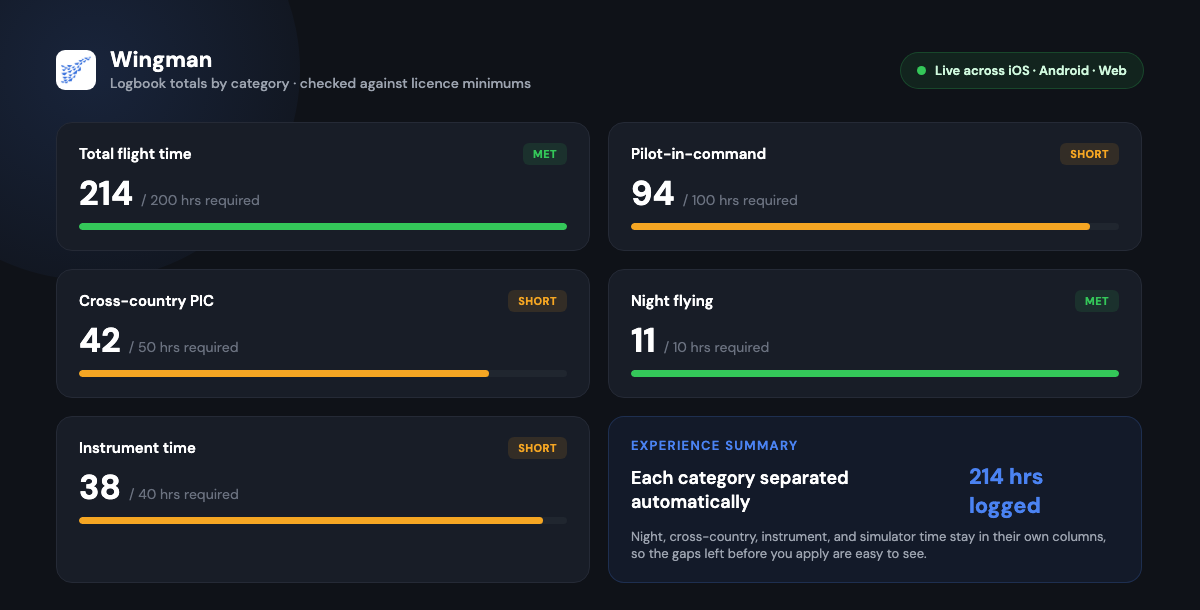
Licences set minimums for specific kinds of time, so these are tracked in their own columns and reconstructing them later is painful:
- Night: the FAA defines it in 14 CFR 1.1 as the time between the end of evening civil twilight and the beginning of morning civil twilight; other authorities tie it to twilight or sunset with their own precise definitions, so check yours rather than guessing at dusk.
- Cross-country: under FAA 61.1, time counted toward private, instrument, or commercial requirements needs a landing more than 50 nautical miles straight-line from the departure point; the ATP rule and other authorities’ definitions differ. If you are building Indian CPL minimums, the CPL flying requirements in India guide sets out how the DGCA counts it.
- Instrument time: only the time flown solely by reference to instruments, actual or simulated. Both FAA 61.51(g) and DGCA Rule 67A(11) use that wording, and the DGCA rule adds that over-the-top flying does not count as instrument time.
- Simulator and training-device time: logged on approved devices, in its own column, never added into aircraft time. It is credited toward specific requirements within set limits.
Step 5: total, certify, and never erase
Arithmetic is where paper logbooks quietly fail. Totals carried across pages drift by a few tenths, and an interview panel that finds the drift will wonder what else is wrong. Check the maths at the end of every page and every month.
Certification is a schedule, not a one-off. Under DGCA Rule 67A, every crew member certifies the accuracy of their flight time at least at the end of each calendar month, and each quarter the logbook is countersigned by a competent authority: the operations manager or chief pilot for professional pilots, the Chief Flying Instructor for club members. EASA’s format has the pilot certify that the entries are true; the FAA requires no routine certification but expects the record to be reliable evidence when presented.
Corrections have one acceptable form: strike through the wrong entry with a single line so it remains legible, write the correct entry, and initial and date the change. Rule 67B makes it an offence to destroy, mutilate, alter, or render illegible any logbook entry, or to make a false one, and correction fluid or heavy overwriting reads as exactly that. The write-up of logbook mistakes that get DGCA entries rejected shows how often this exact issue surfaces during verification.
Rule 67A also sets the retention rule that surprises people: logbooks are preserved for not less than 5 years after the last entry, and in practice you will want yours for a whole career.
The after-flight routine
How the rules compare at a glance
| Requirement | FAA (14 CFR 61.51) | EASA (FCL.050) | DGCA (Rule 67A) |
|---|---|---|---|
| What must be logged | Time used for a certificate, rating, flight review, or recency | All flights, in the format the authority establishes | All flight time, for every licensed crew member |
| Format | No prescribed layout, required data items listed | Standard 12-column layout in AMC1 FCL.050, times in UTC | Form prescribed by the Director-General, entries in ink |
| Training flights | Instructor endorsement with signature, certificate number, expiry | Instruction time recorded by function, FSTD sessions logged | Entered as dual, instructor records the nature of instruction |
| Supervised PIC | Logged when sole manipulator, rated, or acting PIC under 61.51(e) | PICUS logged as PIC, certified by the commander | Logged as PIC only if entitled to command the type, else co-pilot |
| Certification | None routine | Pilot certifies entries are true | Monthly self-certification, quarterly countersignature |
| Retention | Not specified for the logbook itself | Keep the record of all flights flown | At least 5 years after the last entry |
If your flying sits under another authority, the same comparison exists for the Gulf regulators in key differences between GCAA, GACA, and other CAAs, and there are focused walkthroughs for the DGCA pilot logbook, the FAA pilot logbook, and the DGCA entry format field by field.
The mistakes that actually get logbooks challenged
Each of these is a real failure mode from checkrides and licence verification, not a hypothetical, and each has a habit that prevents it:
- PIC logged before it was earned. Know your authority’s logging rule, not the one from a forum post written under a different rule set.
- Missing instructor signatures on dual flights. Get the sign-off before you leave the school building; under FAA rules the endorsement needs the instructor’s certificate number and expiry, not just initials.
- Arithmetic errors in carried-forward totals. Re-add every page total; a digital logbook eliminates this class of error entirely because totals are computed, not copied.
- Mixed time formats in one column. Pick hours-and-minutes or decimal on day one and never switch mid-book.
- Cross-country flights logged without the qualifying detail. Record the route and distance basis at the time; you cannot reconstruct straight-line distances from memory two years later.
- Simulator time added into aircraft time. It lives in its own column and is credited separately.
- Corrections done with correction fluid or overwriting. Single line, new entry, initial and date, every time.
This is also where an electronic logbook earns its place honestly: it cannot sign a dual entry for you, but it does the totalling, enforces one time format, splits day and night from twilight tables, and flags incomplete entries before they fossilise. Whether that record is acceptable to your authority is a fair question with a documented answer: see are electronic pilot logbooks legal under FAA and EASA rules and the guide to maintaining an FAA-compliant digital logbook. Indian pilots also upload flight records into the DGCA’s own eGCA system, covered in the eGCA logbook upload guide.
Paper or digital logbook
Both are accepted by the major authorities, with the conditions above, so the choice is about reliability over a career:
| Feature | Paper logbook | Digital logbook |
|---|---|---|
| Automatic totals | No | Yes |
| One enforced time format | Your discipline | Built in |
| Attach rosters and sign-offs | No | Yes |
| Regulator-formatted export | Manual reformatting | Built in |
| Backup if lost or damaged | None | Cloud copy |
A longer comparison is in paper versus digital pilot logbook, and if you are deciding between apps, see how to choose a pilot logbook.
Where Wingman fits
Wingman is a pilot logbook used by more than 30,000 pilots across more than 400 airlines, on iOS, Android, and Web. It maps directly onto the steps above: entries are structured so the identity fields are never half-filled, block times total automatically in one format, night and instrument and cross-country sit in their own tracked categories, and instructor sign-offs and rosters attach to the entry they belong to. When a licence application or interview comes, it produces regulator-formatted exports for the FAA, EASA, UK CAA, DGCA, GCAA, GACA, NZCAA, HKCAD, CASA, and CAAS. For airline pilots, roster import from systems such as AIMS eCrew, NavBlue RAIDO, CAE Crew Access, ARMS, Sabre, and PDC CrewConnex means block times flow in instead of being typed. There is a free tier up to 250 logged hours, so the habit can start on your first training flight in the app.
Frequently asked questions
What goes in each column of a pilot logbook?
Date, aircraft type and registration, departure and arrival aerodromes, block time, your capacity (dual, solo, PIC, or co-pilot), the day and night split, instrument time, takeoffs and landings, and remarks, with an instructor entry and signature on training flights. The table at the top of this guide pairs each column with the classic mistake made in it.
Should I log block time or flight time?
For licensing they are usually the same figure: the FAA’s definition of flight time in 14 CFR 1.1 runs from first movement under power to coming to rest after landing, which is block time. Airborne time, takeoff to landing, belongs to maintenance records. Log block time unless your authority says otherwise, and keep one time style in the column.
What is the difference between solo and PIC time?
Solo means sole occupant. PIC depends on your licence and rule set: an FAA student on a solo flight logs PIC as sole occupant, while under DGCA Rule 67A a licensed pilot logs PIC only when actually acting as pilot in command, and supervised PIC duties count as PIC only if you are already entitled to command the type.
How do I correct a mistake in my logbook?
Single line through the wrong entry so it stays legible, correct entry written afresh, initialled and dated. Never erase, overwrite, or use correction fluid: India’s Rule 67B treats altered or illegible entries as an offence, and examiners under every authority read messy corrections as a warning sign.
Are digital pilot logbooks accepted?
Broadly yes: EASA’s AMC1 FCL.050 accepts electronic records that are available to the authority and certified by the pilot, the FAA accepts any record documenting the 61.51 items, and the DGCA operates its own eGCA e-logbook alongside the personal logbook. The record must still carry required signatures and export in the format your authority expects, which is exactly what a compliant e-logbook automates.
How do the FAA, EASA, and DGCA logbook rules differ?
The FAA only obliges you to log time used to meet a requirement or recency and is strict about instructor endorsements. EASA prescribes a 12-column format with UTC times and commander-certified PICUS entries. The DGCA requires all flight time to be logged in ink, self-certified monthly, countersigned quarterly, and the book kept for at least 5 years after the last entry. The comparison table above covers the detail.
Start the record correctly on your next flight with Wingman.
← All articles