How to log multi-sector flights and multi-crew time: a guide for Indian and UAE airline pilots
For airline pilots flying out of India or the UAE, the logbook is more than a formality. It is the record that backs your recency, your command time, your licence renewals, and any audit a regulator or a future employer puts you through. Two situations cause more confusion than almost anything else: multi-sector duties, where you fly several legs in one day, and multi-crew or ultra-long-range (ULR) operations, where more than one set of pilots shares a single flight. Get either of these wrong and your totals drift away from reality, which is exactly what an auditor looks for.
This guide explains what multi-sector and multi-crew time actually mean, how to record each one line by line, and how the rules differ between the Indian DGCA and the UAE GCAA. It is written for line pilots at carriers like IndiGo, Air India, Emirates, Etihad, and flydubai, and the same logic carries over if you are on a growth track toward a Gulf wide-body fleet.
What counts as a multi-sector flight
A sector is a single flight leg, gate to gate. A multi-sector duty is two or more sectors flown inside one duty period. A Delhi to Mumbai to Hyderabad rotation is three sectors if you also include the positioning leg, or two revenue sectors if you only count DEL to BOM and BOM to HYD. Short-haul narrow-body flying in India and the Gulf routinely produces three, four, or more sectors in a single day.
The rule that matters for logging is simple: each sector is its own logbook line. You do not roll a four-sector day into one entry. Sector-level logging is what supports the things your career depends on:
- Recency and currency, including the rolling counts of takeoffs and landings.
- Licence renewal and rating revalidation evidence.
- Block-time totals that have to reconcile with airline records during an audit.
- Fatigue and flight-duty tracking, which sits in your roster system but should agree with your logbook.
How to log a multi-sector duty correctly
Work one leg at a time and keep the entries in chronological order. Here is the sequence to follow for any multi-sector day.
- Split the duty into individual sectors. List every leg you operated, including any ferry or positioning sector if you were on the controls.
- Enter each sector as its own line. Record the date, departure and arrival aerodromes, aircraft type, registration, and the block time for that leg only.
- Record your role and landings per leg. Note pilot flying or pilot monitoring, and log the takeoff and landing against the correct sector so your currency counts stay accurate.
- Keep block time per sector, not per duty. The total flight time on each line reflects that single leg. The day’s total is the sum of the lines, not a separate combined entry.
- Reconcile against the journey log or roster. Cross-check your entries against the aircraft journey log and your crew roster before you sync or sign.
Indian DGCA logging
The DGCA Civil Aviation Requirements (CAR) Section 7 covers flight crew licensing and the recording of flight time, and Indian pilots are expected to log each sector as a separate, complete entry. [VERIFY] Maintain both your digital records and, where required, a physical logbook, and make sure instructor or examiner signatures are in place for any training or check sectors. A clean four-sector day looks like this:
| Date | From | To | Aircraft type | Registration | Block time | Role | Remarks |
|---|---|---|---|---|---|---|---|
| 01/07/24 | DEL | BOM | A320 | VT-ABC | 01:55 | PF | Sector 1 |
| 01/07/24 | BOM | HYD | A320 | VT-ABC | 01:25 | PM | Sector 2 |
| 01/07/24 | HYD | BLR | A320 | VT-ABC | 01:05 | PF | Sector 3 |
| 01/07/24 | BLR | DEL | A320 | VT-ABC | 02:35 | PM | Sector 4 |
For the exact field-by-field conventions India uses, see our guide on the DGCA logbook entry format, and the focused walkthrough on keeping a DGCA pilot logbook in India.
UAE GCAA logging
UAE-based pilots log under the GCAA Civil Aviation Regulations. The GCAA framework, including the personnel licensing and flight-time recording requirements in CAR Part II, expects sector-level entries with clear departure and arrival points. [VERIFY] Three habits keep Gulf logbooks audit-ready:
- Use UTC (Zulu) time consistently, since the UAE day and your roster both run on it. If you are converting from local time, our guide on local time to UTC in a pilot logbook covers the common traps.
- Record the flight number, your role, and your seat for each sector.
- Retain supporting records such as crew rosters and journey logs for the period your authority requires. [VERIFY]
What multi-crew and ULR time mean
Multi-crew time is flight time on an aircraft certified to be operated by a minimum crew of at least two pilots. For types like the A320, B737, A350, B777, or B787, that condition is met by default, so the time you fly on them is multi-crew time. This is distinct from multi-pilot time logged during training, and it is distinct from the question of who is actually flying the aircraft at any given moment.
Ultra-long-range and long-haul flying adds a second layer. On a sector like DXB to SFO or DEL to YYZ, the operator carries augmented crew, often two full crews, so pilots can rotate through scheduled rest. The flight is one sector, but it is shared. The number you log is not the whole block time of the aircraft. It is the time you personally occupied an operating seat.
How to log multi-crew and ULR time
The principle that keeps these entries honest: log the seat, not the sticker. Block time belongs to the aircraft; you log the portion you actually flew.
- Use the aircraft journey log as the master record for the sector’s block time.
- Log only the time you spent in an operating seat as pilot flying or pilot monitoring.
- Do not log scheduled rest, bunk time, or time spent as a supernumerary observer as operating time.
- Record your seat (left or right) and your role so the entry is unambiguous.
A single augmented long-haul sector logged from the right seat might look like this:
| Date | From | To | Aircraft type | Registration | Role | Seat | Time in seat | Block time |
|---|---|---|---|---|---|---|---|---|
| 28/07/25 | DXB | LHR | B777-300ER | A6-ENG | FO | RHS | 03:55 | 07:45 |
The aircraft block time is 7 hours 45 minutes, but the first officer logs the 3 hours 55 minutes actually flown from the seat. Rest and observer time are not included, and the role and seat are stated plainly. ICAO Annex 1 sets the international baseline for how flight time is recorded, and both the DGCA and the GCAA build on it. [VERIFY]
Deciding what to log

Common mistakes to avoid
- Logging the full duty time as one entry instead of splitting a multi-sector day into separate lines.
- Logging the aircraft’s full block time on an augmented sector when you only flew part of it.
- Counting scheduled rest, bunk time, or observer time as operating time.
- Mixing local time and UTC, which is an easy slip for Gulf pilots whose roster is in Zulu.
- Forgetting to record landings against the correct sector, which quietly breaks your currency counts.
If you are newer to logbooks and want the fundamentals before the edge cases, start with how to fill out a pilot logbook correctly, then come back to multi-sector and ULR specifics.
Logging it automatically with Wingman
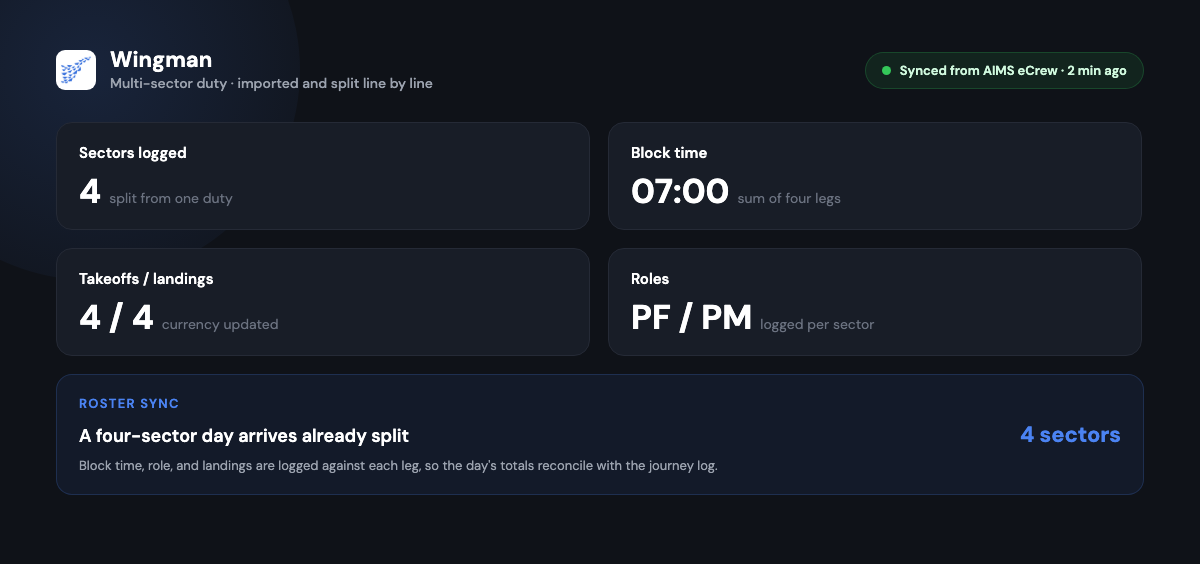
Multi-sector and ULR entries are exactly the kind of repetitive, error-prone work a digital logbook should take off your hands. Wingman is used by 30,000+ pilots across 400+ airlines, and it imports your roster directly from crew systems including AIMS eCrew, NavBlue RAIDO, CAE Crew Access, ARMS, CESAR, Sabre, FLICA, and PDC CrewConnex. A four-sector IndiGo day or an augmented Emirates wide-body rotation comes in as correctly split sectors rather than something you retype at the end of a trip.
For the Gulf growth track specifically, the regulator-compliant exports cover the GCAA and GACA alongside the DGCA, FAA, EASA, UK CAA, NZCAA, HKCAD, CASA, and CAAS, so the same logbook carries you from an Indian narrow-body seat to a Dubai or Abu Dhabi wide-body fleet without rebuilding your records. If you are planning that move, the Indian pilot to Gulf airline logbook playbook and the broader Middle East pilot logbook requirements guide both go deeper on what changes when you cross over.
Wingman runs on iOS, Android, and Web. There is a free tier up to 250 logged hours, and Pro is $59 per year ($4.99 per month billed annually, or ₹4,499 per year in India). You can start in the Wingman web app and keep recency, currency, and licence details in one place.
Frequently asked questions
Do I log a multi-sector day as one entry or several?
Several. Each sector is its own logbook line with its own departure and arrival points, block time, role, and landings. The day’s total is the sum of those lines, not a single combined entry. This keeps your currency counts and block totals accurate during an audit.
On an augmented ULR flight, do I log the whole block time?
No. You log only the time you actually spent in an operating seat as pilot flying or pilot monitoring. Scheduled rest, bunk time, and observer time are not logged as operating time. The aircraft journey log holds the full block time; your entry holds your portion of it.
What is the difference between multi-crew time and multi-pilot training time?
Multi-crew time is flight time on an aircraft certified for a minimum crew of two or more pilots, which applies by default to most airline jets. Multi-pilot training time refers specifically to training conducted in a multi-pilot environment. The distinction matters when you are filling licence and rating columns, so record your role on every sector.
Should UAE pilots log in local time or UTC?
Use UTC (Zulu) consistently. UAE rosters and journey logs run on UTC, and mixing it with local time is a common source of logbook errors. If you are converting entries, follow a single, consistent method for the whole logbook.
Can a digital logbook split multi-sector and ULR flights automatically?
Yes. Wingman imports your roster from crew systems such as AIMS eCrew, NavBlue RAIDO, ARMS, and others, and brings multi-sector days in as separate sectors. For augmented flights you can record your in-seat time so the entry reflects what you actually flew rather than the aircraft’s full block time.
← All articles