Mini-Preflight Briefing

Feature overview
AirRoster puts essential flight briefing data in one place, no scrambling through documents or multiple systems. Whether you're preparing in the crew bus or reviewing before report time, everything you need is organized and accessible.
Try for FreeWhat's inside the pre flight tabs
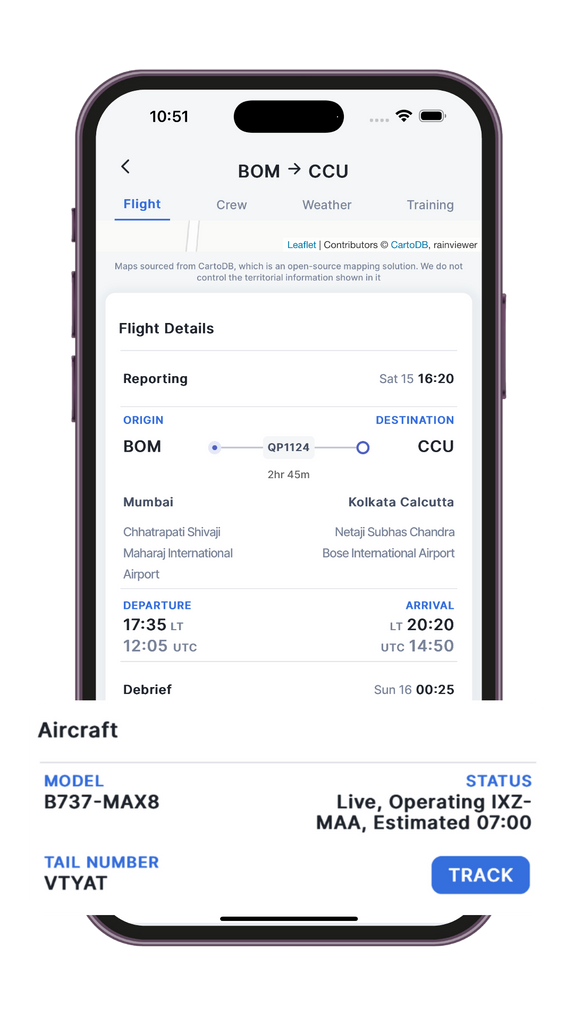
- Flight Tab View departure/arrival times, sector routing, reporting/debrief windows, aircraft info, and crew pairing. The flight page also provides information about the aircraft that you are going to operate for the day and its current status (in air / on ground + current sector) so that you can plan in accordance. The “TRACK” button will automatically open flight radar 24 and show additional details of the aircraft.
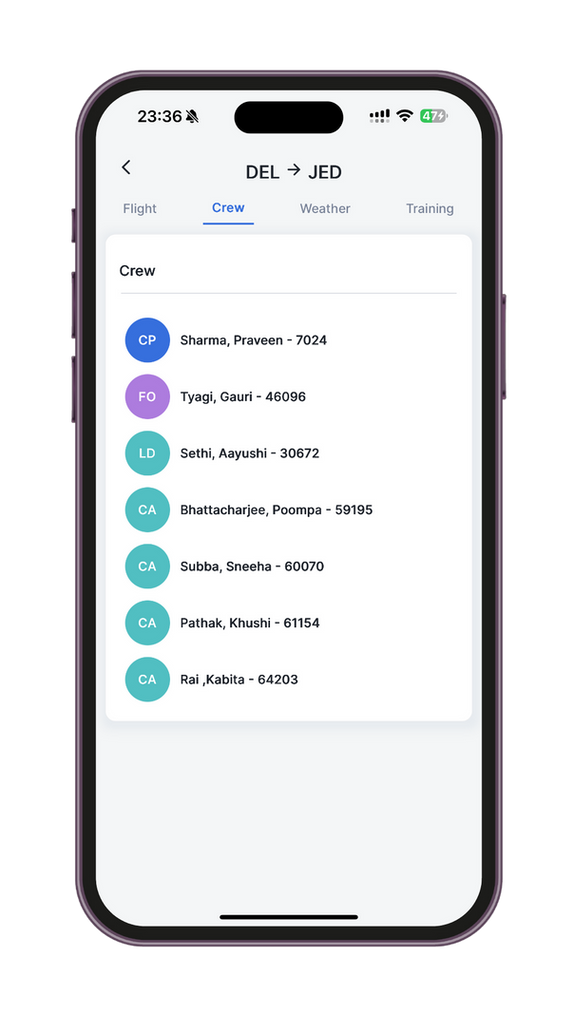
- Crew Tab Instantly see who you're flying with, names, designations, and roles, across all legs of the duty.
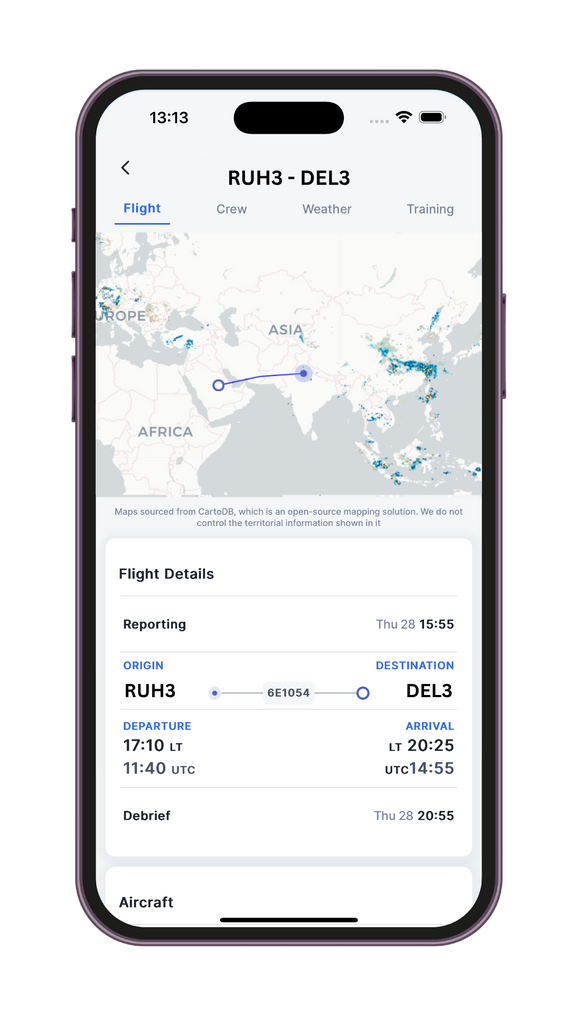
- Weather Radar See your entire flight path with live weather radar, right inside your roster app. From convective activity to enroute storms, AirRoster's pocket radar brings the situational awareness of a dispatch room, straight to your phone.
- Weather Tab Auto-fetched METAR & TAF reports. For both departure and arrival stations, updated in real time for accurate operational awareness.
- Training Tab Check if any line checks, instructor pairings, or recency evaluations are scheduled with this sector.
Why flight crew around the world love using this feature?
- All essentials, zero distractions: no clutter. Just the critical data needed to report ready.
- Saves time and stress: quickly review your flight briefing without switching apps or tools.
- Works online and offline: preloaded content remains available without connectivity.
- Supports cockpit and cabin crew: everyone gets the same streamlined view, tailored to their role.
Frequently asked questions
Can I rely on this for my full preflight prep?
Yes and no. AirRoster the same data that's there on your roster. The feature should be treated as a pocket-briefing tool rather than a replacement for your full pre-flight preparation.
How frequently is the weather tab updated?
METARs are updated every 30 minutes (or as soon as a new report is published). TAFs are fetched once in every 3 hours.
Will the crew tab show roles and not just names?
Yes. You'll see crew names along with roles (e.g., PIC, FO, Cabin Lead, etc.).
Is the training tab mandatory for all flights?
No. It only appears when checks, observations, or pairings are assigned.
Can I access this during layovers or flights?
Yes. As long as the data is loaded once, it remains available offline.
Does this replace my official briefing pack?
It's designed to complement it, offering quick-glance readiness before going into formal prep.
Are aircraft registration or type shown too?
Yes. Aircraft type and tail number are visible in the Flight tab. It is fetched automatically and shown 1 day before flight.
Can I export or share this view?
You can screenshot/share info with crew if needed.
Is this available for all airlines?
Available for all supported airlines and roster formats.
Do cabin crew and pilots see the same briefing?
Yes, but the data adjusts based on your role, ensuring clarity without overload.
Something beyond this? Just drop a message on the contact page