View friends' roster

Feature overview
With AirRoster, you can add friends, share rosters, and see who's flying where, all within the app. Whether you're planning a layover meet-up, looking to swap duties, or just keeping tabs on your batchmates, this feature keeps everyone connected, without ever asking, “What's your next sector?”
Try for FreeHow it works
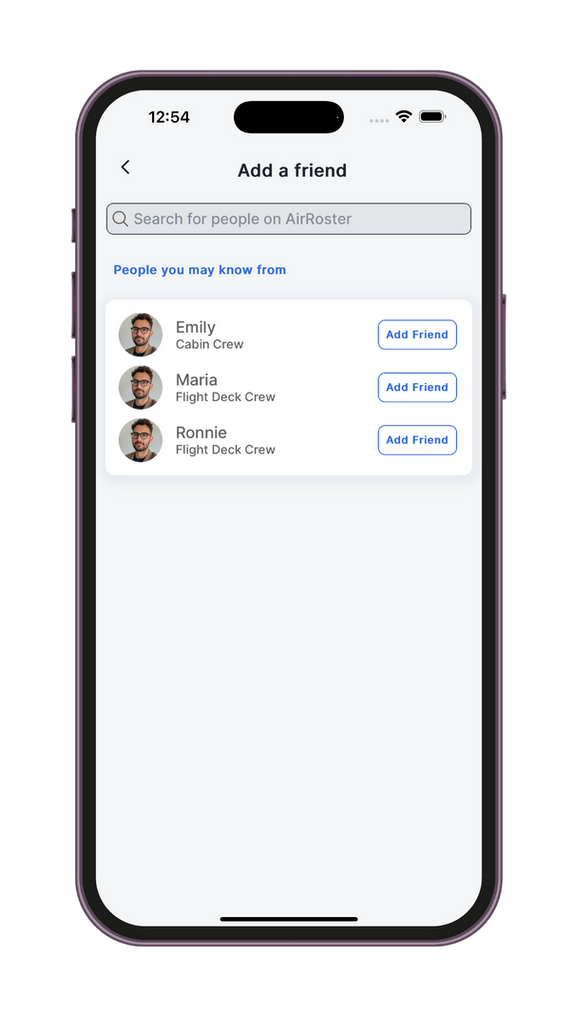
- STEP 1: Search for a crew member by name or employee ID within supported airlines.
- STEP 2: Send (or receive) a friend request, user need to approve it for access.
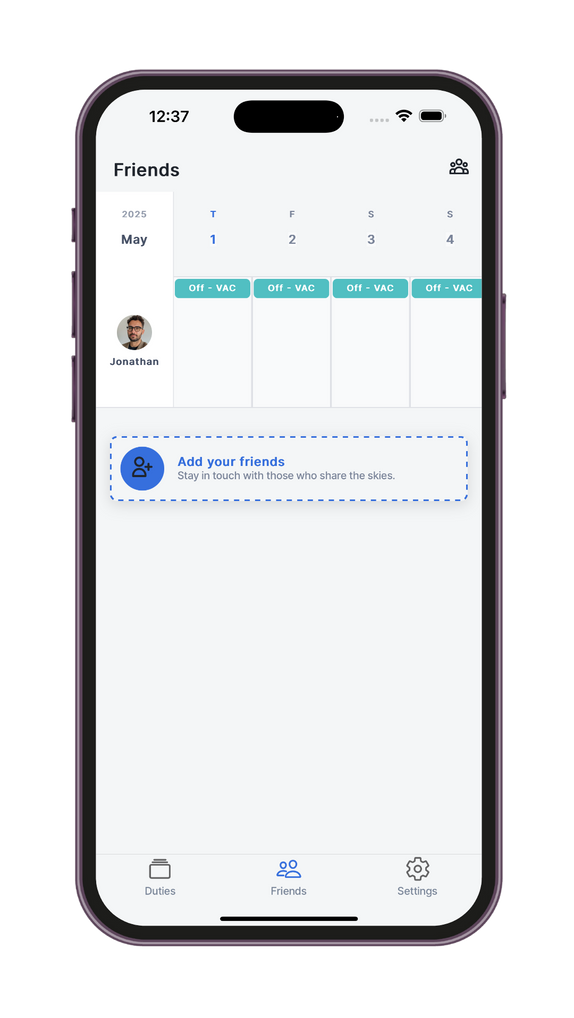
- STEP 3: Once accepted, you can view a shared summary of each other's upcoming rosters. Use the overview to spot matching off-days, layovers, potential swap opportunities.

Why flight crew around the world love using this feature?
- All essentials, zero distractions: no clutter. Just the critical data needed to report ready.
- Saves time and stress: quickly review your flight briefing without switching apps or tools.
- Works online and offline: preloaded content remains available without connectivity.
- Supports cockpit and cabin crew: everyone gets the same streamlined view, tailored to their role.
Frequently asked questions
Can I see my friend's full roster details?
You'll see sector overview info (dates, destinations, duty type), not private notes or edits.
Can my friends see my roster without approval?
No. Friend access is strictly opt-in. You must approve each request.
Can I add friends from other airlines?
Yes, as long as both crew members are from airlines supported by AirRoster.
What if I want to revoke access later?
You can unfriend anytime, and access will be removed instantly.
Can I get alerts when a friend is on the same layover or base?
Not yet, but it's on our roadmap. For now, use the overview to manually check.
How many friends can I add?
There's no limit. Add as many crew members as you like.
Is my schedule shared automatically?
No. Roster visibility begins only after you accept a request.
Can I use this for swapping flights?
While AirRoster doesn't process swaps, it helps identify overlap for coordination.
Will my airline know I'm sharing my roster?
No. This is a peer-to-peer feature, handled entirely within the app.
Can I see which friends are on reserve or off?
Yes. Duty types are visible so you can tell who's flying, resting, or on standby.
Something beyond this? Just drop a message on the contact page